PC Client Introduction
72
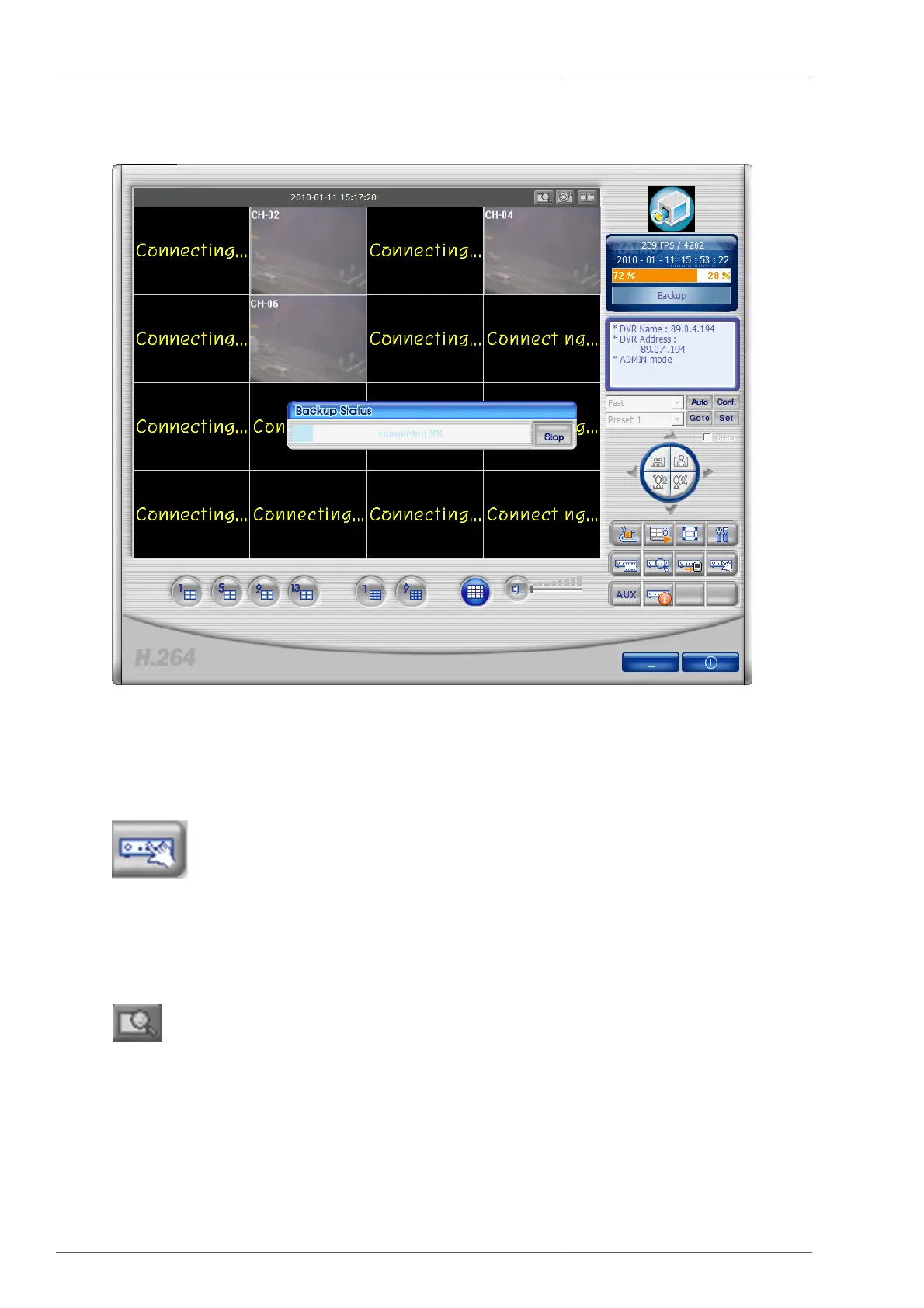
button is pressed, then the back up stops.
Figure 4.16. The screen display, showing the backup of CH2, CH4, CH6 screens saved
on DVR.
4.4.10. DVR Setup
button is linked with Quick Installer program to change the whole DVR setting values at once. This button is to
be activated only when the user logs in as ADMIN. It retrieves the DVR setting values from the connected device
and display them on to screen. Please refer to Section 4.7.2, “System parameter selection”.
4.4.11. D-Zoom function
If this button is pressed on 1 channel screen, mouse cursor changes and allows the user to drag the screen. By
clicking the screen and drag it by mouse and by leaving the mouse, the selected area is to be magnified and zoomed.
Pressing it again will leave the Zoom mode.



 To Next Page