Main Menu Configuration
13
From camera setup, the user can make PTZ setup from the selected channel.
3.1.5.1. Model Number
Please select the PTZ model to use and select NONE if you don't want to use it.
3.1.5.2. PTZ Number
This is to set up PTZ device's numbering and you can select 0 up to 255 numbering values. For PTZ controlling, this
number is to be verified internally and the controlling is available only when the ID is identical with PTZ device.
3.1.5.3. Reversed Direction Control
This function allows the user to proceed reversed polarity PTZ device control, even if the user has made the
reversed PTZ device connection. Reversed direction control of each PAN, TILT, ZOOM, FOCUS is available and
each function can be set ON/OFF.
3.1.5.4. RS-485 Setup
This is for RS-485 set up for PTZ control and Baud Rate can be set up. The available setting values are 2400,
4800, 9600, 19200, 38400, 57600, 115200 bps.
3.1.5.5. Test
After PTZ setup from the above, this is to test the actual PTZ control. Once the test button is pressed, it becomes
PTZ control ready status and the user can test it by using top, bottom, left, right buttons. Pan/Tilt and Zoom/Focus
mode change can be made by using OK key button. When controlling Pan and Tilt, the user can adjust the PTZ
device speed. Namely, to move Pan/Tilt device much faster, the user can use PLAY button and to control probe
control, the user can use R.PLAY button. After finishing the test, pressing the PTZ button will proceed to the
upper menu.
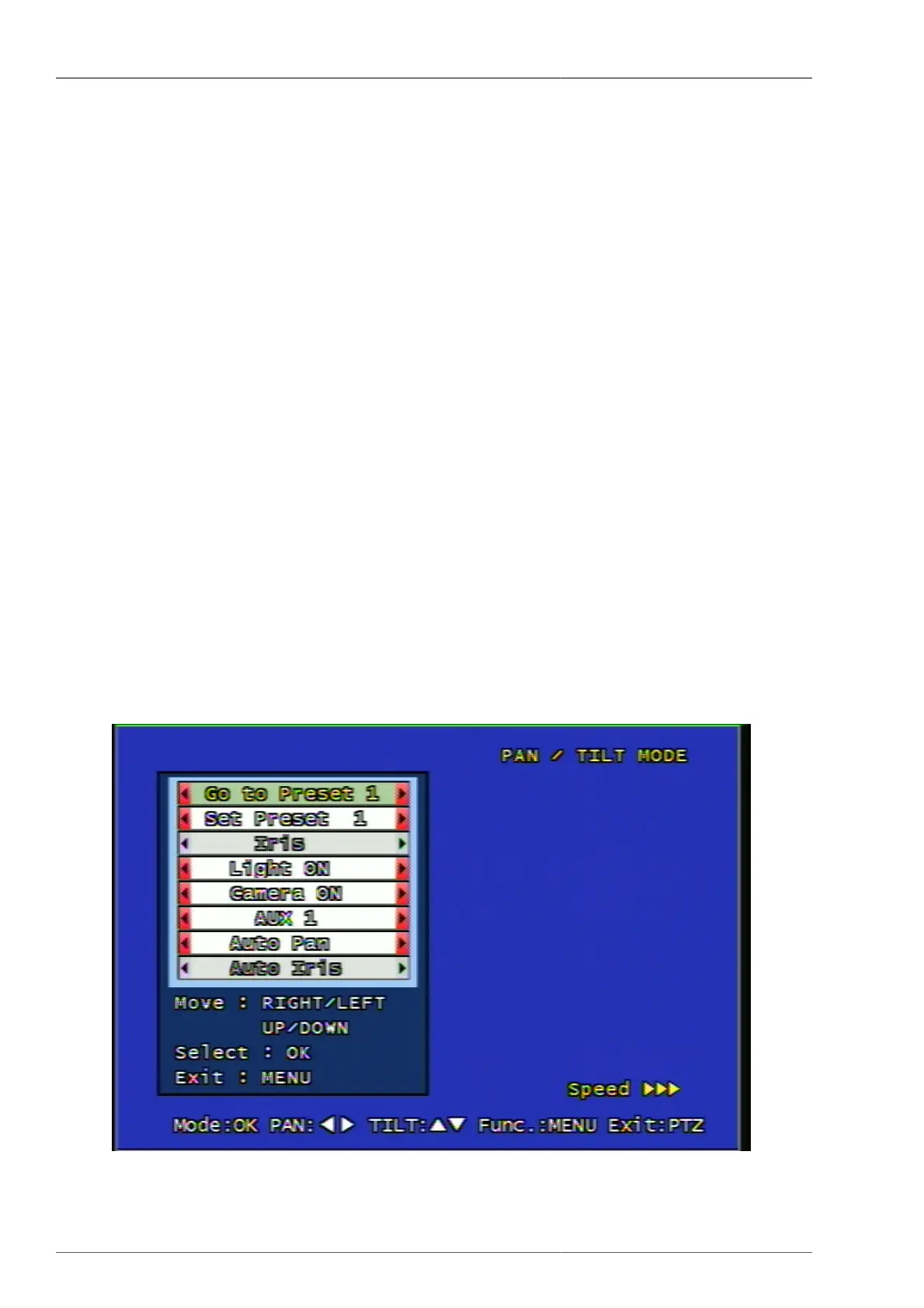
3.1.5.6. PTZ Contingent Menu
Once you press the menu button on PTZ mode, you will see the below screen.
Figure 3.7. PTZ Contingent Menu Screen



 To Next Page