PC Client Introduction
68
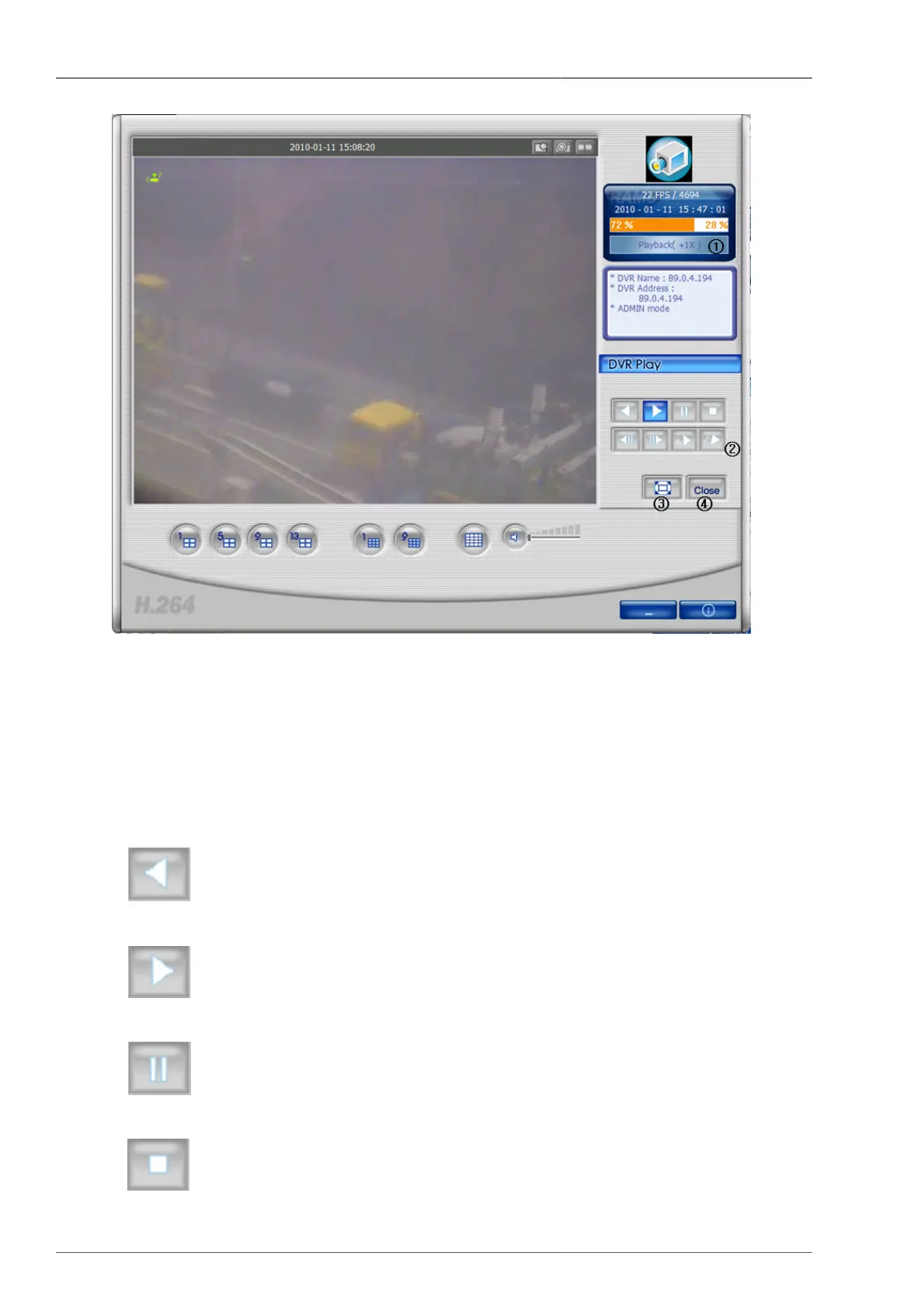
Figure 4.13. The screen is showing the playback video data saved on DVR.
1. Current status changes to playback.
2. These are reversed playback, playback, pause, stop, previous screen, next screen, slow, fast buttons.
3. This is full screen view button. Currently-displayed image will be turned to full screen.
4. This to close DVR playback and turn to live mode.
•
: This is to start reversed playback.
•
: This is a playback button.
•
: This is a pause button.
•



 To Next Page