CABIN
M8540Narrow, M9540Narrow, WSM
N10-S6
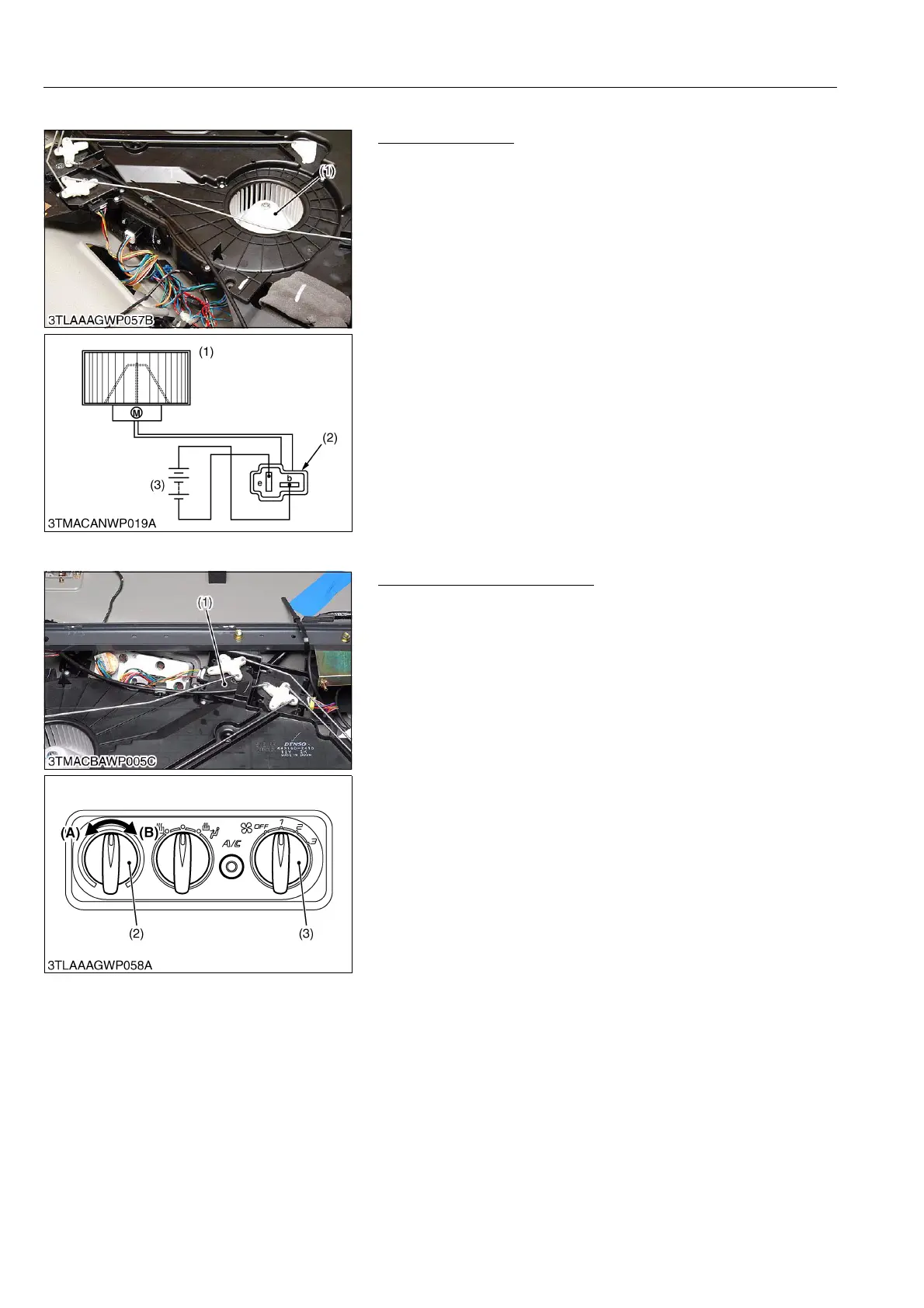
(3) Blower Motor
Blower Motor Test
1. Turn the blower motor (1) by hand and check whether it turns
smoothly.
2. Disconnect the 2P connector (2) of blower motor (1).
3. Connect a jumper lead from battery (3) positive terminal to
connector terminal b.
4. Connect a jumper lead from battery negative terminal to
connector terminal e momentarily.
5. If the blower motor does not run, check the motor.
9Y1210236CAS0010US0
(4) Temperature Motor
Temperature Motor Checking
1. Confirm whether the temperature control dial (2) is defective.
(Refer to "(1) Control Panel" in this section.)
2. Turn the main switch to "ON" position.
3. Turn the blower switch (3) at 1 position.
4. Turn the temperature control dial from "COOL" position (A) to
"WARM" position (B). At the time, confirm the motor is
operating.
5. If the motor does not operate, replace it.
9Y1210236CAS0011US0
(1) Blower Motor
(2) 2P Connector (Blower Motor Side)
(3) Battery (12 V)
b: Terminal b
e: Terminal e
(1) Temperature Motor
(2) Temperature Control Dial
(3) Blower Switch
(A) COOL
(B) WARM



 To Next Page