Axio Imager 2 OPERATION ZEISS
The Light Manager
01/2016 430000-7544-001 101
4.6.6 Light Manager of motorized microscope
The Light Manager of the motorized microscope (Axio Imager.M2, .M2m, .Z2, .Z2m) controls the light
intensity for the observation of specimens in such a way that the operator obtains the same image
brightness for all set magnifications. The operating mode of the Light Manager can be selected via the
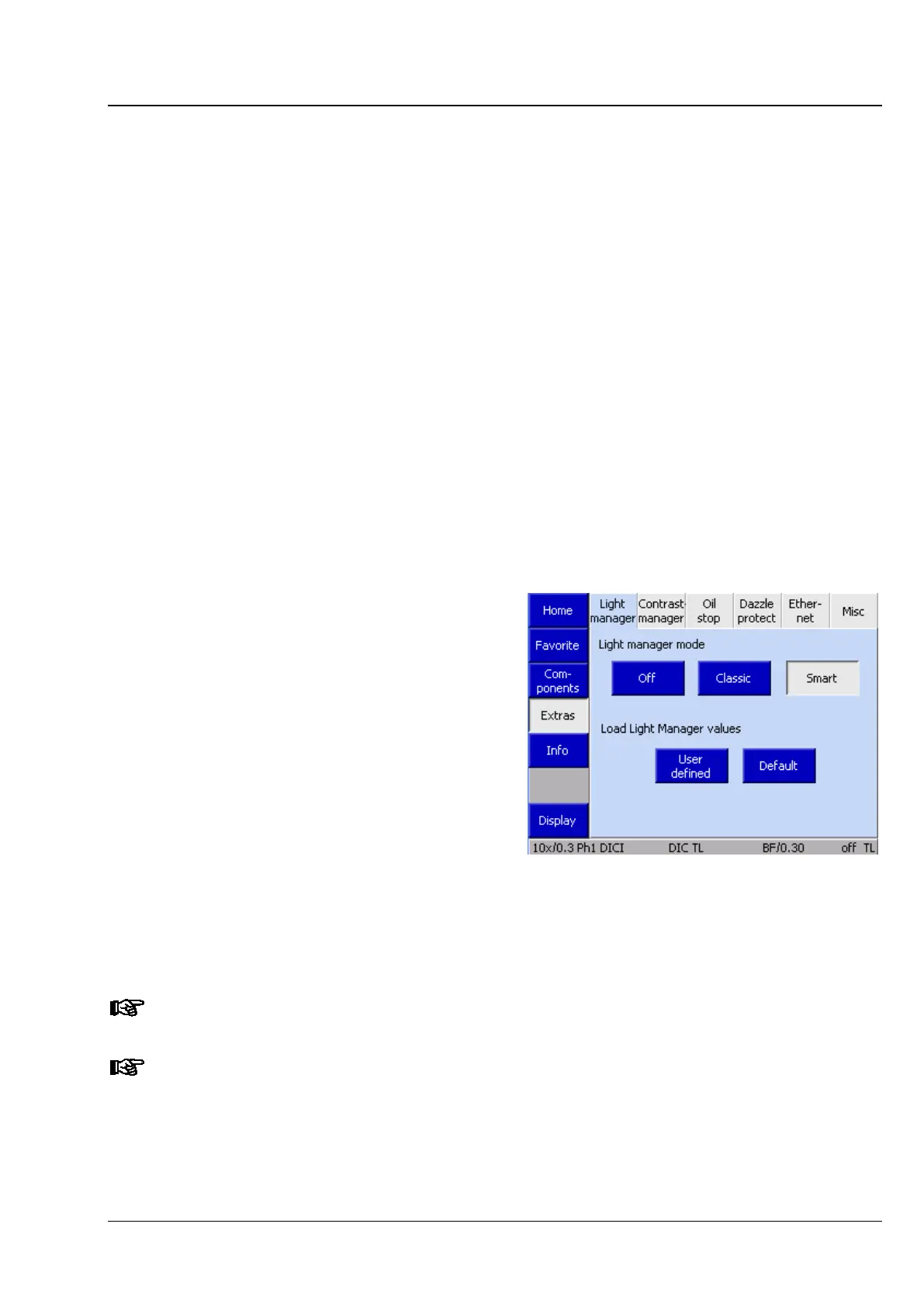
Settings menu on the TFT screen (OFF, CLASSIC, SMART). Then, proceed as follows:
• Select the required contrast method.
• Adjust the light intensity for all objective nosepiece positions.
• Press the LM-Set button. The current settings will then be transferred to the permanent memory.
They will thus be available again when you switch on the microscope the next time.
The light intensity is changed for all other objectives, too, depending on the objective and post-
magnification. When the nosepiece is turned the light manager sets the light intensity as follows:
− if installed, the motorized filter wheels are turned to keep the color temperature constant.
− If this is not sufficient to completely match the calculated light-intensity levels, the intensity of the
halogen lamp is varied by changing the lamp voltage. This, of course, also changes the color
temperature for specimen observation.
− The luminous-field diaphragm is adapted to the visual field of the eyepieces (see also
Section 4.8.6.1 from page 126); the user, however, may readjust it individually.
− The aperture diaphragm is set according to the objective aperture (changes will be saved separately
for brightfield and DIC).
− If you want to reset temporary Light
Manager values to the last settings saved
with the LM-Set button, you can do this by
pressing the User defined button. The
temporarily stored values are then
overwritten by the permanently stored ones
and activated.
− If the manufacturer’s default settings are to
be used instead, press the Default button.
The default values will then be loaded,
written to the temporary memory and
activated. If you want to use the default
settings permanently, write them to the
permanent memory by pressing the LM-Set
button. The manufacturer defaults cannot be
overwritten.
The calculated intensities apply only to the contrast technique selected. That means the
intensity must be adjusted specifically for each contrast technique.
The Light Manager works only if all dependent components are configured correctly (see
Section 4.8.6).
Fig. 90 Setting / resetting the Light
Manager








 To Next Page