ZEISS FIRST-TIME SET-UP Axio Imager 2
Mount sample stage
72 430000-7544-001 01/2016
(3) Centering the stage
When objectives with high magnification are used,
the centering can only be exact for one selected
objective.
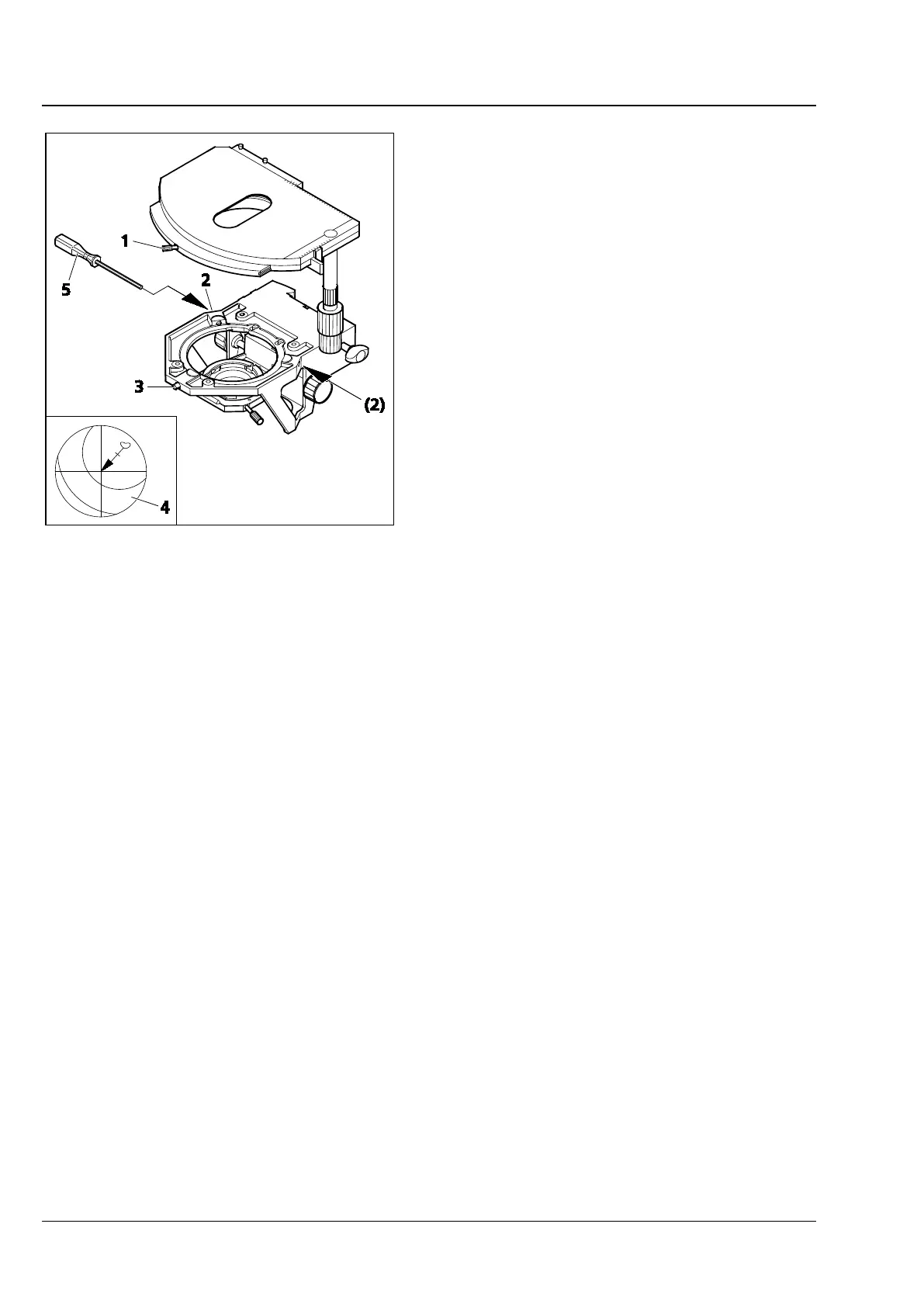
All stages are factory-precentered, i.e. a set
specimen detail remains in the image center when
the stage is rotated. If the image detail moves from
the image center (Fig. 64/4), recenter the stage as
follows:
• Loosen stage clamping screw (Fig. 64/1) and the
screw cap on the stage carrier (Fig. 64/3).
• Rotate the stage to determine the maximum
specimen deflection (Fig. 64/4, tip of arrow) to
the eyepiece reticles.
• Reset the two centering screws on the stage
carrier (Fig. 64/2) using one SW 1.5 Allen
screwdriver (Fig. 64/5) each to move the
specimen detail by half the arrow length in the
direction of the crossline center. Check whether
the specimen detail moves when the stage is
rotated again; repeat the procedure, if required.
• When centering is finished, tighten screw cap
(Fig. 64/3) again.
The stage can be turned by 240° within an adjustment range of y ≤ 27 mm. No rotation is possible
beyond this.
3.35.3 Adjusting the stage drive length on the ergonomic drive
On mechanical stages with ergo-drive, the length of the x and y stage drive can be extended by
max. 15 mm by axial movement of the drive knobs to further improve operating ease.
Fig. 64 Centering the rotatable mechanical
stage








 To Next Page