ZEISS OPERATION Axio Imager 2
Operating the motorized microscope via the touchscreen of the TFT display
108 430000-7544-001 01/2016
On the navigation button bar, the buttons of the first level appear on the very left (Fig. 93). Press the
Microscope, Config, User and Display buttons to change the button assignment on the navigation
button bar.
The buttons in the second level of the navigation button bar activate the corresponding tabs. By pressing
the tabs, further buttons appear in the control area of the screen.
All the operating functions are exclusively displayed in the control area (Fig. 94/2) or in
Popup
windows. The instrument status can simply be read from the navigation bar or the Home page.
4.8.3 Home page
After being switched on, the microscope is
initialized. This process takes a few seconds. The
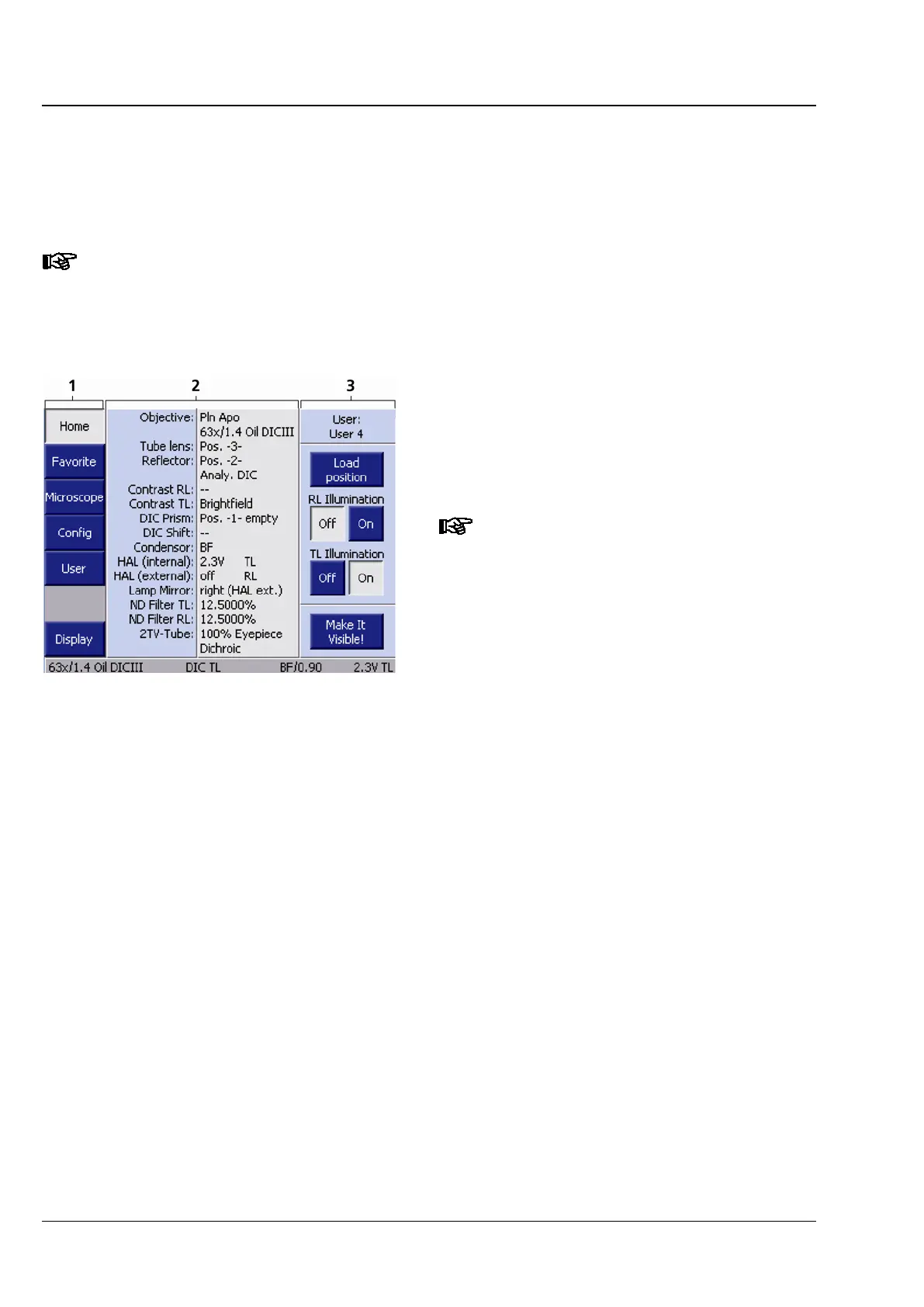
Home page (Fig. 94) appears when the instrument
is first started up.
If coded / motorized components are
exchanged or removed while the
instrument is switched off, the
operator may possibly have to
reconfigure
the instrument after it has
been switched on again.
You can access all other pages via the buttons on
the navigation button bar (Fig. 94/1).
The control area (Fig. 94/2) shows the identified
configuration and its current status. All coded and
motorized control elements detected during
initialization appear in the status field, otherwise,
the character "-" is displayed. The control
elements are arranged from top to bottom
according to their significance.
The following operation controls are located along
the right edge (Fig. 94/3):
Fig. 94 Home page








 To Next Page