ZEISS FIRST-TIME SET-UP Axio Imager 2
Insert the filter in the double filter wheel
52 430000-7544-001 01/2016
3.22.2 Double filter wheel, motorized
The motorized double filter wheel is equipped with
the same filter set as the manual double filter
wheel.
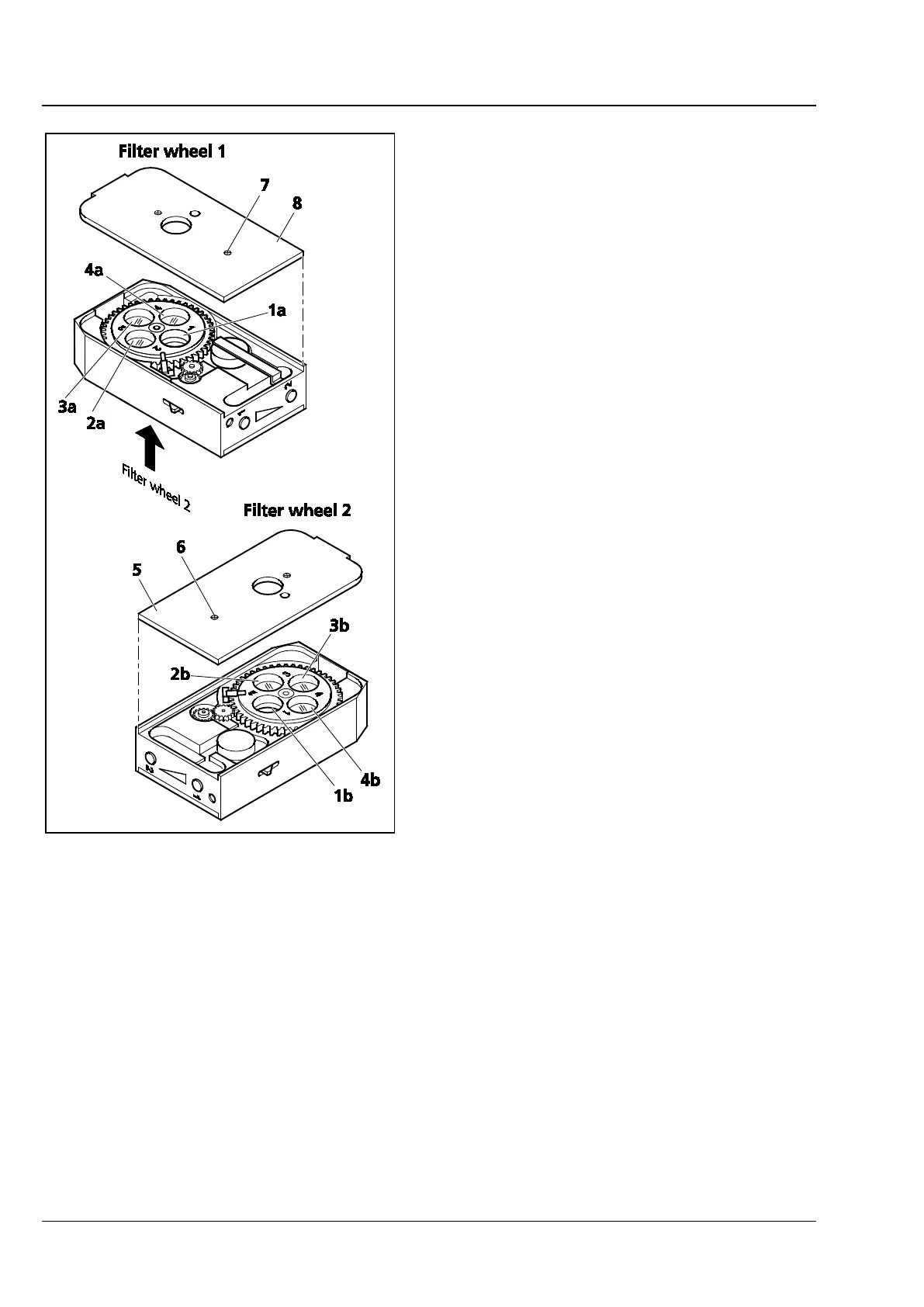
To insert the filters in the two filter wheels, the
motorized filter wheel 2x must be opened on the
corresponding side.
The filter mounts are labeled with the
corresponding position numbers 1 to 4 (Fig. 35/1a
to 4a and 1b to 4b).
• Loosen both screws (Fig. 35/6 and 7) and
remove cover plate (Fig. 35/5 and 6).
• Insert the corresponding filter in the relevant
position with the reflective coating side up.
Ensure that no dirt gets onto the filter surface.
• Screw in the retaining ring.
• After all filters have been inserted, put on the
cover plate and screw it down.
Insert the following filters in filter wheel 1
(428301-9901-000; Fig. 35):
Position 1a: No filter (100 % transmission)
Position 2a: Neutral-density filter 12 %
Position 3a: Neutral-density filter 25 %
Position 4a: Neutral-density filter 50 %,
reflective coating facing up
Insert the following filters in filter wheel 2:
Position 1b: No filter (100 % transmission)
Position 2b: Neutral-density filter 6 %
Position 3b: No filter (100 % transmission)
Position 4b: Neutral-density filter 0.5 %
and neutral-density filter 25 %,
reflective coating facing down
Fig. 35 Equipping double filter wheel,
motorized (only for 428301-9901-
000)








 To Next Page