Axio Imager 2 OPERATION ZEISS
Illumination and contrast methods
01/2016 430000-7544-001 187
4.12.9 Setting reflected-light DIC and reflected-light C-DIC
(1) Application
The reflected-light DIC and reflected-light C-DIC technique (DIC = Differential Interference Contrast,
CDIC = Differential Interference Contrast in Circularly polarized light) produces high-contrast images of
phase specimens, i.e. specimens which only change the phase of the light (in contrast to amplitude
specimens).
(2) Instrument equipment
− Axio Imager MAT with connected and adjusted HAL 100 halogen illuminator.
− Rotary mechanical stage 75x50/240°
− EC Epiplan-Neofluar, Epiplan objectives additionally labeled "DIC" or "Pol".
− Matching DIC slider for the objective, the magnification and aperture of which are engraved on the
top of the slider or 6x20 C-DIC slider (in connection with the reflector module C DIC P&C), 6x20
compensator mount or 4-position modulator turret).
(3) Reflected-light DIC, preferably for Epiplan 5x - 100x and LD-Epiplan 10x - 100x objectives
• Prepare the microscope as described in Section 4.12.7 for reflected-light brightfield. Open the
luminous-field diaphragm until the edge just disappears from the field of view to avoid reflections.
• Rotate the reflector turret to move the C DIC P&C reflector module into the light path.
• Rotate the nosepiece to swing in the objective position with DIC slider slot.
• Push the DIC slider into the slot on the nosepiece (above the objective).
• Place the specimen on the stage, bring it into focus and rotate the mechanical stage until the
specimen structure of interest appears at maximum contrast.
• Turn the knurled screw on the DIC slider to optimize the contrast.
(4) Reflected-light C-DIC
• Prepare the microscope for reflected-light
brightfield.
• On the nosepiece, swivel in the objective
suitable for DIC.
• Bring the C DIC P&C reflector module into the
light path.
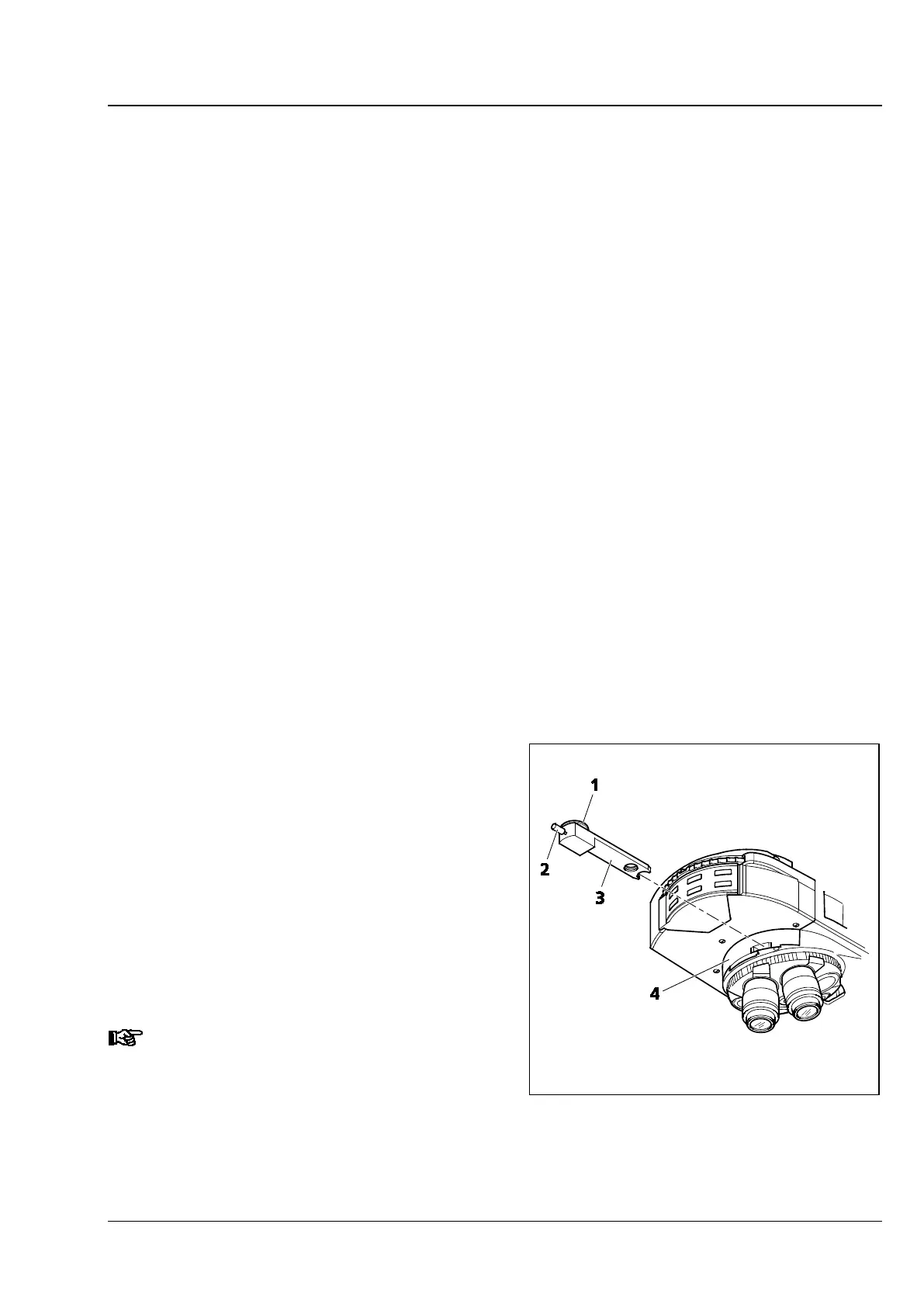
• Push the C-DIC slider 6x20 (Fig. 206/3) into the
6x20 compensator mount (Fig. 206/4) or rotate
the 4position modulator turret (Fig. 206/6)
using turret wheel (Fig. 206/5) to swing in the
desired C-DIC position (C1 or C2).
C1 for 5x … 20x objectives;
C2 for 50x … 100x objectives.
When using objectives of 50x or
higher, it is advisable to deploy the
reflected-light diffusion disk.
Fig. 206 6x20 compensator mount with
6x20 C-DIC slider








 To Next Page