ZEISS OPERATION Axio Imager 2
Illumination and contrast methods
188 430000-7544-001 01/2016
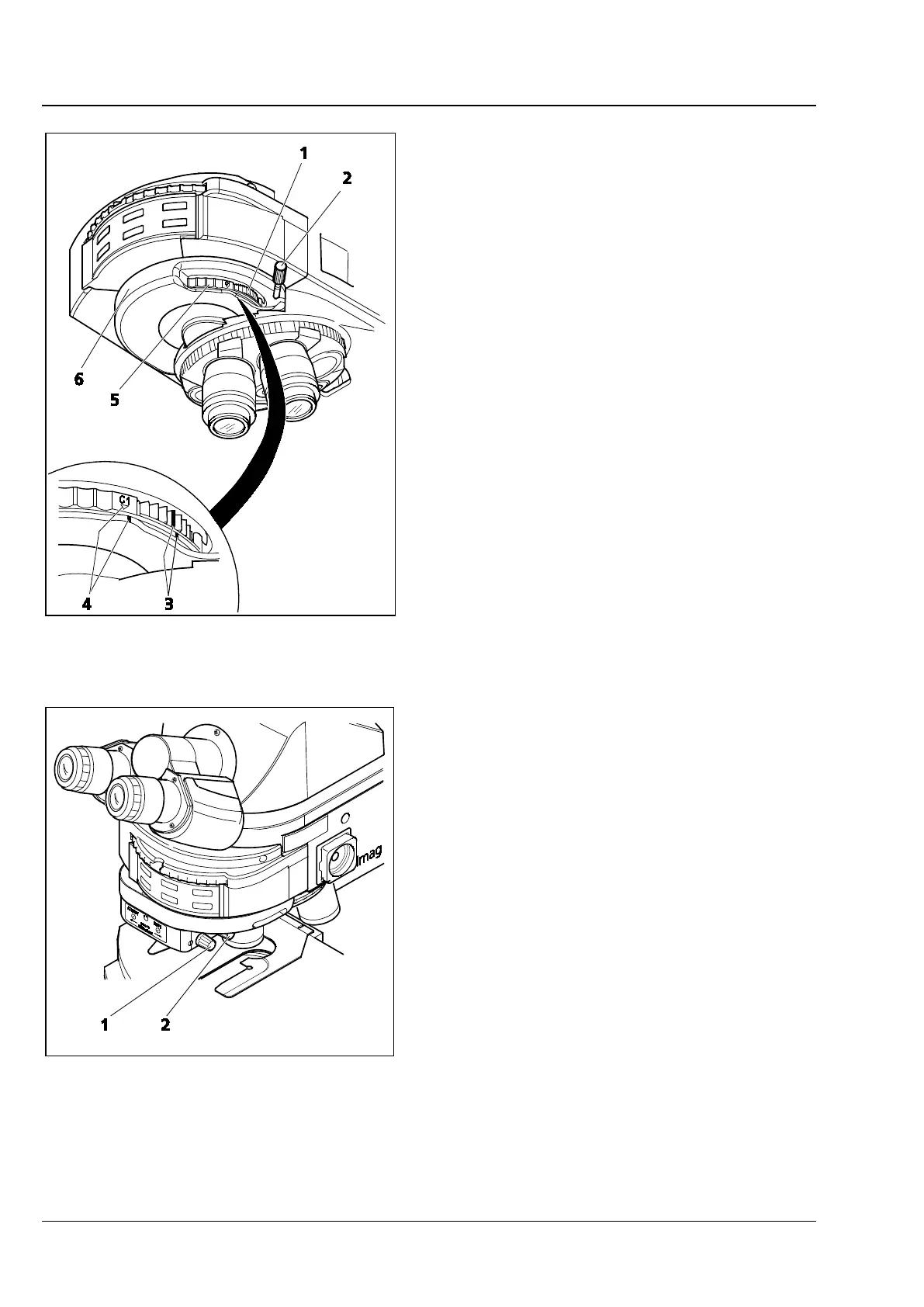
• Place the specimen on the stage, focus on it
and rotate the control wheel (Fig. 2061) on the
CDIC slider 6x20 or the modulator turret
(Fig. 207/1) until the specimen detail of interest
is visible at maximum contrast. Rotating the
stage is no longer necessary. When both line
marks face each other (Fig. 207/3), this
corresponds to the mid-position. 45° rotation in
both directions is possible.
• The contrast can be optimized by turning the
setscrew (Fig. 206/2) on the C-DIC slider or on
the modulator turret (Fig. 207/2). When the
triangular and line marks face each other
(Fig. 207/3), this corresponds approximately to
the extinction position (best contrast).
(5) Setting the reflected light DIC with
motorized four-position modulator turret for
circular DIC/TIC
• Prepare the microscope for reflected-light
brightfield.
• Bring the C DIC P&C reflector module into the
light path.
• On the nosepiece, swivel in the objective
suitable for DIC.
• On the modulator turret, swivel in the
appropriate DIC prism by pressing button
(Fig. 208/1) for forward rotation or on button
(Fig. 208/2) for backward rotation of the turret.
• Place the specimen on the stage, bring it into
focus and turn knob (Fig. 208/2 SHIFT) so that
the structure of interest can be seen in
maximum contrast.
• The contrast can be optimized by turning knob
(Fig. 208/1 - AZIMUTH) on the modulator
turret.
Fig. 207 4-position modulator turret
Fig. 208 Motorized four-position modulator
turret for circular DIC/TIC








 To Next Page