ZEISS OPERATION Axio Imager 2
Automatic component recognition and user-defined component equipment
158 430000-7544-001 01/2016
4.11.1 Programming of rewritable ACR reflector modules
ZEISS offers ACR-enabled (automated component recognition) reflector modules for the Axio Imager 2.
Their equipment can be read automatically using ACR reflector turrets, eliminating the need for
configuration by the user.
These reflector modules are now available in a stand-writable variant (reflector module FL EC ACR P&C,
stand RW 424941-9060-000). This allows users to generate their own filter sets and to transfer their
properties to the corresponding modules in the stand.
The programming involves a few simple steps:
1. Turn on the microscope.
2. Start MTB 2011 config.exe configuration
software on the PC.
3. Select Menu > Extras > User defined
filters.
New filter sets can be created in this menu.
4. Insert a rewritable reflector module P&C in the
ACR reflector turret and note the position (see
Fig. 19 on page 41).
An ACR cycle is triggered when the cover is
closed. All the positions are queried and
automatically entered in the device
configuration.
5. Select Settings > Revolver > Reflector on
the TFT.
6. Select the reflector position with the rewritable reflector module.
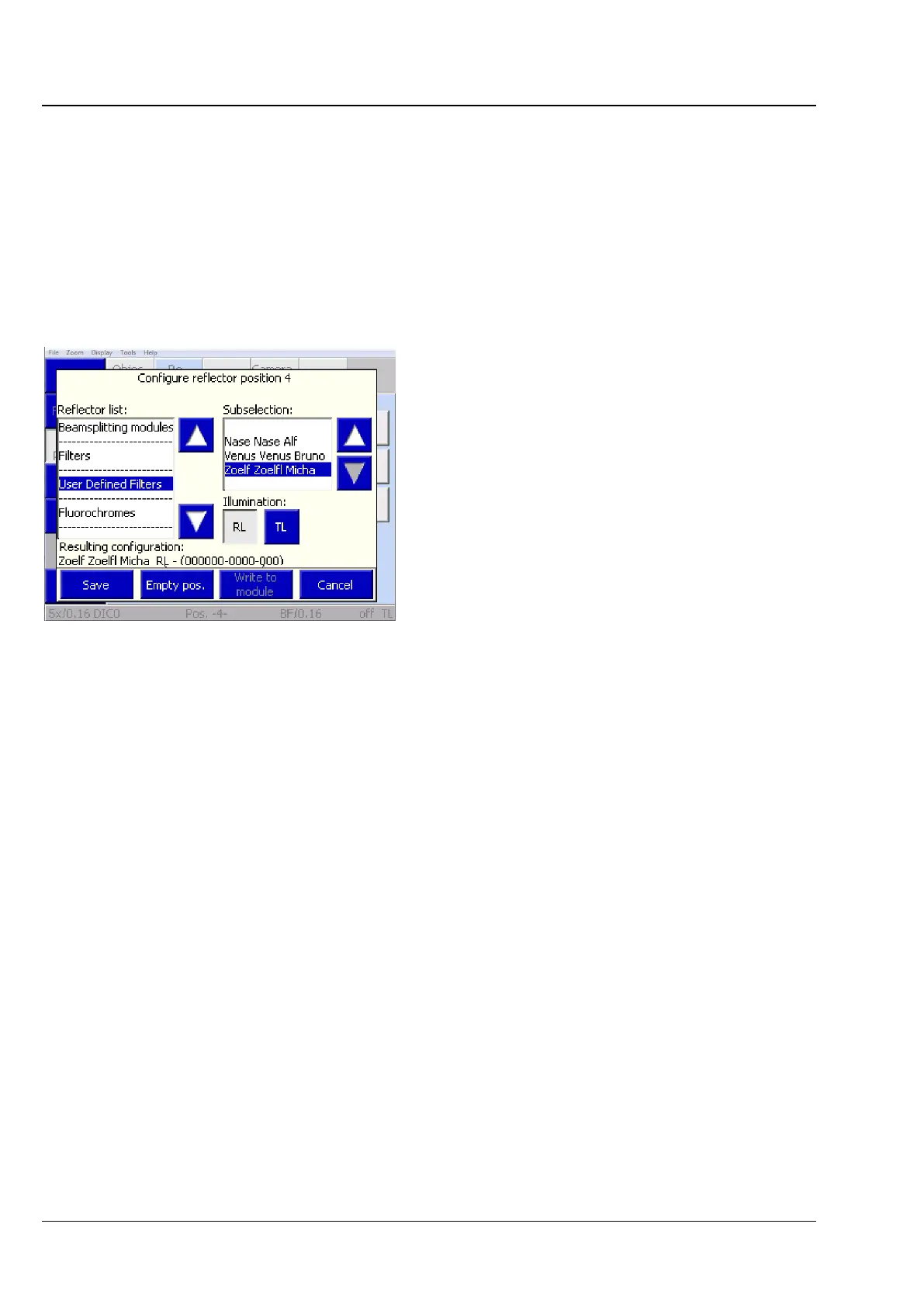
7. On the TFT, under the heading User defined filter select the user-defined filter set from the list and
assign it to the saved position of the reflector (see Section 4.8.6.1, (2) Reflector tab on page 129).
8. Press the Write to module button to save the configuration directly on the module. This filter is
then immediately ready for use on other ACR-enabled stands, i.e. the saved user-defined filter set is
correctly applied in the TFT configuration during an ACR detection cycle.
Fig. 190 Assigning a filter set to the saved
reflector position








 To Next Page