Axio Imager 2 OPERATION ZEISS
Operating the motorized microscope via the touchscreen of the TFT display
01/2016 430000-7544-001 129
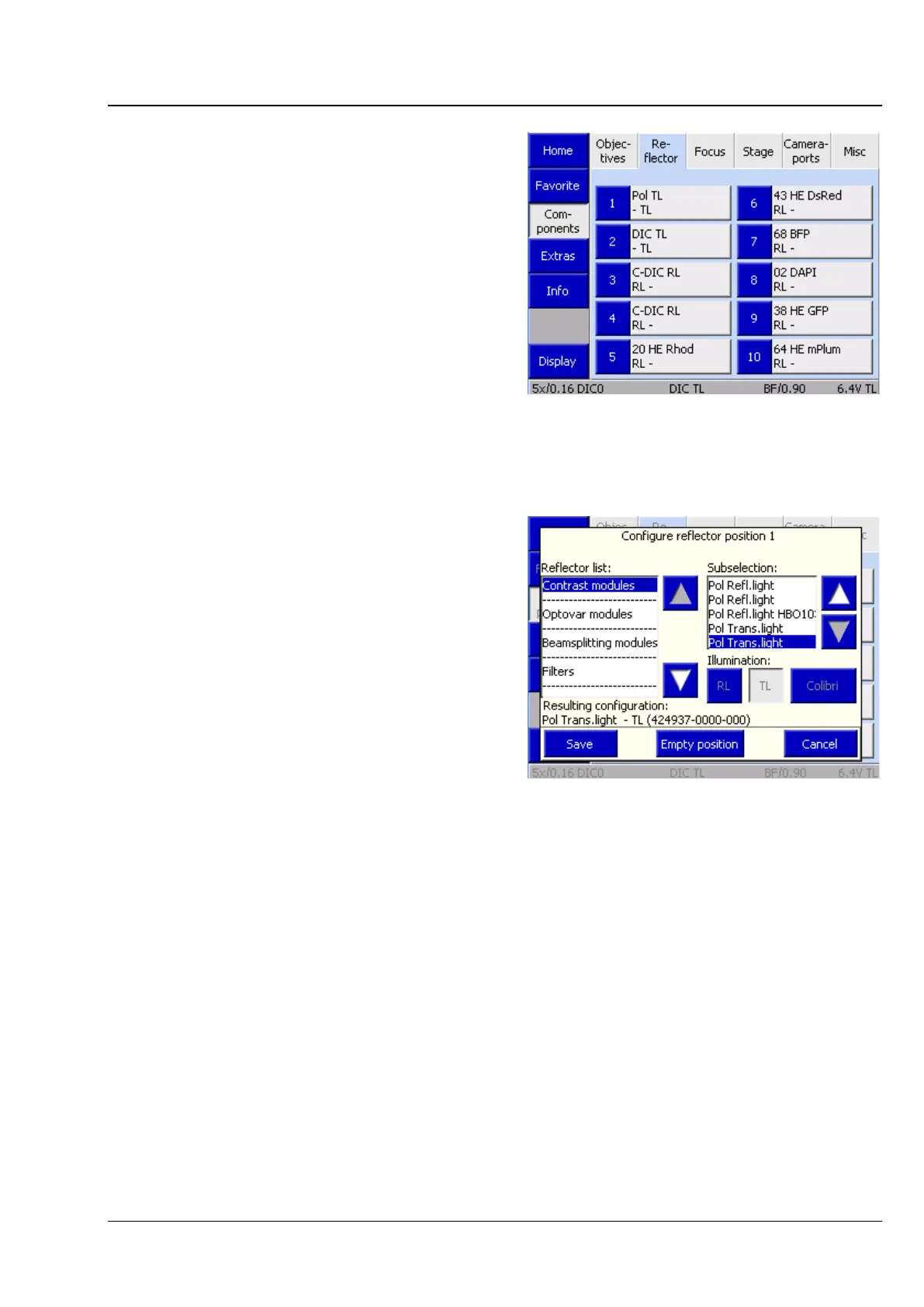
(2) Reflector tab
Use the controls on this tab to configure the
reflector turret.
The tab shows up to ten buttons, depending on
the actual number of objective mounts on the
nosepiece. The number of turret positions is
detected by the system during initialization (and on
activation of the Settings-Components page).
Before any reflectors have been configured, the
buttons are labeled only with the numbers of the
turret positions.
After a reflector position has been allocated, the
following data is displayed: Designation (Type),
Reflected-light module (RL), Transmitted-light
position / module (TL).
• Press the relevant button to configure a turret
position.
• Choose the respective reflector from the list in
the Configure reflector position # popup
window. The current selection is displayed in
the Resulting Configuration line.
• Press the button for RL and/or TL, as
appropriate.
• Press the Save button.
If the turret position has already been
configured, a confirmation prompt will appear.
The type of module can first be selected from the
reflector list:
− Contrast module
− Optovar
− Beam splitter
− Filter
− Fluorescence filter set
Under Contrast modules and Optovars, the selection can subsequently be specified via the
subselection options provided on the right-hand side.
The same applies for Beam splitter. Please note that additional laser safety functions are activated when
LSM components are selected. For more details, see the LSM Operator Instructions.
Empty modules and RGB modules can be found in the Filter list. RGB filters are used, for example, when
color images are to be generated with a monochrome camera via the multi-channel image recording
module within the Axio Vision software. This option is used exclusively in transmitted light.
Fig. 132 Microscope -> Config ->
Fig. 133 Configuring the reflector position








 To Next Page