ZEISS OPERATION Axio Imager 2
Operating the motorized microscope via the touchscreen of the TFT display
130 430000-7544-001 01/2016
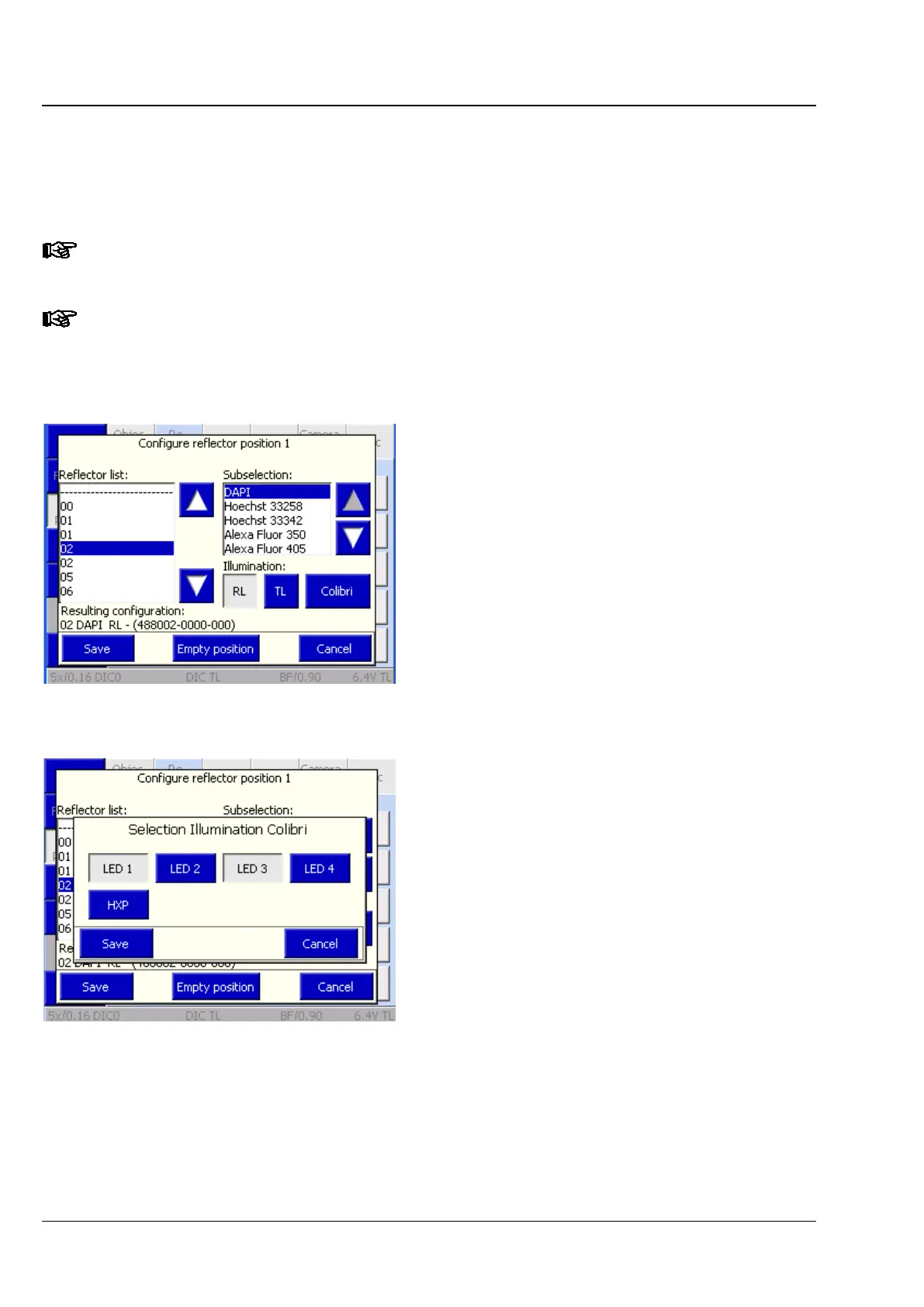
Only dyes may be selected instead of fluorescence filter sets. In this case, the user chooses the relevant
dye from the subselection options listed.
Fluorescence filter sets can be selected by their numbers. Additionally, a suitable dye may be picked for
each filter set from the submenu.
Once a new reflector has been allocated, the relevant reflector button on the Microscope
operation page will show the corresponding information.
Further information about the programming of rewritable ACR reflector modules can be found
in Section 4.11 on page 157.
Configuring a reflector position, using Colibri
as a source of illumination
Once Colibri has been recognized and configured
as a source of illumination, an appropriate LED can
be selected for each filter set or dye.
• Press the Colibri button.
• In the following pop-up menu (Fig. 135) select
one or more LEDs to match the selected
reflector position.
Alternatively, an optional white-light source
(HXP 120) can also be selected. Note that LED
and HXP cannot be chosen at the same time.
• Acknowledge the selection procedure by
pressing Save or press Cancel to discard the
selection.
• Acknowledge the selection procedure a second
time by pressing Save or press Cancel to
discard the selection.
• Acknowledge the confirmation prompt with
OK.
Fig. 134 Configuring the reflector position
using Colibri
Fig. 135 Selecting Colibri / HXP 120
illumination








 To Next Page