Axio Imager 2 FIRST-TIME SET-UP ZEISS
Attaching the TFT display to the docking station
01/2016 430000-7544-001 55
3.25 Attaching the TFT display to the
docking station
To connect
the TFT display and the
docking station, the microscope must
be switched off.
• To hook the docking station up to the
motorized stand, the corresponding plug-in
module carrying the DOC port must be built
into the back of the stand.
The plug-in module
installed by the sales technician.
• If the TFT display is already mounted on the
motorized stand, it should first be removed.
• The mounting holes and the opening for the
plug-in contact on the stand must then be sealed with the caps supplied.
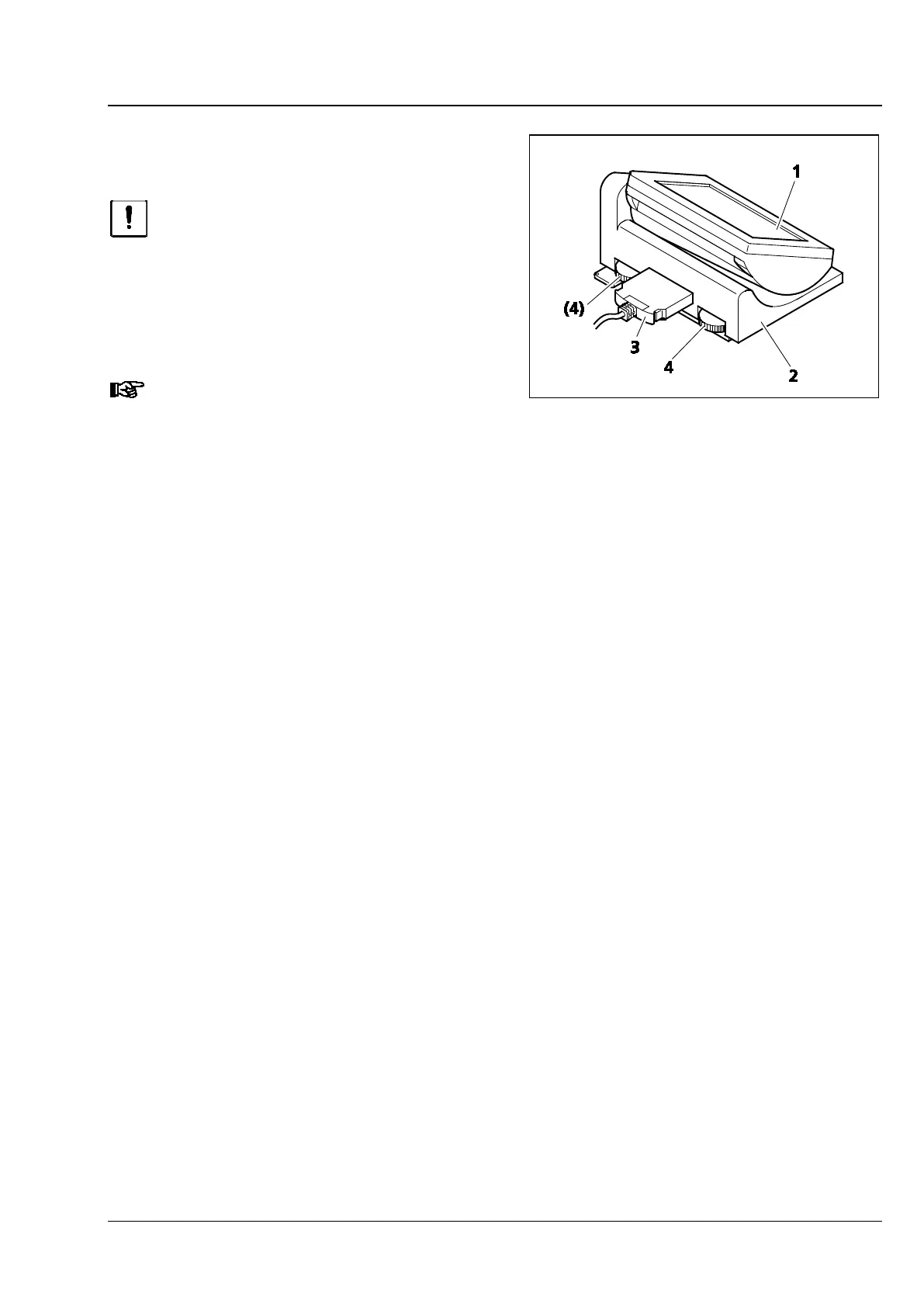
• Apply the TFT display (Fig. 39/1) to the docking station (Fig. 39/2) and screw it on, using the long Allen
key provided. Make sure that the plug-in contact is inserted precisely into the opening.
• Use the connection cable (Fig. 39/3) to connect the docking station to the DOC port on the back of
the stand.
• The angle of the TFT display can be changed with the aid of the two knurled thumb screws (Fig. 39/4)
located on the back of the docking station.
Fig. 39 Attaching the TFT display to the
docking station








 To Next Page