Axio Imager 2 FIRST-TIME SET-UP ZEISS
Axio Imager.Z2 / Z2m High-performance Focus
01/2016 430000-7544-001 53
3.23 Axio Imager.Z2 / Z2m High-performance Focus
The high-performance focus allows precision functioning of the focusing drive of the microscope with
heavy loads (weight of the object table and specimen more than 4 kg). The high-performance focus is a
standard component of all Axio Imager.Z2 / Z2m.
The high-performance focus of the microscope is always deactivated for delivery.
The microscope must always be transported with the high-performance focus deactivated.
If a scanning stage is used, this must be removed for transport.
With loads of more than 4 kg (stage and specimen), the high-performance focus must be activated to
protect the focusing drive.
Once the high-performance focus has been activated, specimen weights of up to 5 kg can be placed on
the stage.
Reading the status of the high-performance focus on the microscope
Head of the locking pin visible: High-performance focus is activated.
Head of the locking pin not visible: High-performance focus is deactivated.
3.23.1 Activating the high-performance
focus
• Use the Z drive to move the microscope stage
into the lowest position.
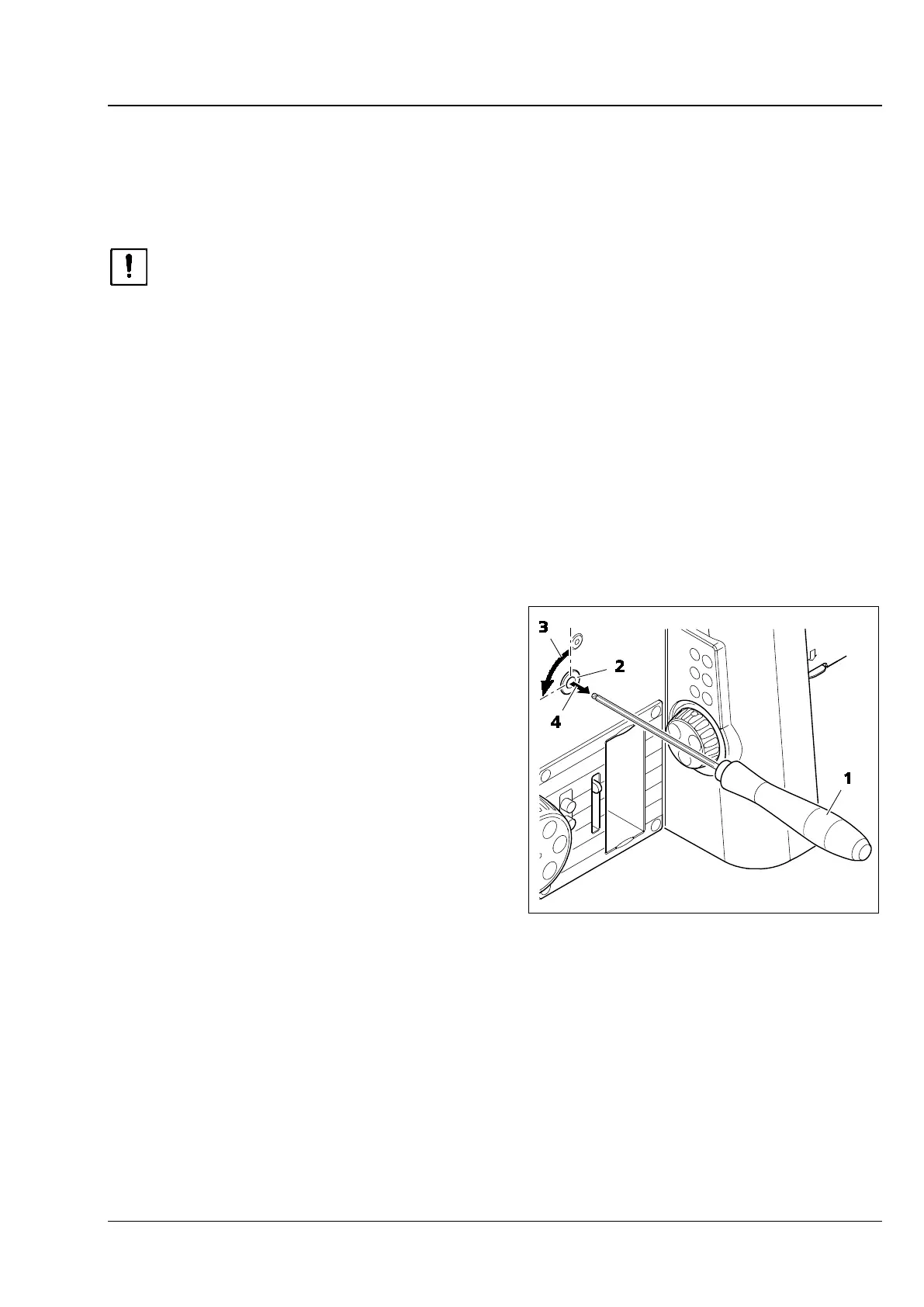
• Using the AF 3 ball-head screwdriver (Fig. 36/1)
release the two locking pins (Fig. 36/2) on the
right and left of the stand by turning them 90
degrees anticlockwise (Fig. 36/3).
The locking pin is released from its locked
position (Fig. 36/4) by spring action. The head
of the locking pin is now visible, and the high-
performance focus is active.
• Use the Z drive to move the microscope stage
into the working position.
Fig. 36 Activating the high-performance
focus








 To Next Page