ZEISS OPERATION Axio Imager 2
Switching the microscope and HAL 100 illuminator on/off
94 430000-7544-001 01/2016
Button for quick-action stage lifting to OPERATING POSITION (Fig. 80/15 or 21)
− When this switch is activated, the stage is moved into the last focus position which was saved.
You can abort the automatic travel of the stage to the load position /
pressing the button again or by pressing the STOP button on the TFT display.
4.3 Switching the microscope and HAL
100 illuminator on/off
4.3.1 Switching on
• Remove the dust covers from the instrument.
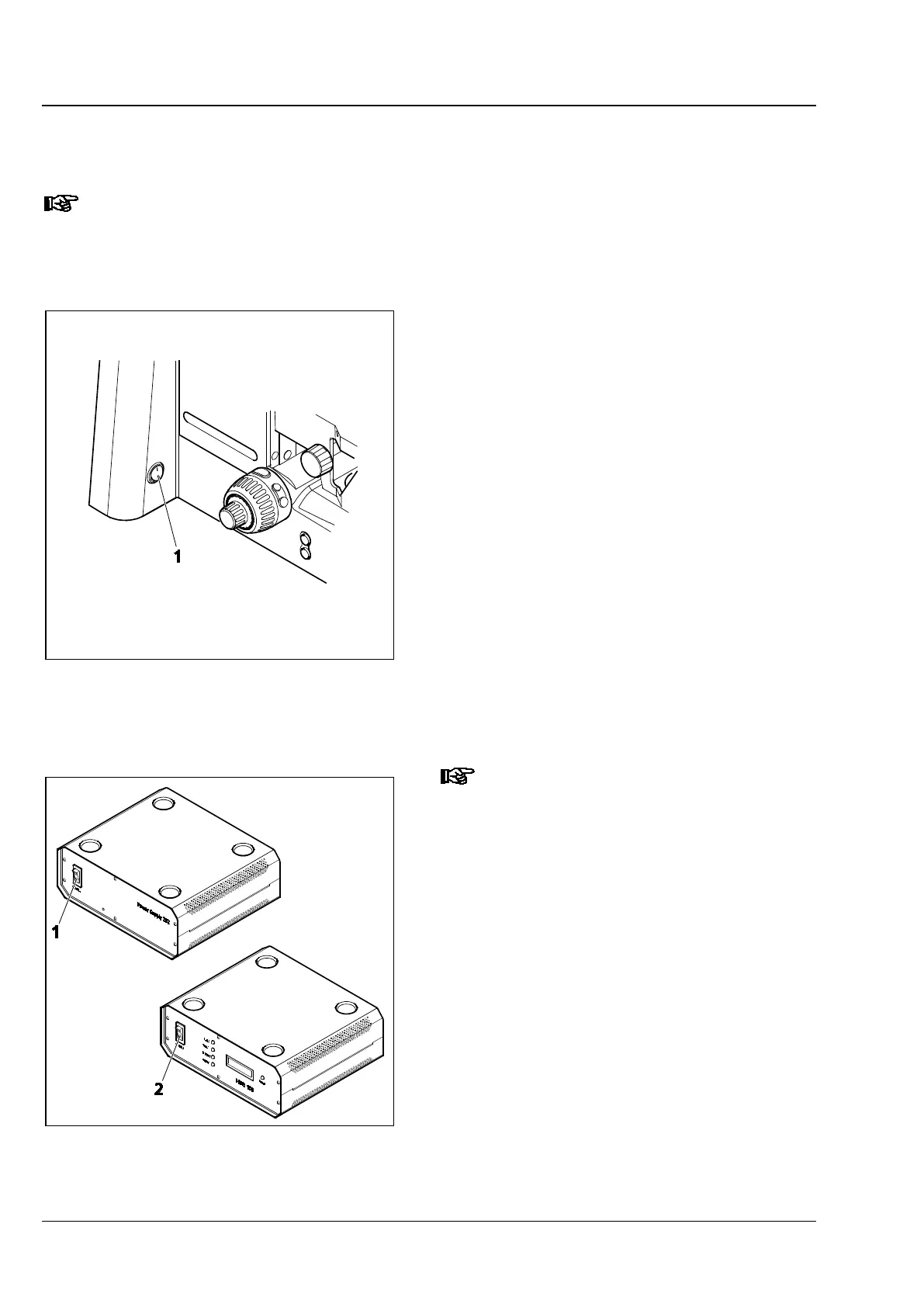
• Switch on the manual version of the microscope
at the on/off (Fig. 84/1) switch located on the
left of the stand. With the motorized
microscope, first switch on the power supply
VP232-2 at its on / off switch (Fig. 85/1), and
then operate the on / off switch on the stand
(Position I).
• Set the desired light intensity using the light
intensity control.
• If you installed one HAL 100 halogen
illuminator each for reflected and for
transmitted light, use toggle switch (Fig. 76/36)
to switch to the desired illuminator (reflected
light: toggle switch up; transmitted light: toggle
switch down).
The functioning of the light manager
depends on the setting of the toggle
switch.
4.3.2 Switching off
• After use, switch the manual and the motorized
microscope off by means of the on/off switch
(Fig. 84/1) on the left side of the stand. Then,
on the motorized version, switch off the power
supply VP232-2 at the on / off switch (Fig. 85/1)
(Position O).
• Cover the instrument with the dust covers.
Fig. 84 Switching the manual microscope
on/off
Fig. 85 Switching motorized microscope
and HBO 100 illuminator on/off








 To Next Page