ZEISS FIRST-TIME SET-UP Axio Imager 2
HBO 100 illuminator
66 430000-7544-001 01/2016
3.33 HBO 100 illuminator
3.33.1 Inserting the HBO 103 W/2 mercury
vapor short-arc lamp
For safety reasons, the HBO 100 illuminator and
the HBO 103 W/2 mercury vapor short-arc lamp
are supplied in separate packages.
Therefore, inserting the HBO 103 W/2 lamp into
the lamp housing is the first step in starting up this
illuminator.
For a description of how to insert or replace the
HBO 103 W/2 lamp, read the instructions for use
supplied with it.
To change the transmission, use a
discrete FL attenuator (423616-0000-
000 or 423617-0000-
filters mounted in the 2-
wheels (428300-9901-000 or 428301-
9901-000) are not permanently stable.
Only the gray filter set (487935-9020-
000) can be used.
3.33.2 Attaching the HBO 100 illuminator
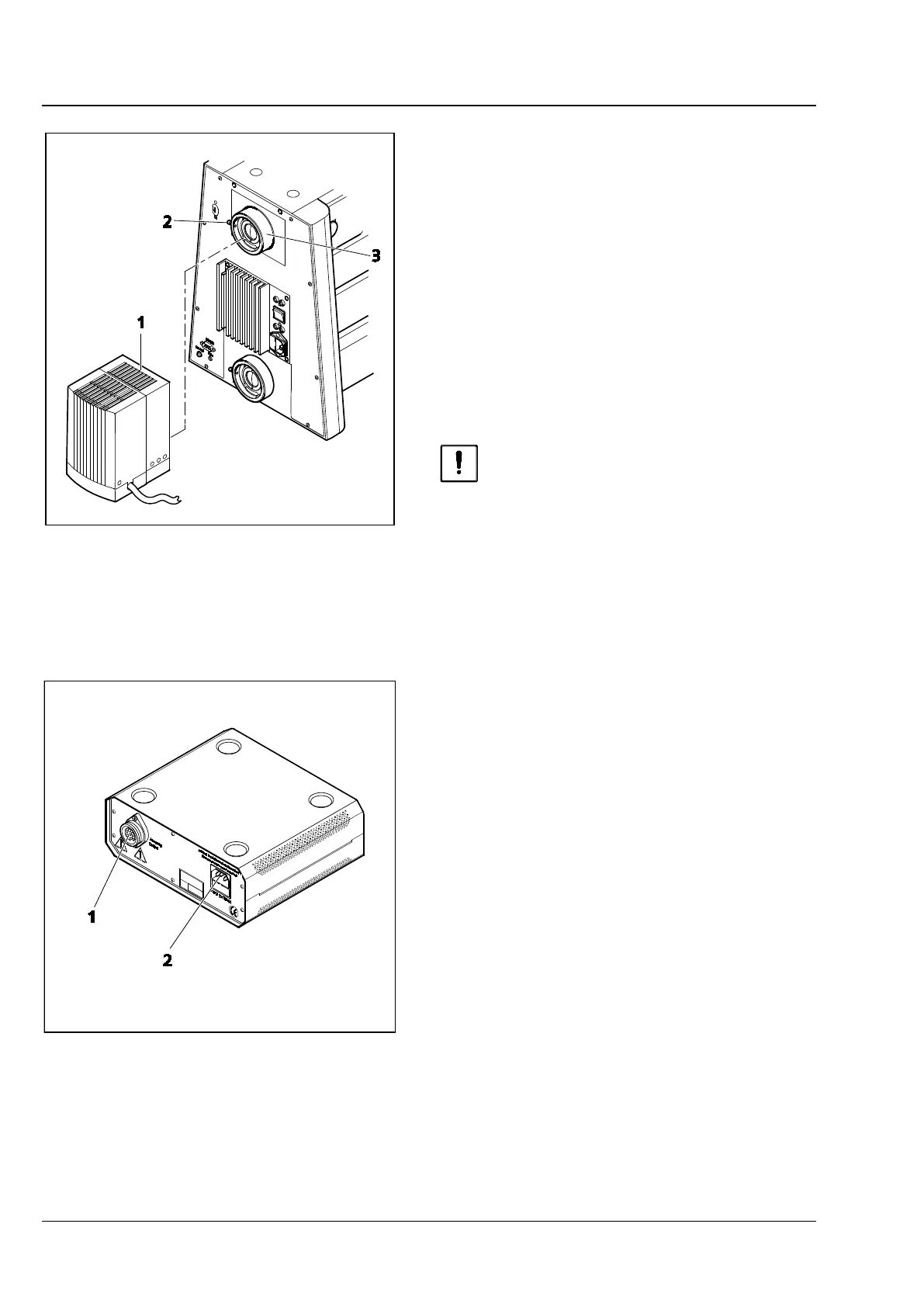
• Remove the cover from the reflected-light
socket (Fig. 53/3).
• Insert the dovetail of the lamp housing
(Fig. 53/1) into the reflected-light socket
(Fig. 53/3) on the back of the instrument and
tighten the clamping screw (Fig. 53/2) using a
SW 3 ball-headed screwdriver.
• Insert the multi-pin plug of the HBO 100
illuminator into the device connector (Fig. 54/1)
on the HBO 100 transformer and secure it by
means of a coupling ring.
• First, connect the power cable to the power
socket (Fig. 54/2) on the HBO 100 transformer,
and then connect it to a power outlet.
Fig. 53 Attaching the HBO 100 illuminator
Fig. 54 HBO 100 transformer








 To Next Page