Axio Imager 2 FIRST-TIME SET-UP ZEISS
Connecting to power
01/2016 430000-7544-001 57
3.28 Connecting to power
3.28.1 Coded stand
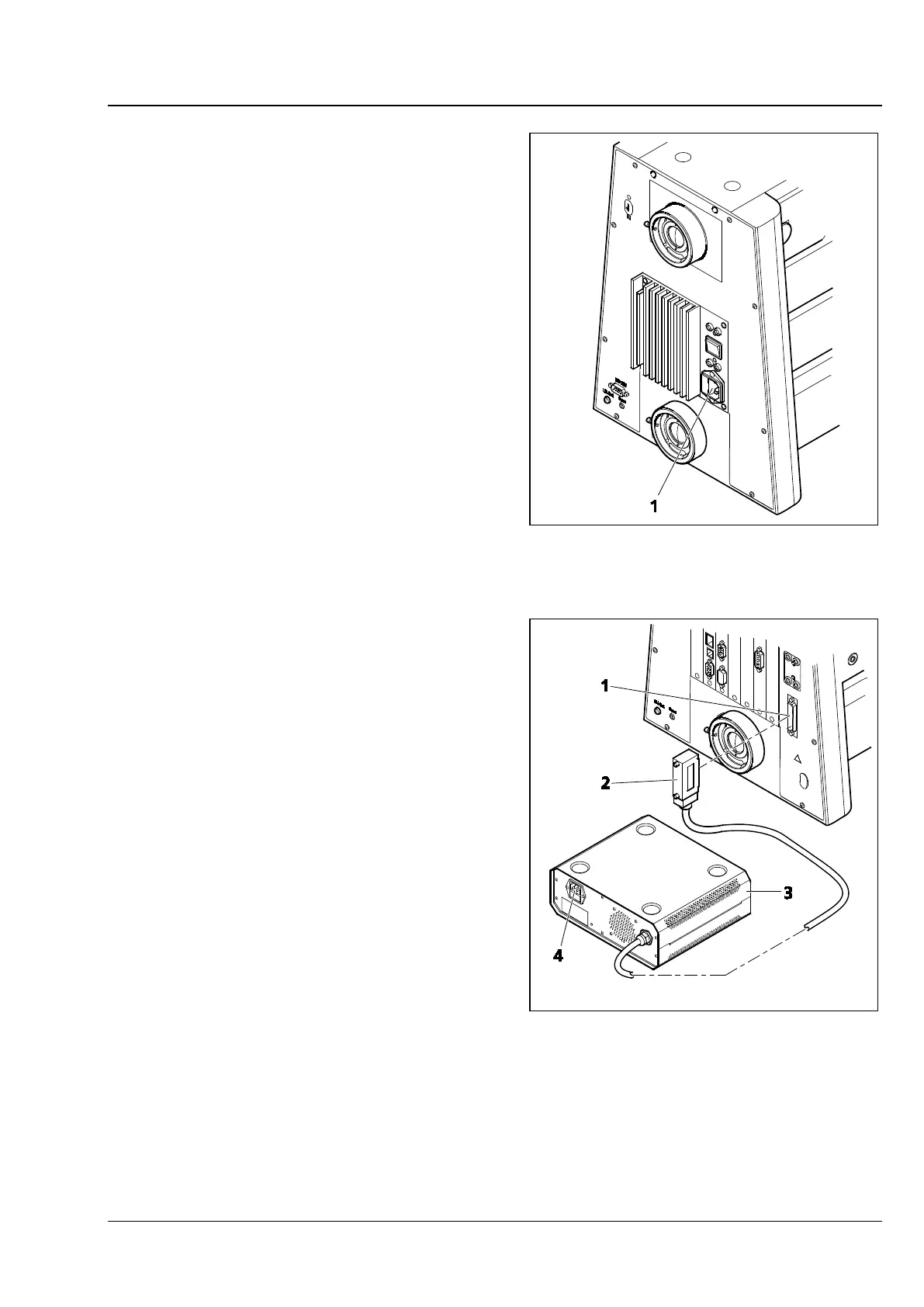
• Plug the power cable first into the power socket
(Fig. 41/1) of the microscope and then into a
power outlet. The microscope can be connected
to a line voltage of 100 V to 127 V or
200 VAC to 240 VAC, 50 Hz – 60 Hz. The
power unit automatically adapts to the line
voltage available.
3.28.2 Motorized stand
• Insert the connecting plug (Fig. 42/2) of power
supply VP232-2 (Fig. 42/3) into the
corresponding socket (Fig. 42/1) on the rear of
the stand.
• Plug the power cable first into the power socket
(Fig. 42/4) of power supply VP2322 and then
into a power outlet.
The power supply can be connected to a line
voltage of 100 VAC… 240 VAC, 50 Hz – 60 Hz.
The power unit adapts automatically to the
line voltage available.
Fig. 41 Overall view of Axio Imager 2 -
Fig. 42 Axio Imager 2, motorized








 To Next Page