ZEISS FIRST-TIME SET-UP Axio Imager 2
VIS-LED attachment lamp for transmitted light
64 430000-7544-001 01/2016
3.31 VIS-LED attachment lamp for
transmitted light
3.31.1 The VIS-LED attachment lamp is
only intended for use with
transmitted light.
The VIS-LED attachment lamp is only intended for
transmitted light operation.
Do not look directly into the LED light.
Only insert or remove the VIS-LED
attachment lamp in /
transmitted-
light port while switched
off.
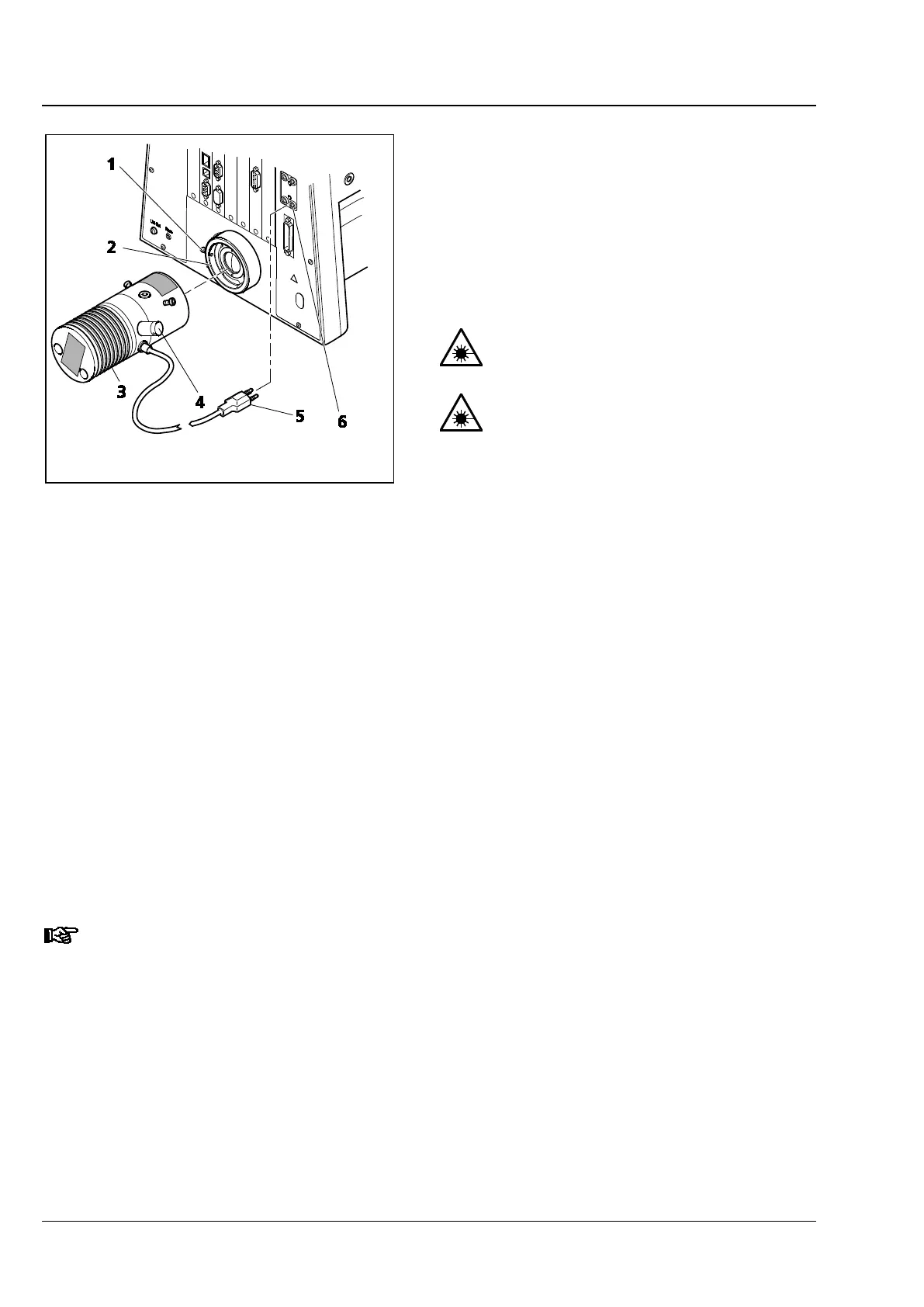
• Loosen clamping screw (Fig. 50/1) on
transmitted-light port (Fig. 50/2). Remove the
halogen lamp.
• Use an AF 3 ball-headed screwdriver and
clamping screw (Fig. 50/1) to lock the
attachment lamp (Fig. 50/3) with dovetail
mount firmly into socket (Fig. 50/2).
• Connect the three-pin illuminator plug
(Fig. 50/5) to the lower three-pole 12 V / 100 W
socket (Fig. 50/6) for transmitted light (TL) on
the back of the instrument.
• For the coded stand, set the transmitted-
light/reflected-light toggle switch to the position
for transmitted light (TL). If the motorized stand
is used, switch between reflected light and
transmitted light using the TFT display touch
screen.
If the AxioCam MRm is used for documentation purposes, the 12 % gray filter provided must
be employed to attenuate light intensity.
The add-on illuminator is equipped with a BNC port (Fig. 43/4) for TTL trigger control.
Fig. 50 Installing the VISLED attachment
lamp








 To Next Page