ZEISS OPERATION Axio Imager 2
Operating the motorized microscope via the touchscreen of the TFT display
128 430000-7544-001 01/2016
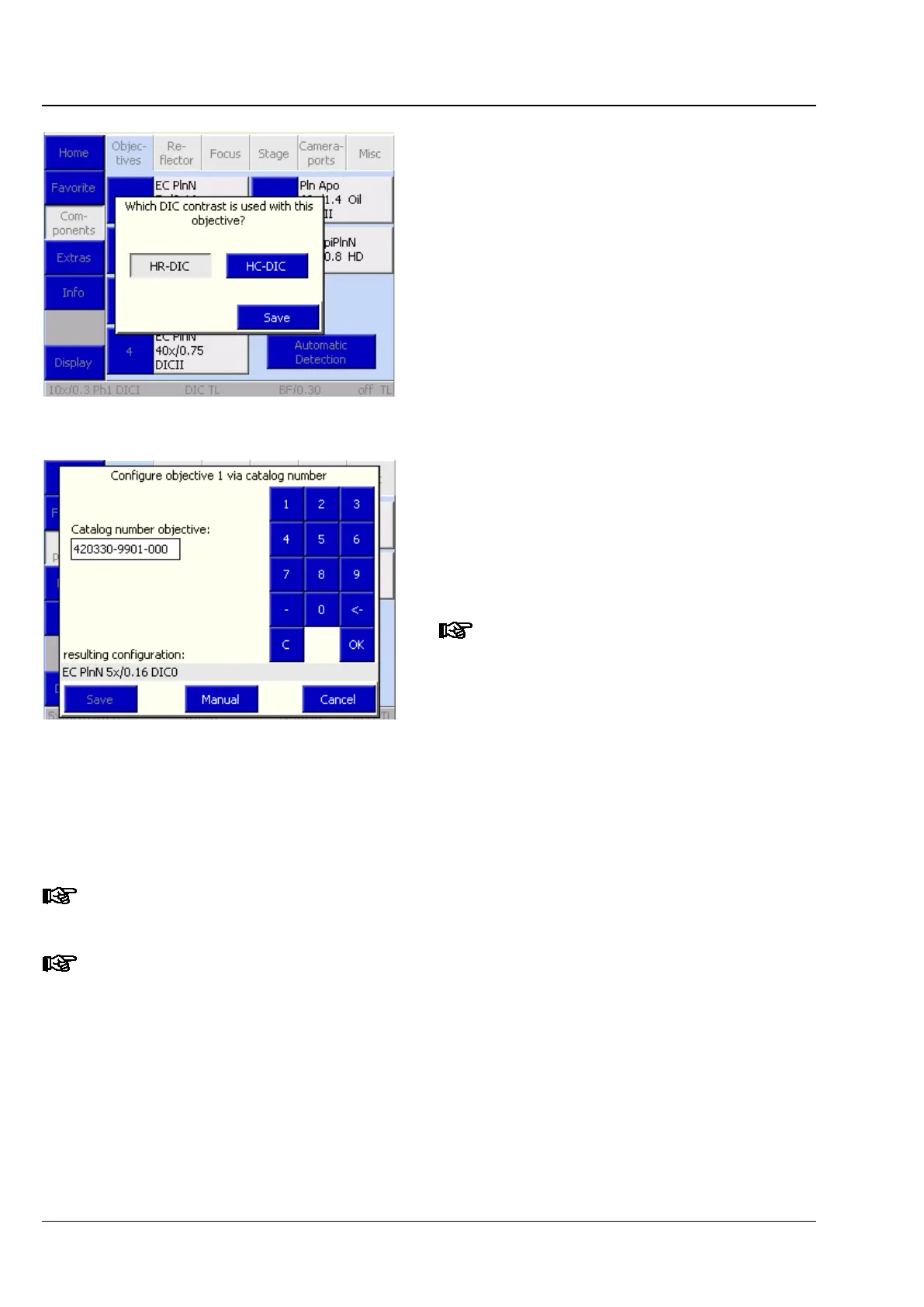
− The DIC slider to be used can be chosen in
the following pop-up menu. If a motorized
condenser is utilized, the condenser disk will
automatically move to the correct condenser
position when the contrast method is
selected.
− Via Catalog No. button
The user must enter the Zeiss catalogue
number (XXXXXX-XXXX-XXX) to select an
objective.
To execute the configuration procedure,
press the Save button. To abort the
procedure, press the Cancel button.
When entering the 15-
catalogue no., the prefixed six zeros or
the affixed seven zeros should not be
entered (after 123456 enter
(-) or enter 1234-567 and press OK).
The missing zeros will be added
automatically.
If a nosepiece and objectives with automatic component detection have been selected as stand
equipment, objective configuration can be triggered by pressing the Automatic detection button. The
user does not then to make any further manual settings.
Manually edited objective positions will not be overwritten by Automatic Component Detection.
They must be entered manually as empty positions beforehand.
Once a new objective has been allocated, the relevant objective button on the Microscope
turrets page will show the magnification and immersion data of that objective.
Fig. 130 Allocating the DIC slider
Fig. 131 Configuring the objective via
reference number








 To Next Page