EasyManua.ls Logo

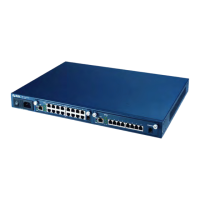
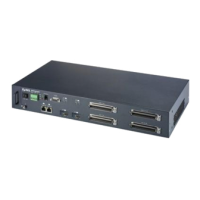
ZyXEL Communications IES-2000 - User Manual

ZyXEL Communications IES-2000
304 pages
Print Icon
To Next Page IconTo Next Page
Loading...
IES-2000/3000
Integrated Ethernet Switch
Version 1.00
September 2002
User’s Guide

Table of Contents

Questions and Answers

  • S
    Sarah Rogers MDAug 15, 2025
    What to do if I forgot my ZyXEL Communications Network Router line card password?
    • G
      garciakimberlyAug 15, 2025
      If you have forgotten the password to your ZyXEL Communications Network Router line card, you can restore the default configuration file. This will reset all settings to their default values, and you will lose any custom configurations you have made.
  • C
    Connie ChristianAug 18, 2025
    Why I cannot telnet into ZyXEL Communications IES-2000 Network Router line card?
    • R
      Rachel SalazarAug 19, 2025
      If you cannot telnet into the ZyXEL Communications Network Router line card, first ensure that there is not already an active telnet session, as the line card only supports one session at a time. For VLC1012 models, verify that telnet service is enabled in menu 24.11 and that the IP addresses in the Secured Client Sets menu (SMT menu 24.11.1) match your client IP address. For ALC1024 and SLC1024 models, ensure the client IP addresses match the configured secured host IP addresses. Also, ping the line card from your computer to check the cable, connections, and IP configuration. If you are attempting to telnet from the DSL side, ensure you can transmit data to the line card. If attempting from the Ethernet side, check the Ethernet cable and connections.
  • M
    Mitchell ColeAug 21, 2025
    What to do if computer cannot access local server connected to ZyXEL Communications Network Router?
    • G
      Gregory RobertsAug 21, 2025
      If the computer behind a DSL modem or router cannot access a local server connected to the IES-2000/3000, ensure the subscriber can transmit to the line card. Verify the computer has the correct gateway IP address configured. Check the line card’s VLAN configuration. Also, check the cable and connections between the IES-2000/3000 and the local server. Try accessing another local server to see if the problem is specific to the original server.
  • E
    Eric SawyerAug 25, 2025
    What to do if DSL LED is on but data cannot be transmitted on ZyXEL Communications IES-2000 Network Router?
    • D
      Dawn BakerAug 26, 2025
      If the DSL LED is on, but data cannot be transmitted through the ZyXEL Communications Network Router, for ALC1024 and SLC1024 models, check that the VPI/VCI settings in the DSL modem or router match those of the line card and ensure the DSL modem or router uses RFC 1483 encapsulation, bridge mode, and LLC-based multiplexing. Verify the line card’s IP settings are configured correctly. Check the line card’s VLAN configuration. For the VLC1024, perform a local and remote feedback test from menu 24.4. Ping the line card from the computer behind the DSL modem or router. If you cannot ping, connect a DSL modem to a known working DSL port on the same line card. If using a different port does not work, try a different DSL modem or router with the original port.
  • J
    jboydAug 28, 2025
    Why ZyXEL Communications IES-2000 configured settings do not take effect at restart?
    • K
      Kimberly HernandezAug 28, 2025
      If the configured settings on your ZyXEL Communications Network Router line card do not take effect after a restart, for ALC1024 or SLC1024 models, use the config save command after configuring to save your settings. For the VLC1012, press [ENTER] at the “Press ENTER to Confirm…” prompt after configuring an SMT menu to save your settings.
  • M
    Matthew WilliamsAug 31, 2025
    Why SNMP manager server cannot get information from ZyXEL Communications IES-2000 Network Router line card?
    • R
      Russell KnightAug 31, 2025
      If the SNMP manager server cannot get information from the ZyXEL Communications Network Router line card, ping the line card from the SNMP server. If you cannot ping, check the cable, connections, and IP configuration. Ensure the community (or trusted host) in the line card matches the SNMP server’s community.
  • N
    nielsenkellieSep 3, 2025
    Why the SYNC-rate is not the same as the configured rate on ZyXEL Communications IES-2000 Network Router?
    • A
      Allison RussellSep 3, 2025
      If the SYNC-rate is not the same as the configured rate on your ZyXEL Communications Network Router, connect the DSL modem or router directly to the DSL port of the line card using a different telephone wire. If the rates then match, the quality of the telephone wiring connecting the subscriber to the line card may be limiting the speed. Use the linerate command to check the subscriber’s telephone wiring.
  • A
    andrewburtonSep 7, 2025
    What to do if DSL LED turns on and off intermittently on ZyXEL Communications Network Router?
    • R
      rachaelduranSep 7, 2025
      If a DSL LED turns on and off intermittently on your ZyXEL Communications Network Router, use the linerate command with the ALC1024, or the lineinfo command with the SLC1024 to check the subscriber’s telephone wiring. For the VLC1012, use the VDSL CI commands to reset and reconnect the VDSL channel. Connect a DSL modem directly to the DSL port of the line card using a different telephone wire.
  • C
    calhounveronicaSep 12, 2025
    How to fix a ZyXEL Communications IES-2000 Network Router when DSL LED is not on?
    • T
      Tracy MendezSep 12, 2025
      If a DSL LED is not on for your ZyXEL Communications Network Router, for the ALC1024 and SLC1024, make sure the DSL port is enabled. For the VLC1012, make sure the DSL port is enabled in SMT menu 6. Connect a DSL modem directly to the DSL port of the line card using a different telephone wire. For the ALC1024 and SLC1024, check that the settings in the DSL modem or router match those of the DSL port. Take the DSL modem to the subscriber’s location. If the DSL LED stays off, check for a problem with the telephone wiring that connects to the subscriber.

ZyXEL Communications IES-2000 Specifications

General IconGeneral
LayerLayer 2
Operating Temperature0°C to 50°C
Humidity10% to 90% non-condensing
ManagementSNMP, CLI, Web GUI
RedundancyYes
Power SupplyAC or DC

Related product manuals