5: Monitoring & Filtering
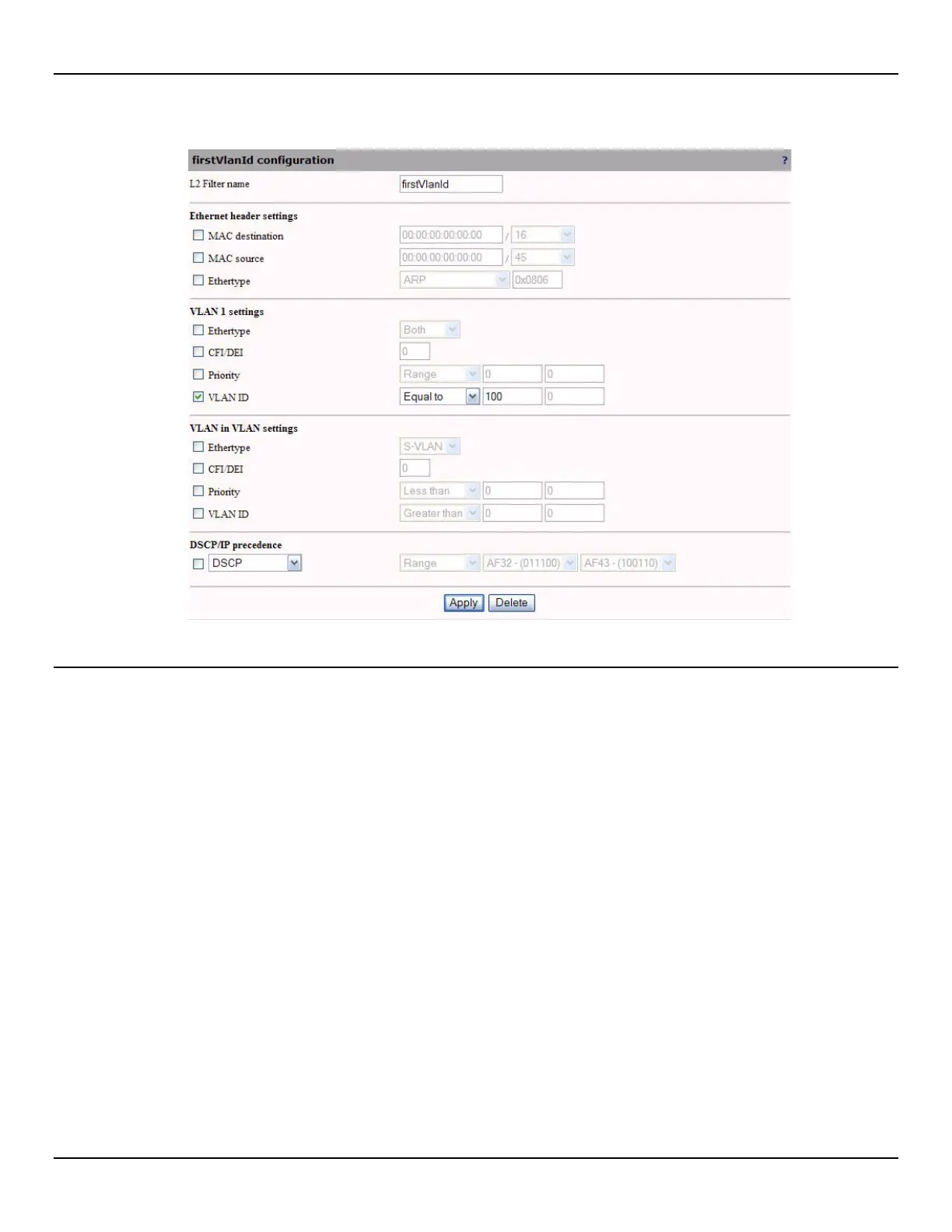
3. Configure filter parameters and click Apply.
L2 filter parameters
L2 filter name
Specify a name to uniquely identify the filter.
Ethernet header settings
The following characteristics can be defined.
MAC destination / mask
Specify the destination MAC address and mask. Specify the address as six pairs of hexadecimal digits separated by
colons (xx:xx:xx:xx:xx:xx). Only the bits specified by the mask are used. The other bits are ignored.
MAC source / mask
Specify the source MAC address and mask. Specify the address as six pairs of hexadecimal digits separated by colons
(xx:xx:xx:xx:xx:xx). Only the bits specified by the mask are used. The other bits are ignored.
Ethertype
Select a well-known protocol from the list or specify a value manually (hexadecimal).



 To Next Page