10: Traffic Shaper
10 Traffic Shaper
C
Traffic shaper configuration
NOTE: Traffic shaper is only available on the MetroNID TE / TE-S models.
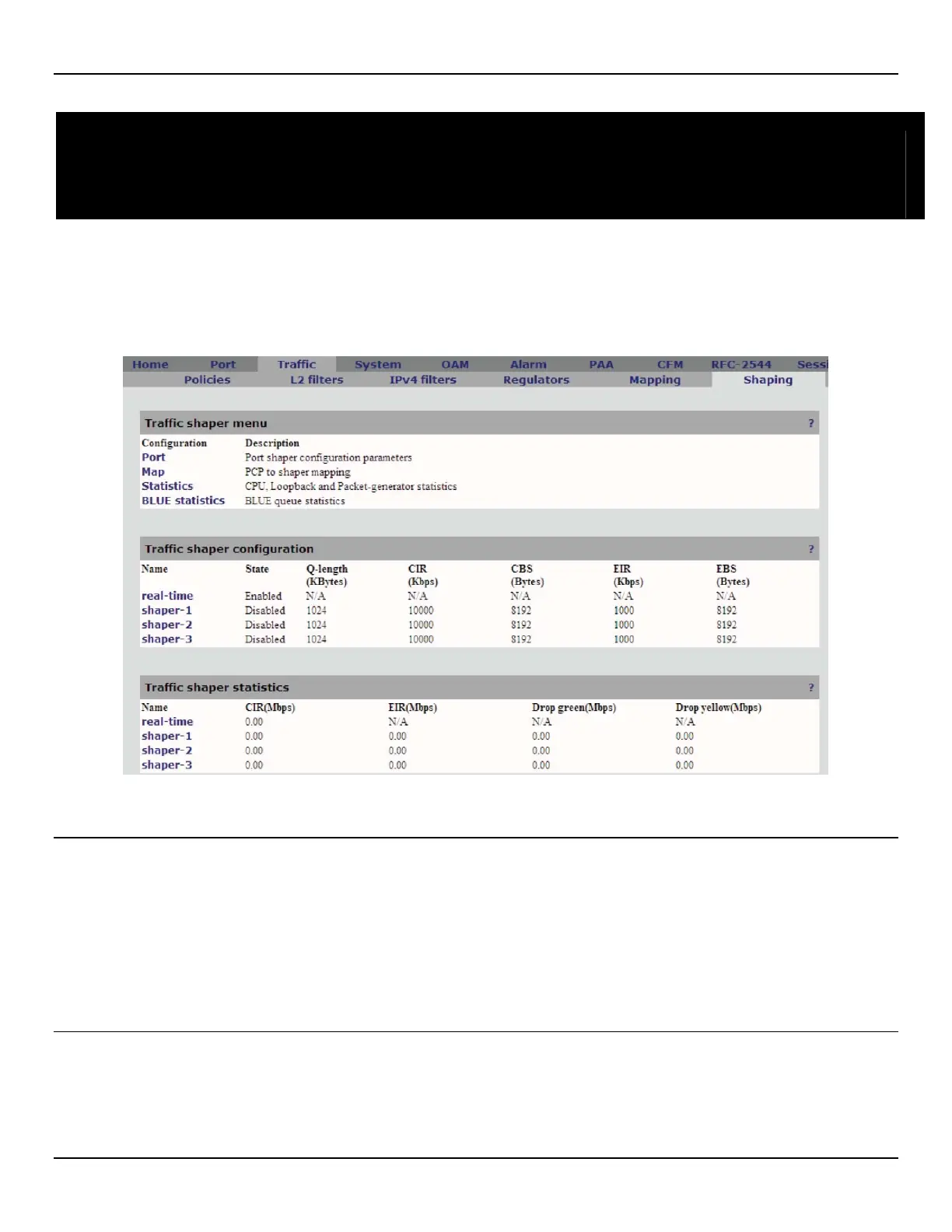
This is the main tab used for traffic shaping, configuration and monitoring functions.
Traffic shaper menu
• Port: This option allows the user to configure the global traffic shaping parameters for the outgoing port .
• Map: This option allows the user to edit the PCP to shaper map. It should be noted that the PCPs are output by
the Service Mapping module.
• Statistics: This option shows the CPU, loopback and Traffic generator traffic statistics.
• BLUE statistics: This option provides statistics on queue management.
Traffic shaper configuration
• Name: Unique name assigned to this shaper.
• State: State of the Shaper (Enabled/Disabled).



 To Next Page