3: Management & Configuration
Setting the system date and time
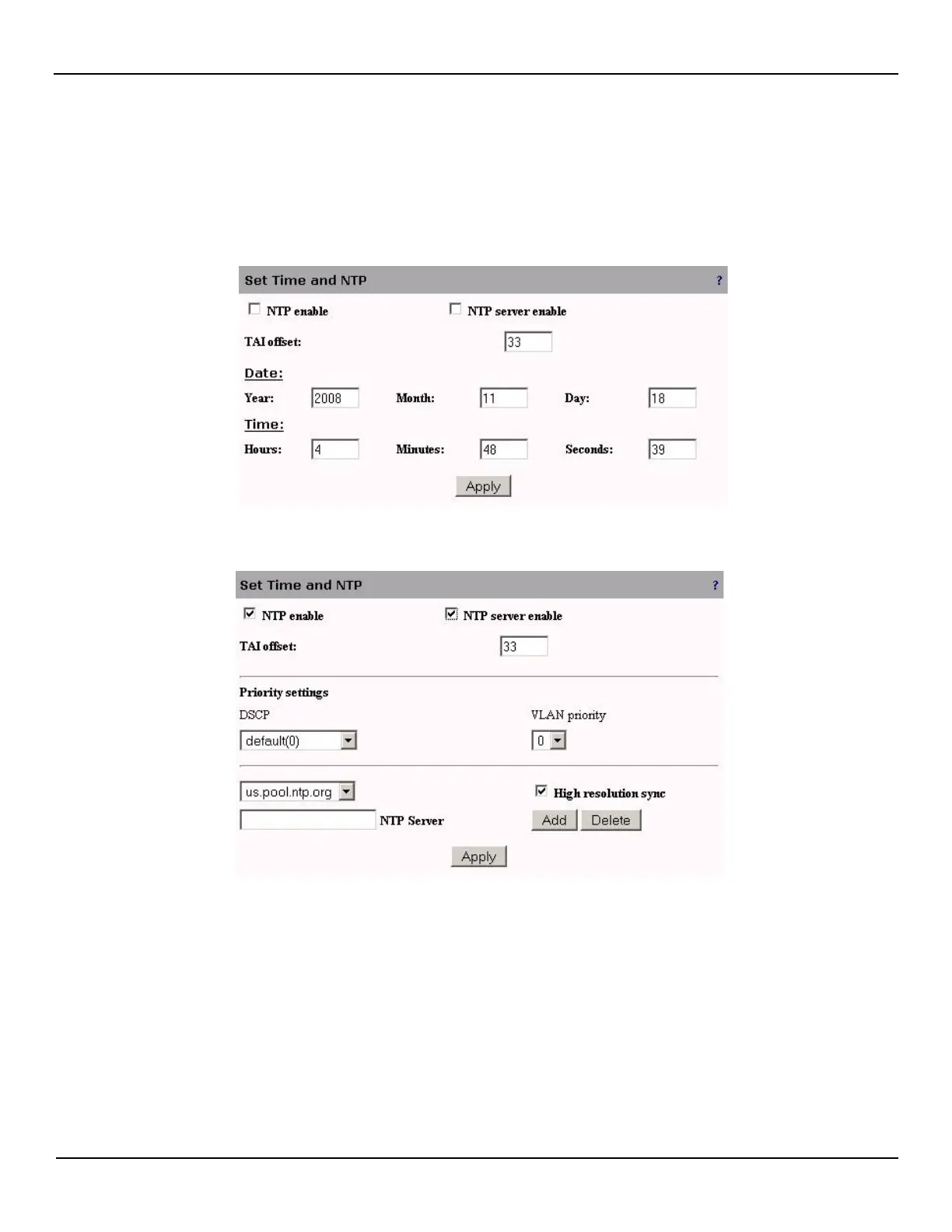
To set the system date and time, do the following:
1. Open the System > Configuration > Time page.
2. Specify the current date and time and click Apply or to automatically update the system date and time using the
Network Time protocol, select the NTP enable option. The following options will be displayed:
3. Select a time server from the list. To add a new server, specify its name or IP address in the NTP Server box and
then click Add. Then select the new server in the list and click Apply.
4. The EtherNID can also act as an NTP server by selecting the NTP server enable option.



 To Next Page