7: Operations, Administration & Maintenance
Configuring an OAM instance
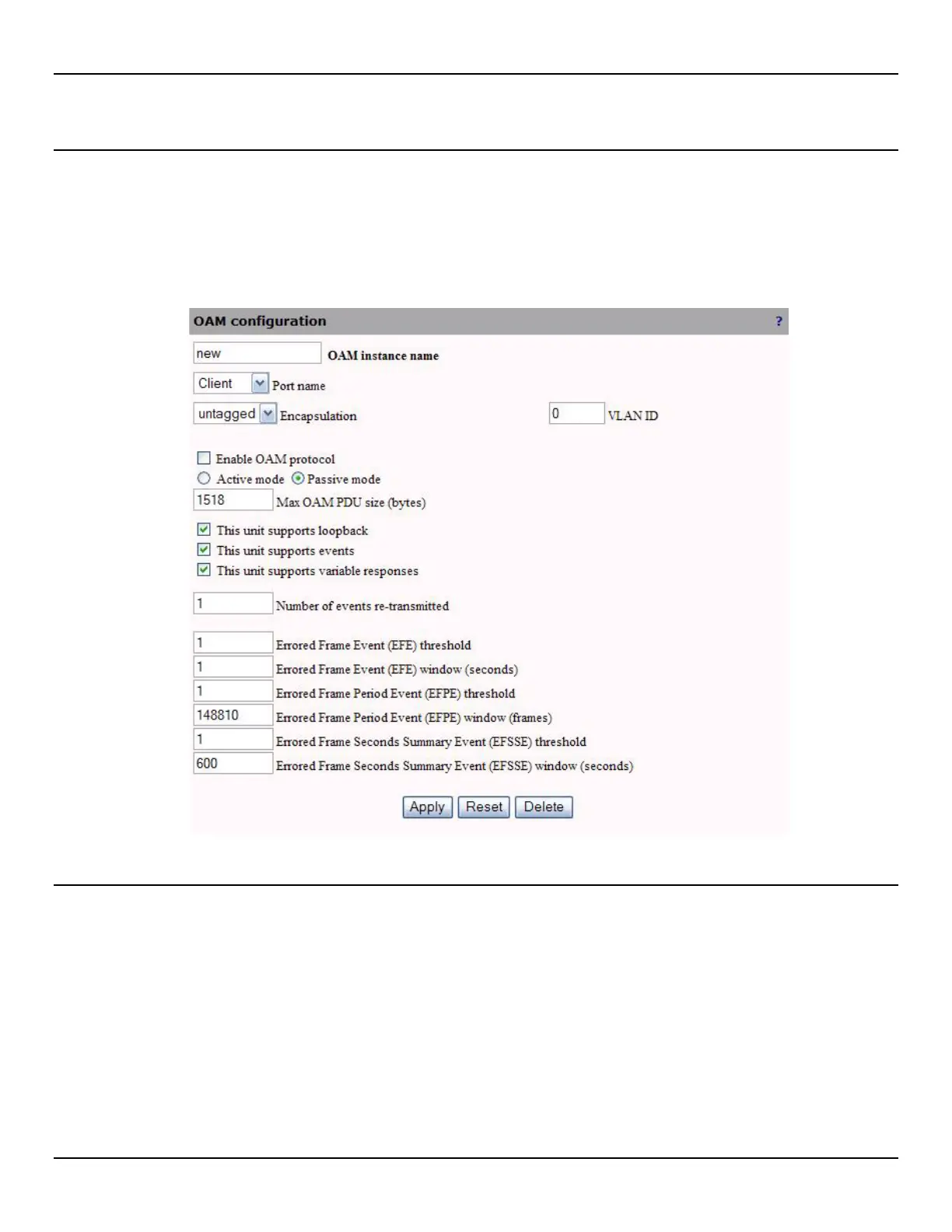
To configure an OAM instance, do the following:
1. Open the OAM > Configuration page.
2. Click Add to add a new OAM instance.
3. Configure OAM instance settings and click Apply.
OAM instance parameters
OAM instance name
Specify a name to identify the OAM instance.
Port name
Indicates the port used by this OAM instance.
Encapsulation
Indicates if OAM packets are tagged with a VLAN or not.



 To Next Page