5: Monitoring & Filtering
Viewing IPv4 filters
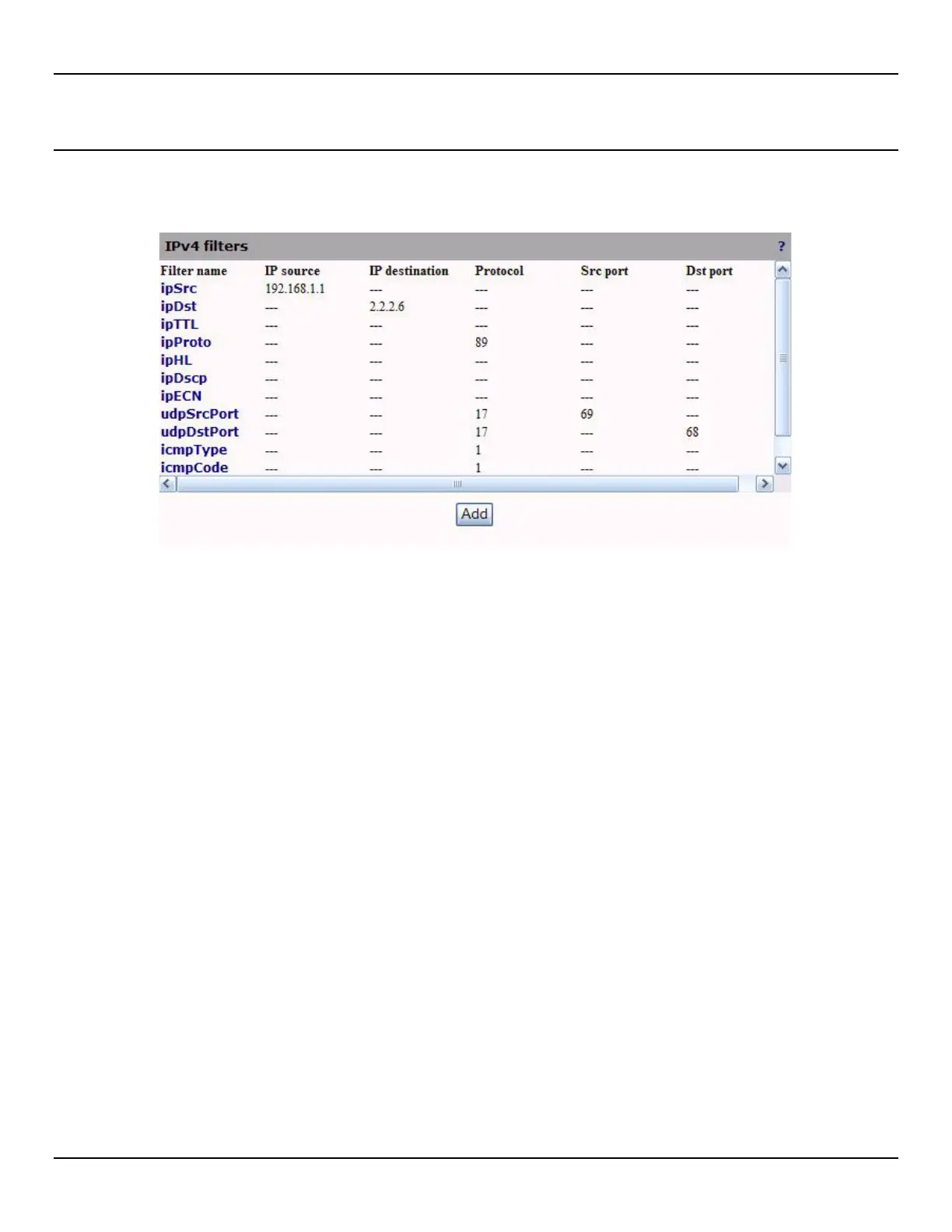
To view a list of active IPV4 traffic filters, open the Traffic > IPV4 Filters page. By default, commonly used filters are
defined.
The following information is presented for each filter:
z Filter name: Unique name assigned to the filter.
z IP source: Indicates the source address assigned to the filter. The filter will only process packets received from
this address. The address is specified in dotted decimal notation.
NOTE: Filtering source or destination IP address assigned by Dynamic Host Control Protocol (DHCP) can cause
problems. You should ensure that all IP addresses specified in a filter are static or reserved. Otherwise you must have to
manually update your filter every time the addresses change.
z IP destination: Indicates the destination address assigned to the filter. The filter will only process packet being
sent to this address. The address is specified in dotted decimal notation.
NOTE: Filtering source or destination IP address assigned by Dynamic Host Control Protocol (DHCP) can cause
problems. You should ensure that all IP addresses specified in a filter are static or reserved. Otherwise you must have to
manually update your filter every time the addresses change.
z Protocol: Identifies the protocol type that this filter will process. Other protocol types are ignored. Common
protocol are TCP (6),UDP (17) and ICMP (1)
z TCP is used by HTTP, FTP, Telnet, SMTP,
z UDP is used by DNS, SNMP, RIP,
z ICMP is used by Ping,
z Src port: Identifies the source port that will be used to match this rule. This setting is only valid when the protocol
field is set to TCP (6) or UDP (17).
z Dst port: Identifies the destination port that will be used to match this rule. This setting is only valid when the
protocol field is set to TCP (6) or UDP (17).



 To Next Page