3: Management & Configuration
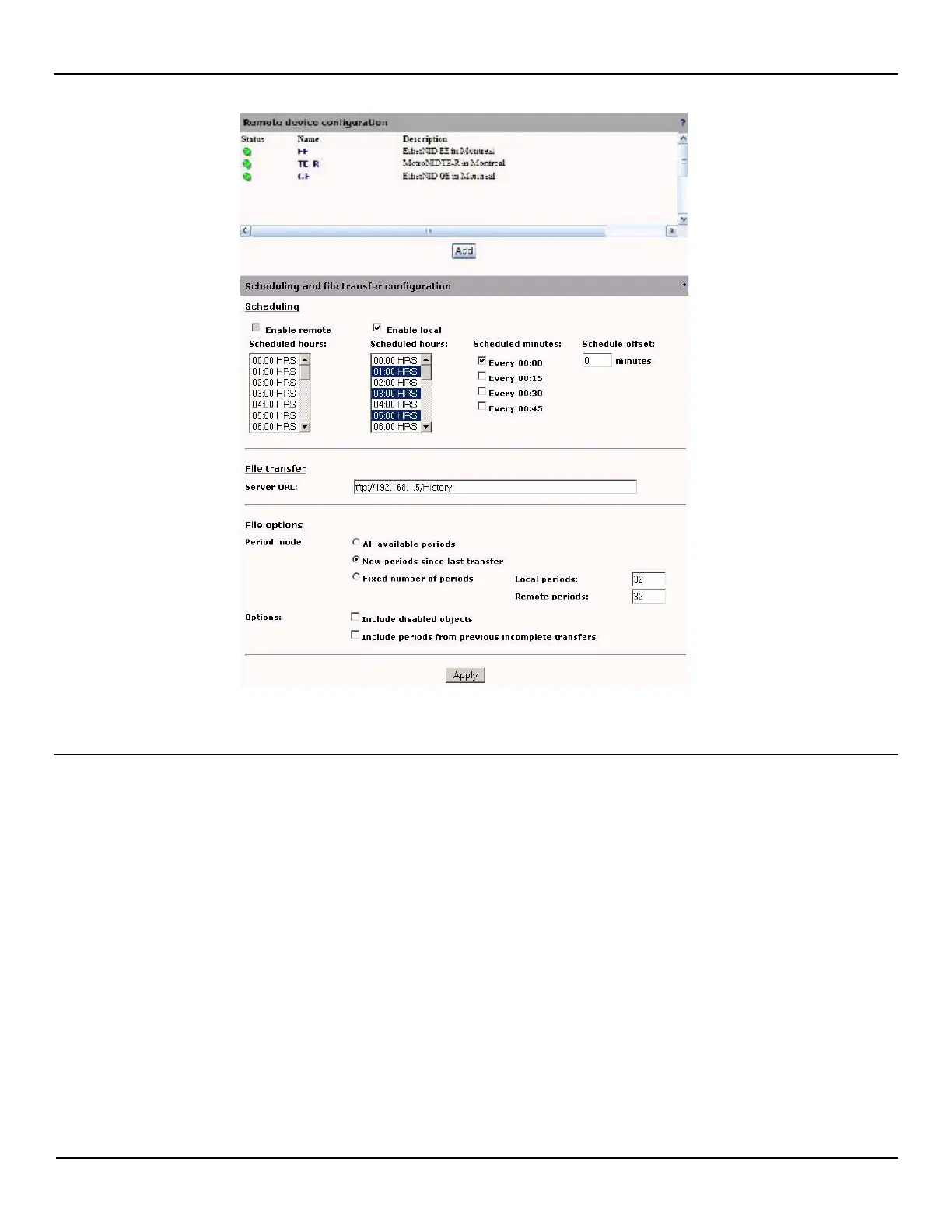
Scheduling and file transfer configuration
NOTE: The remote retrieval is only available on the MetroNID TE / TE-R /TE-S models.
Enable remote scheduling
Enable the history buckets to be retrieved from a list of remote devices, and report files to be generated.
This feature is dependant on the filing check boxes in the Local configuration sections of the remote devices. Only the
objects that have their filing feature enabled on the remote devices will be retrieved. The remote devices will ignore
requests for history buckets retrieval if their local scheduling is enabled.
Remote scheduled hours
The history buckets will be retrieved according to the Scheduled hours selected (Hold CTRL key to select more than one
time). Only hourly retrieval is possible for remote devices.
Enable local scheduling
Enable the history buckets report files to be generated by the local device.
This feature is dependent on the filing check boxes in the Local configuration sections of the local devices. Only the
objects that have their filing feature enabled on the local device will generate a report file. The local device will ignore
requests for history buckets retrieval if its local scheduling is enabled.



 To Next Page