2: Hardware Installation
Status lights
• PWR (green): On when power is applied.
• LPBK (yellow): On when the loopback function is enabled. Flashes when traffic is being looped-back.
• MIN (yellow): On when a minor alarm condition is present.
• MAJ (red): On when a major alarm condition is present.
• CRIT (red): On when a critical alarm condition is present.
• SFP (green):
•TX: Flashes when the port transmits data.
•Link/RX: Solid when the link level is present. Flashes when the port receives data.
Rear panel
The rear panels on all units are identical.
Port/Connectors
• +/-40-57V---0.5A connector: For use with the EtherSHELF connectors or a discrete power cord (connector sold
separately) providing +/-40 to +/-57 V DC.
• +/-20-36V---0.5A connector: For use only with a discrete power cord (connector sold separately) providing +/-20
to +/-36 V DC.
• 5V---2A connector: For use with the DC power adapter.
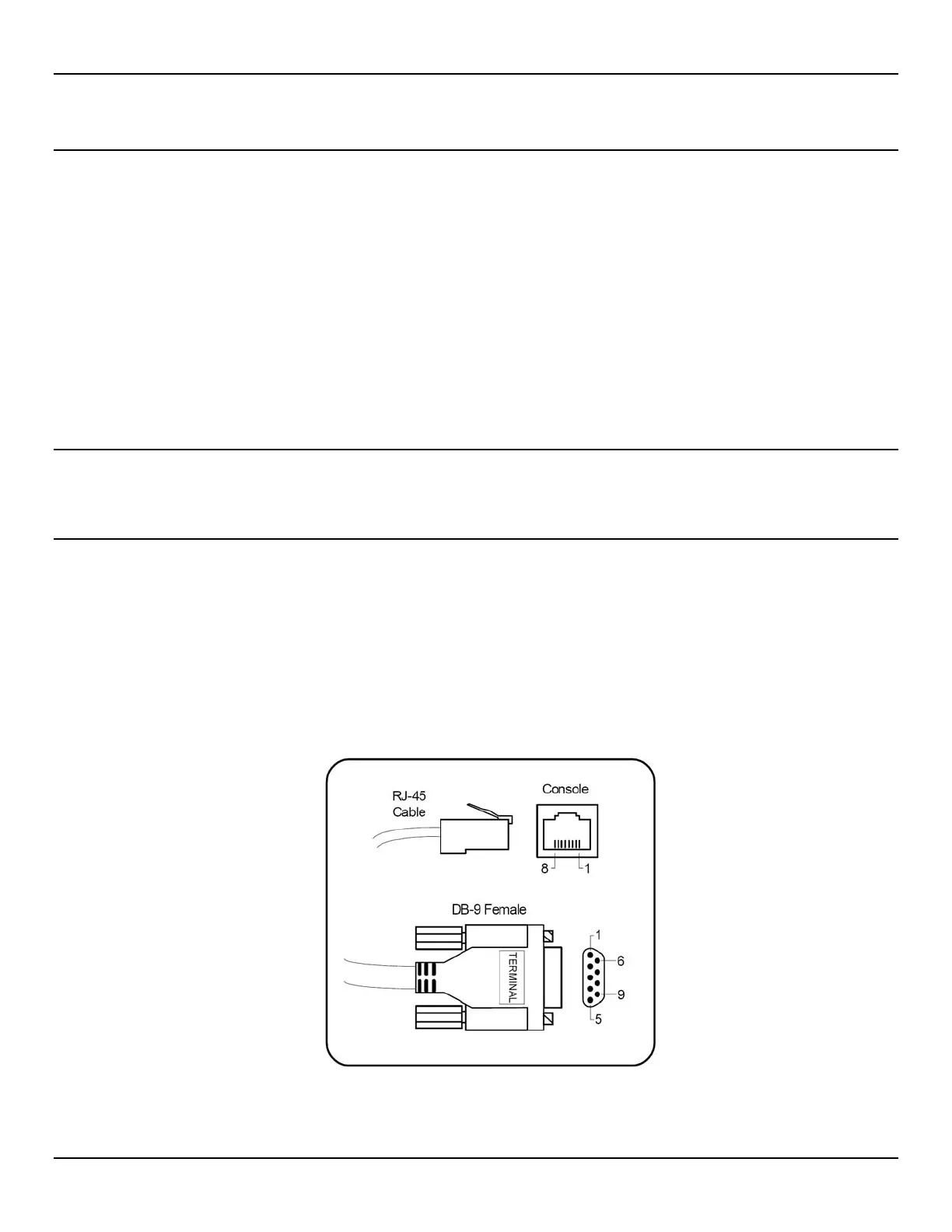
• Console: RJ-45 serial connection for access to the console interface. Pin-outs for both ends of the console cable
are as follows:



 To Next Page