3: Management & Configuration
Aggregator operation modes
NOTE: Aggregator modes are only available on MetroNID TE and TE-S models.
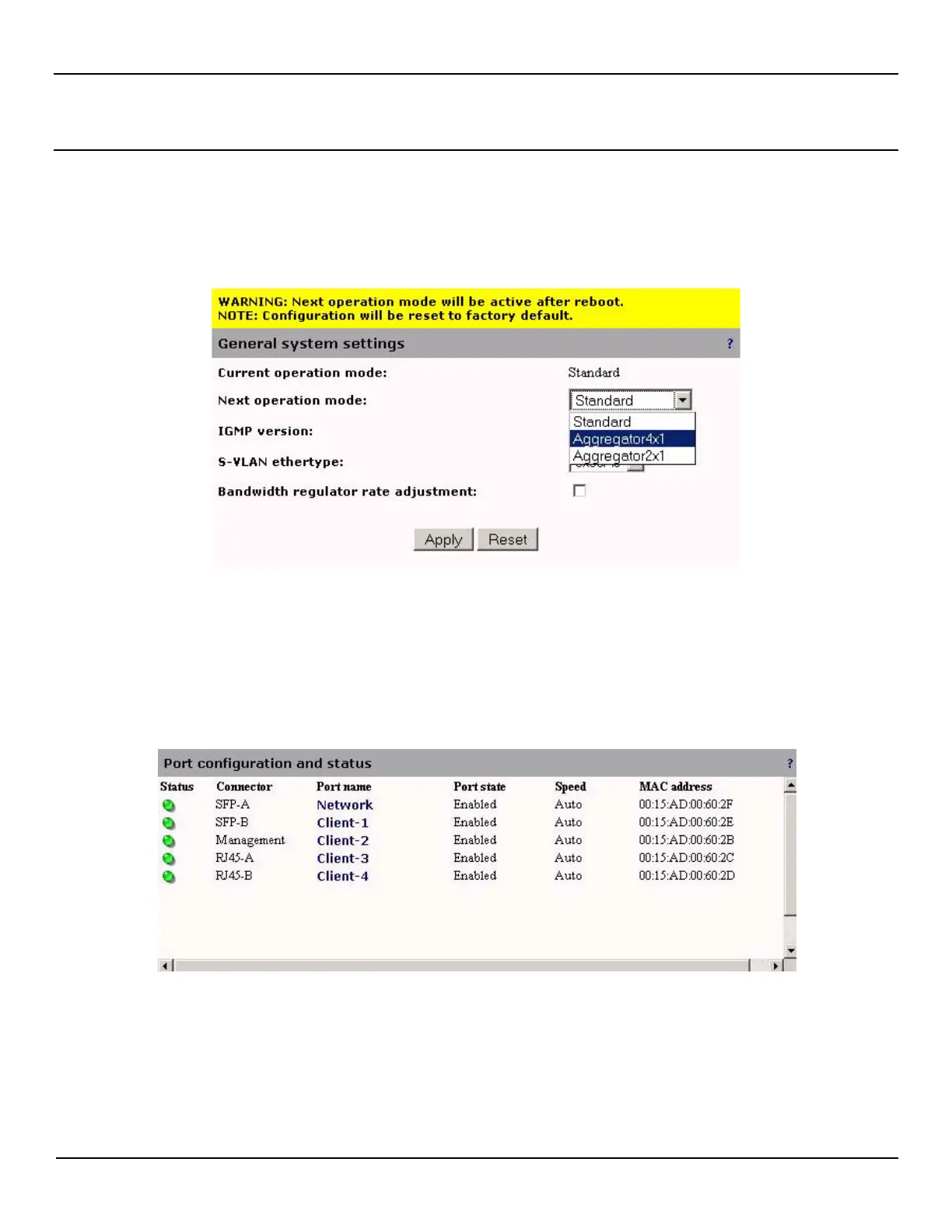
From the System > Configuration > Mode page, selecting the next operation mode will result in a warning that the Next
operation mode will be active after reboot.
After rebooting (Note that the configuration will be reset to factory default), you will see one of the following configurations
in Port > Configuration page. This shows that there are now four Client ports and one Network port when in 4x1 mode or
two Client ports, one Network port and one Protection port when in 2x1 mode. Note that the Protection port in
Aggregator2x1 mode cannot be used as a monitor port, it is to be used for Link or LACP protection.
Aggregator 4x1



 To Next Page