10: Traffic Shaper
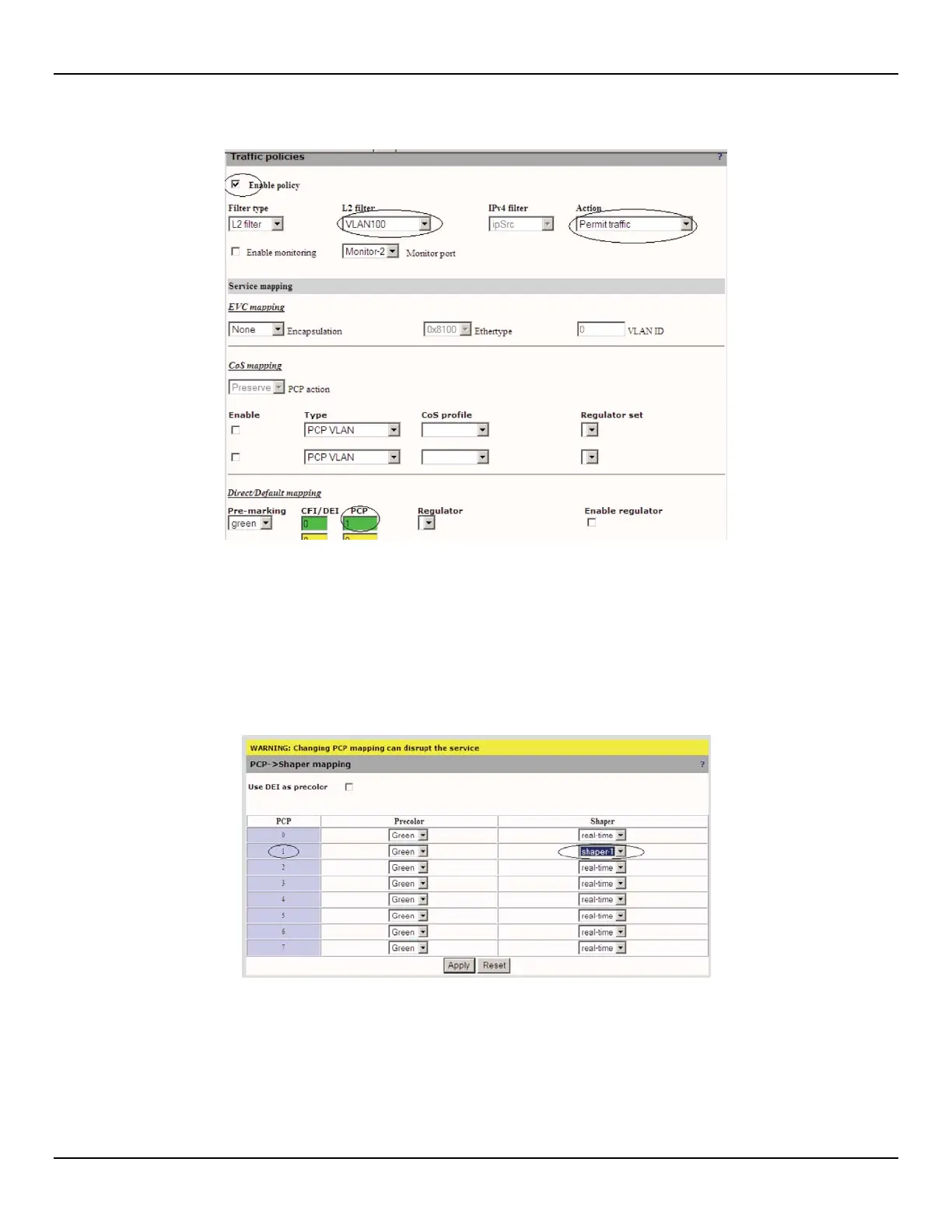
Here is an example of a policy:
Here is an example of a policy:
By enabling this policy we are taking traffic being received on the client port with VLAN 100 and directing it to shaper-1
before it is sent out the Network port.
On the screen capture below notice the Map information, PCP 1 will be directed to shaper-1.
Go to Traffic > shaping > Click on MAP
The PCP shaper mapping allows user to map the traffic to a shaper's queue based on the PCP and CFI/DEI fields in the
packets.
It is important to note that the PCP and CFI/DEI fields are values added to the ingress packet by the Service
Mapping module.
• Use DEI as precolor: When checked, the DEI/CFI is used to determine the precolor. Otherwise, the user can
manually specify the PCP precolor.
• Precolor: PCP precolor to be used by the shaper.
• Shaper: This is the shaper to which the PCP will be mapped.



 To Next Page