Automatic Exposure Control (AEC)
Automatic Exposure Control (AEC) produces consistent detector dose
regardless of the radiographic technique selected and of the patient size. The
AEC module comprises the controls for the selection of the exposure detector
fields (ionization chamber), S-value and density compensation.
To activate AEC mode, touch any of the three AEC field buttons.
To deactivate AEC mode, touch all the selected AEC field buttons until none of
them is selected.
Topics:
• Field Selection
• S-value
• Density
• Patient Size
• AEC dose failure
Field Selection
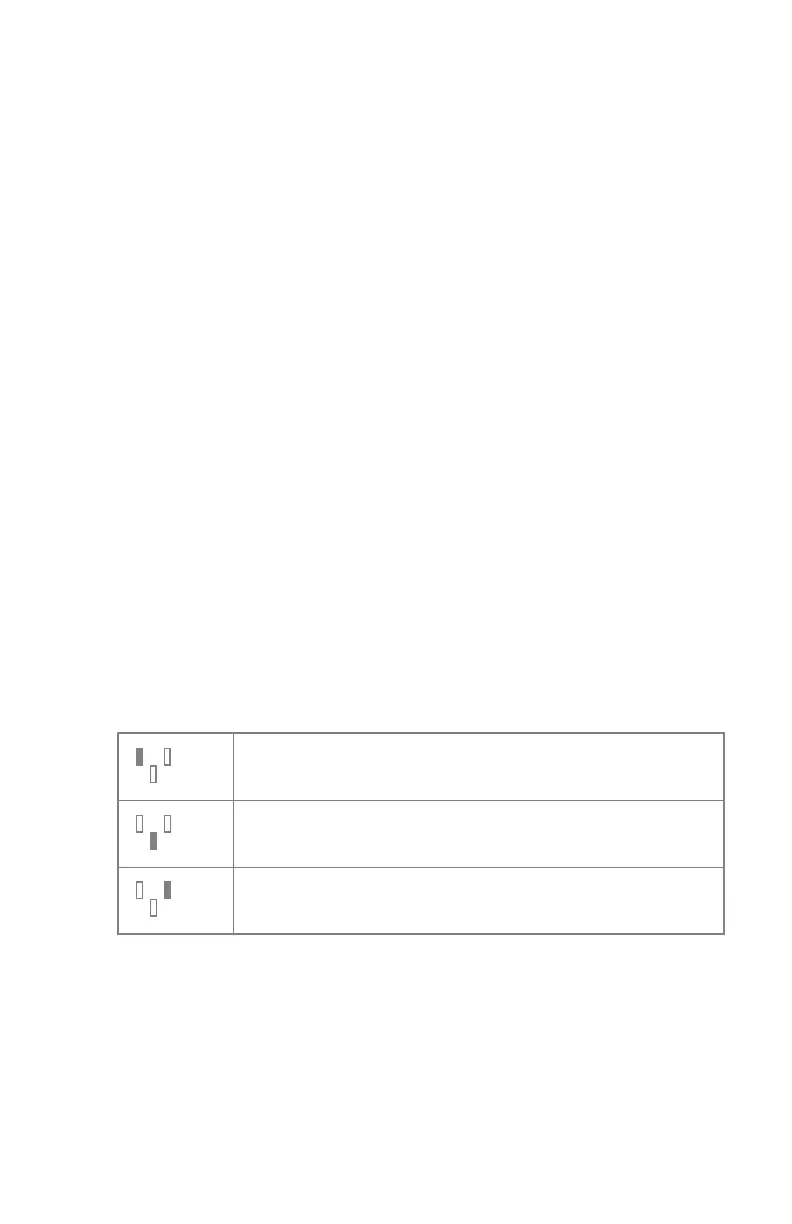
Each button indicates its related physical location of the selected field in the
AEC exposure detector, and you may select or deselect it by touching it.
Any combination of fields can be selected and the color of the buttons changes
(highlighted) when active. The exposure is ended if any of the selected fields
measures the AEC cut-off dose.
Table 18: Automatic filter
Left field
Middle field
Right field
S-value
Each of these buttons allows adjustment of the AEC cut-off dose (low dose,
middle dose and high dose: depending on configuration at installation time).
Each time a button is selected (highlighted), the others are automatically
deselected.
120 | DR 400 | Software Console and Tube Head Display
3231E EN 20210708 1530



 To Next Page