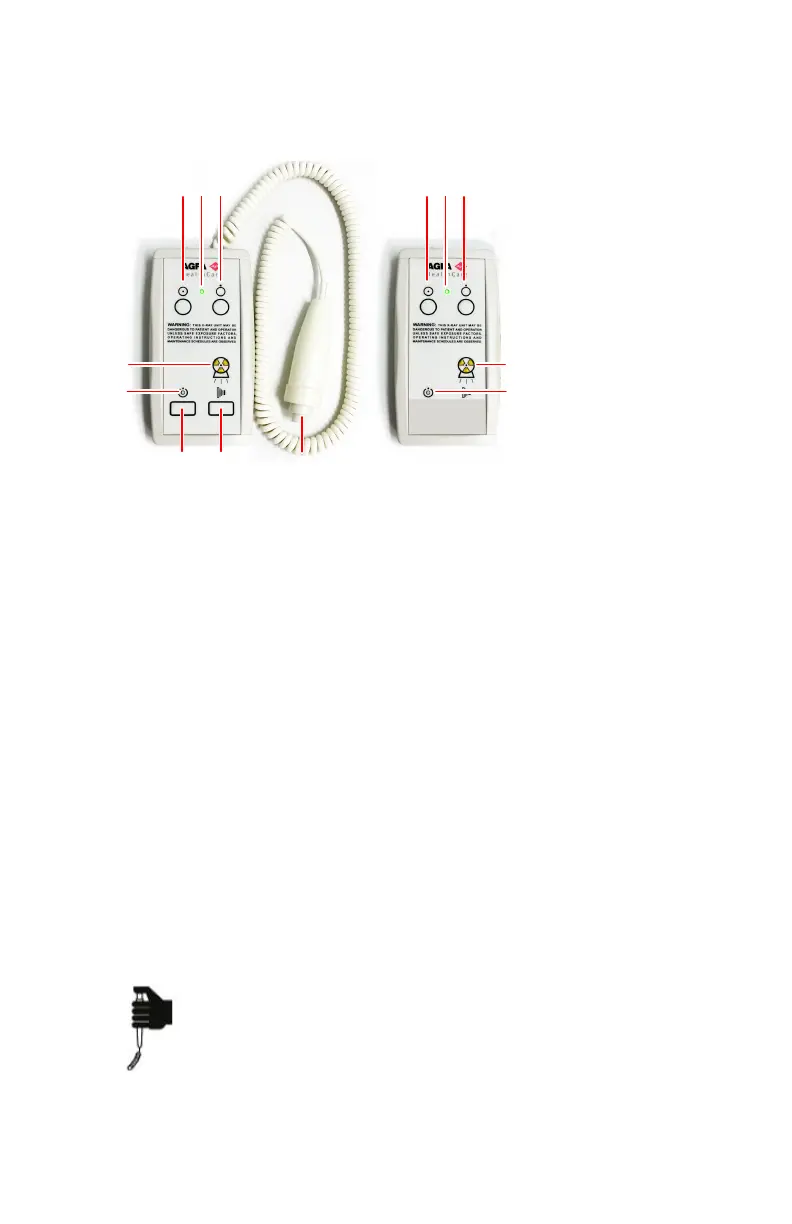
X-ray generator mini console
The X-ray generator mini console is available in the operator room.
1.
Power ON button
2.
Power ON indicator
3.
Power OFF button
4.
Press and hold to prepare for exposure
5.
Prepare ready indicator
6.
Press and hold to start the exposure
7.
Radiation indicator
8.
Exposure button
Figure 10: X-ray generator mini console
Related Links
System Documentation on page 226
Software Console and Tube Head Display on page 97
Exposure button
Preparing for exposure
Press the exposure button down to the first pressure point and hold it for
approximately 0.5 s to 2 s.
The X-ray tube is prepared for performing an exposure.
DR 400 | Introduction to DR 400 | 27
3231E EN 20210708 1530



 To Next Page