222 Chapter 4
Assembly Replacement
Front Frame Subassemblies
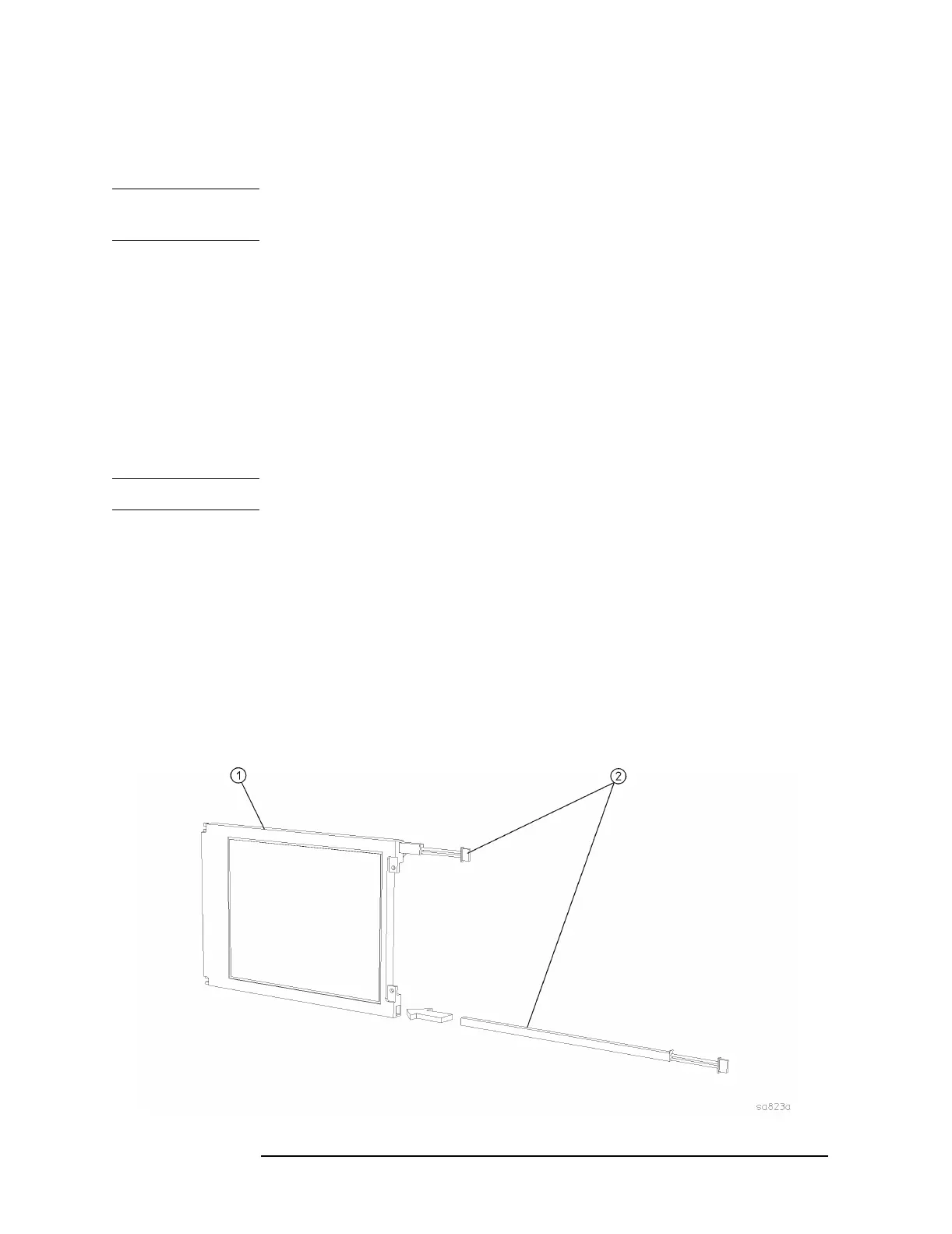
Backlight Removal/Replacement
There are two backlight assemblies installed in the flat panel display.
NOTE The backlight lamps should be replaced as a pair, even if only one lamp
is bad. The other one might fail shortly.
1. Refer to Figure 4-31. Unplug the backlight cables (5) from the
backlight connectors (6)
2. Lift up on the side of the display mount with the backlight
connectors coming out. It is not necessary to completely remove the
display mount from the front frame to change the backlights.
3. Figure 4-35 shows how the backlights slide out of the display.
Carefully pull on the tab on the backlight assembly (2) to slide the
backlight partially out of the display. Once the end of the backlight
casing is exposed, you can pull it straight out from the display.
NOTE Do not touch the bulb encased in the plastic backlight assembly.
4. Insert the new backlight assembly (2) by sliding it into the display,
non-wired end first, taking care not to force it. It is keyed so it will
only fit properly one way. Slide it all the way in to the end of the
casing.
5. Replace the display mount into the front frame. Connect the
backlight cables to the backlight connectors. Press the backlight
cables into the grooves in the rubber flaps. Make sure the white wire
of the backlight connector is on top, and the backlight cables are not
twisted.
Figure 4-35 Display Backlight Replacement


 To Next Page
 Loading...