154
ML-2050A/2051A/2150A
2. Maintenance of the Cooler Unit Section
Bleeding the Laser Chamber and Others of Water
When replacing the ashlamp, bleed the laser chamber of water beforehand.
When the laser is not used for one month or more or when the room temperature of
the installation place goes down below 0ºC for a compelling reason, bleed the laser
chamber of water and also bleed the cooling water tank and ion-exchanger of water
to discharge cooling water completely.
Item required
Gloves (vinyl), water feed pump, and clean cloth
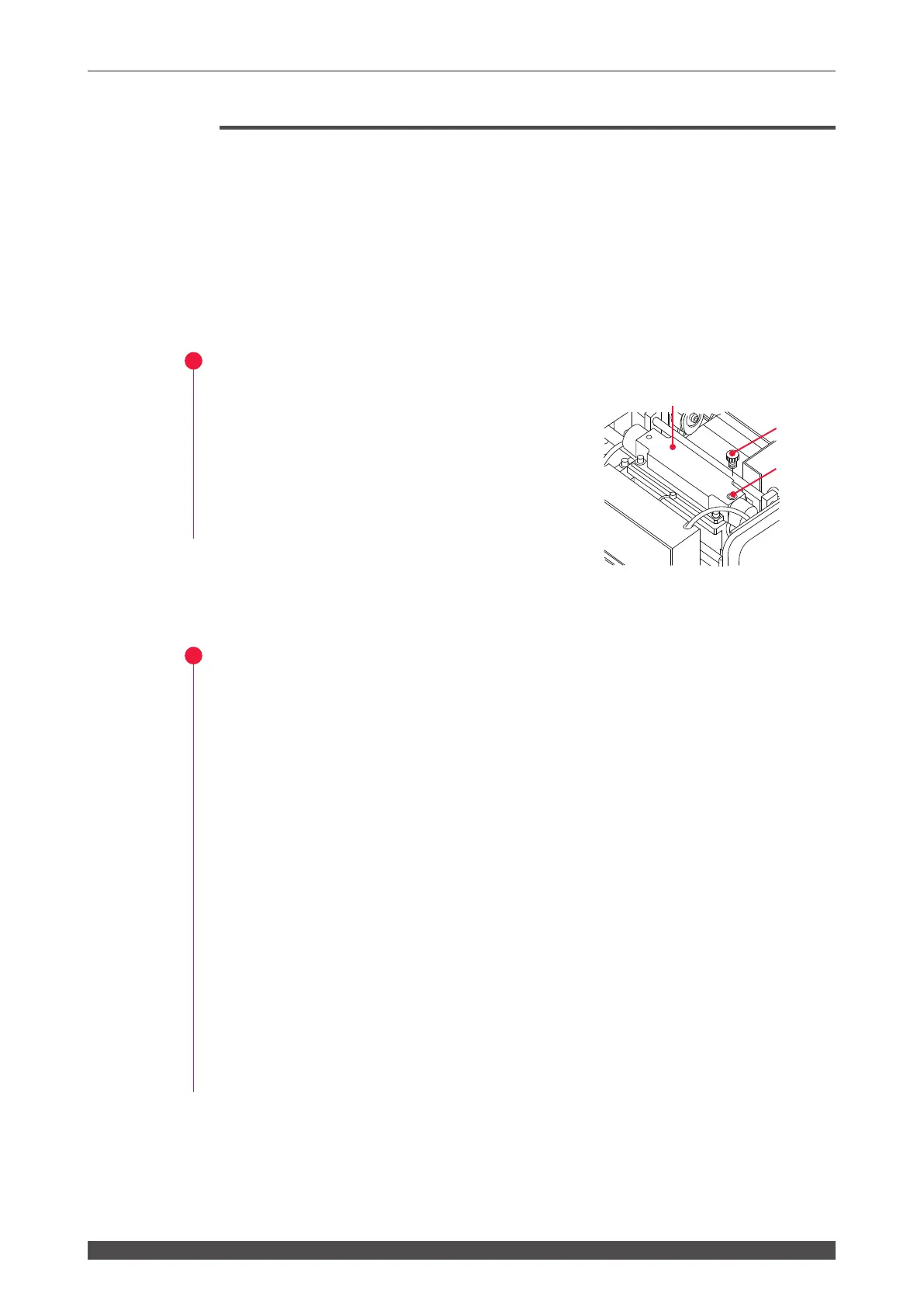
Bleeding the Laser Chamber of Water
(1) Remove the set screw of the drain hole of
the laser chamber.
If air is admitted from the drain hole, the
water in the chamber and hose drops into
the tank.
(2) Set the set screw of the drain hole as it was.
Bleeding the Cooling Water Tank/Ion-Exchanger of Water
(1) Remove the cover of the cooling water tank and remove the oating panel from
the tank.
(2) Drain water from the tank using the attached hand pump.
(3) Remove the ion-exchanger and drop the staying water into the tank.
⇒
Put the removed ion-exchanger on a clean cloth.
(4) Using the attached hand pump, drain water from the pipe from which you have
removed the cartridge and from the tank.
(5) Re-place the cartridge into the pipe.
(6) Restore the oating panel to the tank and re-secure the cover of the tank.
⇒
To prevent a failure or accident due to water leakage, be sure to set the removed
set screw of the drain hole as it was.
Set screw
Drain hole
Laser chamber



 To Next Page