1. Control Method
51
ML-2050A/2051A/2150A
Chapter 1 Control Method, and Start and Stop
Introduction Part
Installation and
Preparation Part
Operating Part Maintenance Part Appendixes
Chapter 1
●
Control Method, and Start and Stop
1. Control Method
This section explains the control method for the laser.
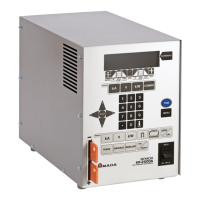
The following 3 control methods are available, namely, control from the control panel
or laser controller (option) (PANEL CONTROL), control by external input/output
signals connecting the PLC (*) to the laser (EXTERNAL CONTROL), and control by
sending commands from the personal computer or the like (RS-485 CONTROL).
Select one of these 3 control methods according to the welding work. The selected
control method is displayed on the STATUS screen.
*: PLC: Programmable Logic Controller which is a unit to perform sequence control by executing the
programmed contents of control in sequence. This unit is often called sequencer (product name of
Mitsubishi Electric Corporation).
Switching the Control Method
Control by Control Panel (PANEL CONTROL)
When the laser is used independently or when the power supply of the PLC or personal
computer connected to the laser is OFF, the laser is under control by control panel.
⇒
To switch the control by external input/output signals over to the control by control
panel, turn OFF pin No.23 (control switching) of the EXT. I/O (1) connector.
⇒
To switch the control by external communication control over to the control by
control panel, send a command to set the control method from the personal
computer.
⇒
If the CONTROL keyswitch of the main unit is turned OFF even if another control
method is used, it is reset to the control by control panel. When the CONTROL
keyswitch is turned on again, the control method is switched to the control from
the control panel if the external communication control is used, or the control
method is set to the control by external input/output signals if the control by
external input/output signals is used and pin No.23 (control switching) of the EXT.
I/O (1) connector is ON (closed circuit).
Control by External Input/Output Signals (EXTERNAL CONTROL)
When the PLC or the like is connected to the main unit and pin No.23 (control
switching) of the EXT.I/O (1) connector is turned ON (closed circuit), the control by
external input/output signals (EXTERNAL CONTROL) is selected.
⇒
This control method cannot be selected by operating the control panel or
personal computer.
Control by External Communication Control (RS-485 CONTROL)
The control by external communication control is selected by sending a command to set
the control method from the personal computer or the like connected to the main unit.
⇒
This control method cannot be selected by operating the control panel or external
input/output signals.
Operating Part


 To Next Page