1. Error Display and How to Take a Measure
165
ML-2050A/2051A/2150A
Chapter 2 Inspection and Measure To Be Taken at Occurrence of an Error
Introduction Part
Installation and
Preparation Part
Operating Part Maintenance Part Appendixes
Chapter 2
●
Inspection and Measure To Be
Taken at Occurrence of an Error
1. Error Display and How to Take a Measure
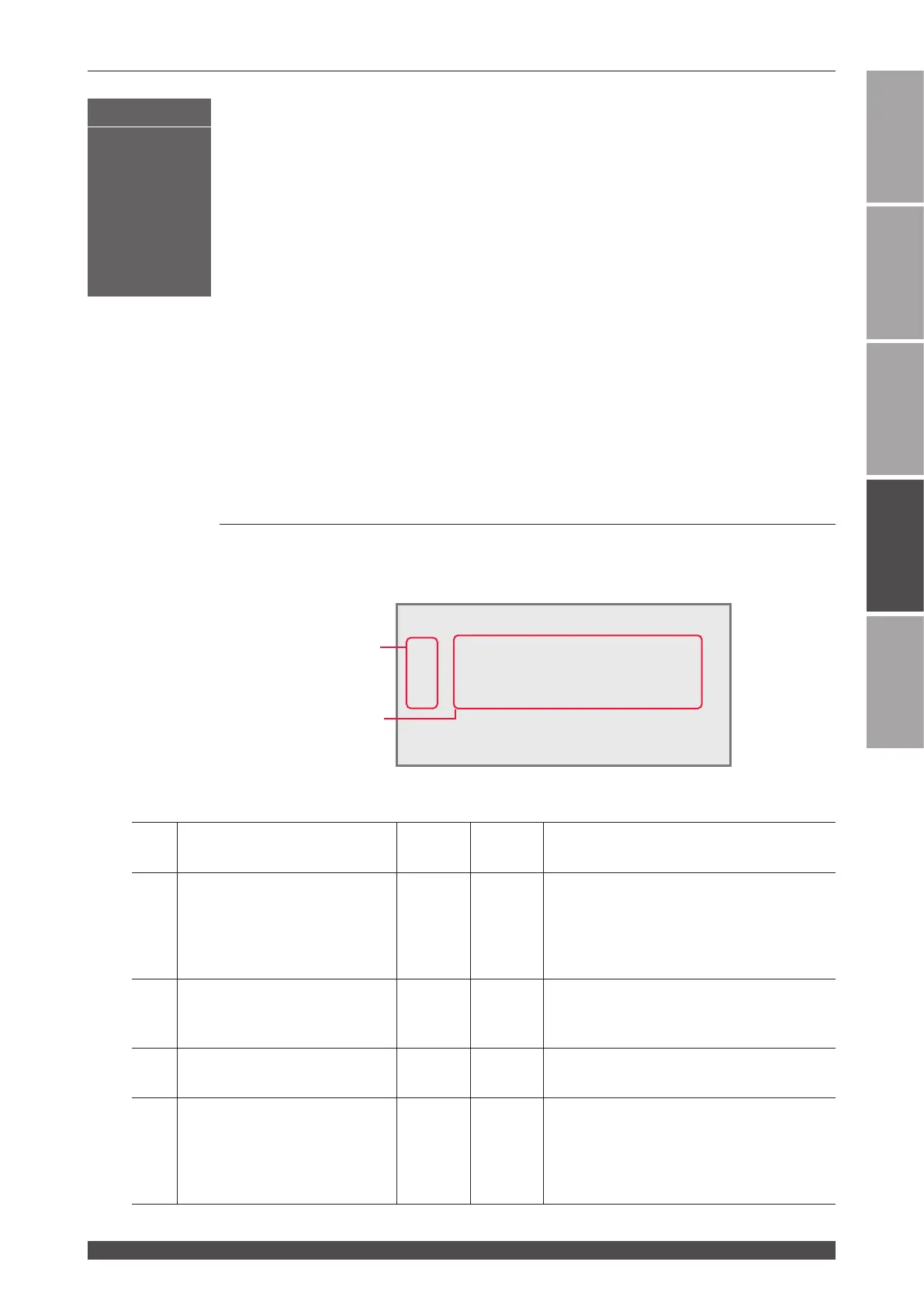
When an error occurs in the laser, the contents of the error are displayed
on the control panel screen as shown below. In the following, how to take a
measure is explained in the order of Error No. At occurrence of an error, read
this chapter carefully and perform inspection of the laser and take a proper
measure.
* If you have any unclear point, contact the distributor or us for information.
⇒
When there is any related page in this Operation Manual, the reference page is
shown.
No. Display on control panel
High
voltage
Alarm
output
Measures
00
COMMUNICATION LINE
ERROR
- -
Trouble occurs in the communication line
between the power supply for the Laser and
control panel.
If there is a noise source near the Laser,
move it far away or suppress the noise.
01
POWER SUPPLY COVER
OPENED
OFF ON
The side cover or rear cover is removed or
their mounting screws are loosened.
Secure the covers with the screws.
02 HEAD COVER OPENED OFF ON
The head cover or lamp replacing cover is
removed. Mount them.
03 EMERGENCY STOP OFF ON
An emergency stop signal is input.
Close the emergency stop circuit on the
[EXT.I/O (3)] or [EMERGENCY STOP]
connector. Further, reset the EMERGENCY
STOP button on the control panel.
Maintenance Part
!!!TROUBLE!!!
E01 : POWER SUPPLY COVER OPENED
E02 : HEAD COVER OPENED
E03 : EMERGENCY STOP
E04 : COOLANT LOW LEVEL
HV:OFF POSI.BLINK:OFF POSITION:OFF
Error No.
Contents of the error
(Troubles are displayed up to
six occurrences.)


 To Next Page