46
ML-2050A/2051A/2150A
4. Connecting the Laser Controller (Option)
4. Connecting the Laser Controller (Option)
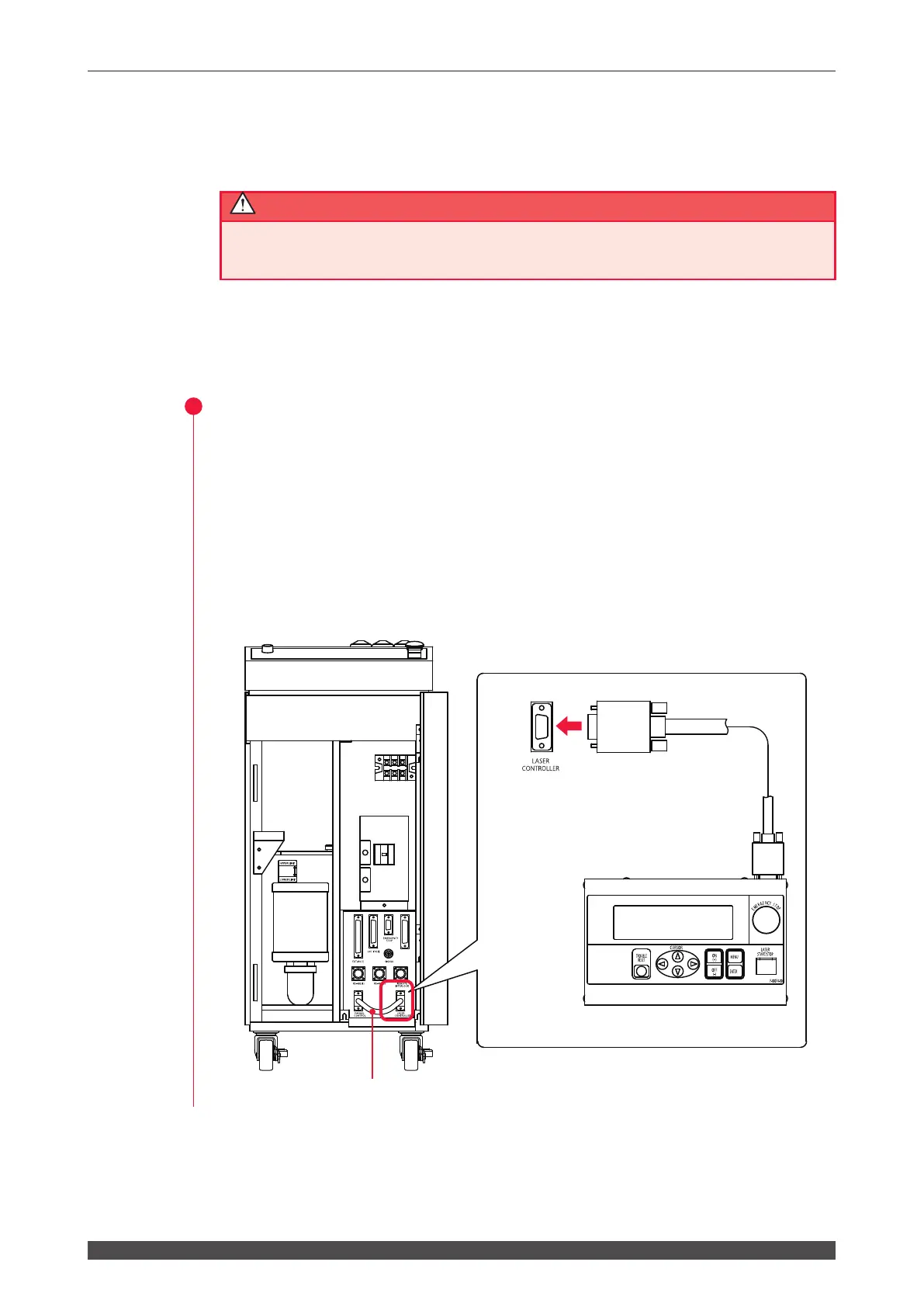
When using the laser controller as a remote controller, connect the cable.
CAUTION
Be sure to turn OFF the power supply before starting to connect the laser controller.
Item required
Laser controller and circuit cable
Operating Procedure
(1) Open the front door and disconnect the short circuit cable.
(2) Connect between the main unit and the laser controller by circuit cable.
⇒
The laser controller and circuit cable are options. The circuit cable types are
classied into 3 m and 15 m.
⇒
When the laser controller is connected, operations from the control panel
are disabled. However, the EMERGENCY STOP button and the CONTROL
keyswitch are eective.
EXT.I/O(3)
Connect Laser Controller
to [LASER CONTROLLER]
connector using line cable.
Laser Controller
Short circuit cable



 To Next Page