2. Maintenance of the Cooler Unit Section
153
ML-2050A/2051A/2150A
Chapter 1 How to Perform Maintenance
Introduction Part
Installation and
Preparation Part
Operating Part Maintenance Part Appendixes
Cleaning the Water Filter
The water lter is provided in the cooling water tank and ltrates cooling water.
Perform cleaning for the water lter every 6 months. Replace it every 3 years.
Item required
Gloves (vinyl), water feed pump, cooling water (6 liters), and mounting/removing tool
1
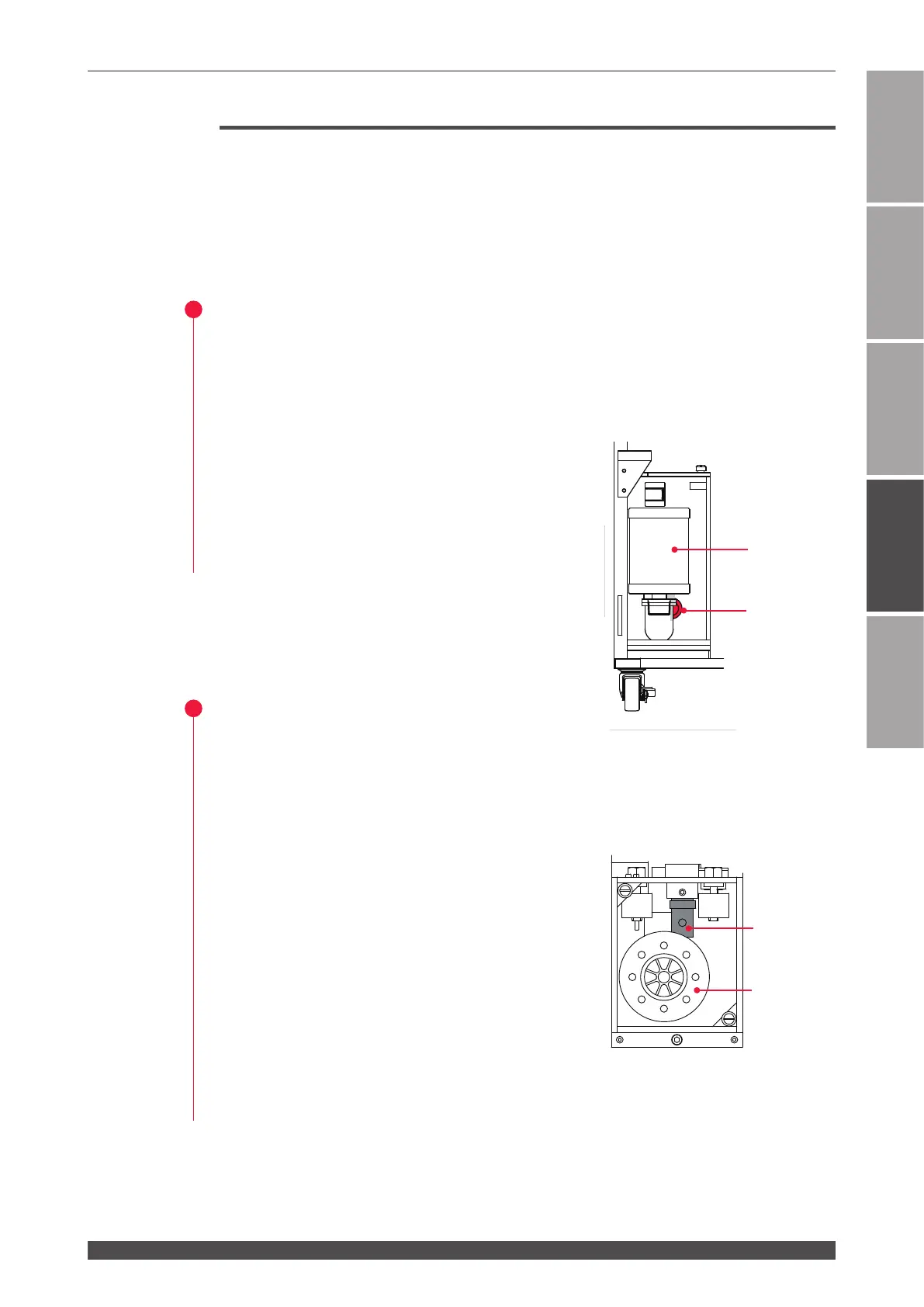
Moving the Water Filter
(1) Open the cover of the cooling water tank and take out the oating panel.
⇒
Keep the panel clean during the exchanging work.
(2) Pump out water in the tank.
(3) Turn the ion-exchanger in the tank to the left
with the replacing tool to remove it.
(4) Pull the water lter toward you to remove it.
2
Washing the Water Filter
(1) Wash the water lter with tap water, then
rinse it with deionized water or puried water.
(2) Re-place the water lter and insert it to the end.
At this time, be careful not to remove the
O-rings.
(3) Insert the ion-exchange resin cartridge and turn
it to the right with the replacing tool to x it.
(4) Supply the cooling water, with the attached
hand pump, till it reaches HIGH-line on the
water level label.
(5) Return the oating panel in the tank.
Return the cover of the cooling water tank and
secure it.
P-1518P-1518
UPPER LIMIT
LOWER LIMIT
Ion-exchanger
Water lter
The Laser front (With front door opened)
Ion-exchanger
Water lter
Cooling water tank (Top view)



 To Next Page