54
ML-2050A/2051A/2150A
1. Setting Welding Schedules
-SCH.#0 [FORM:FLEX]
≃
12.5J WATER 28˚C
:OFF PEAK=04.00kW 100%
p
Point1
01.0ms 090.0%
Point2 01.0ms 070.0%
Point3
01.0ms 088.0%
Point4
01.0ms 065.0%
q
Point5
01.0ms 000.0% 5ms
HV:0FF POSI.BLINK:OFF POSITION:OFF
-SCH.#0 [FORM:FIX
]
≃
9.4J WATER
28˚C
:OFF PEAK=04.00kW 100%
k
SLOPE 00.5ms
FLASH1 01.5ms 100%
FLASH2 01.5ms 025.0%
FLASH3 03.0ms 050.0%
m
SLOPE 01.0ms 10ms
HV:OFF POSI.BLINK:OFF POSITION:OFF
-SCH.#00 [FORM:FLEX]
≃
0.0J WATER 28˚C
:
OFF PEAK=00.00kW REPEAT= 00pps
p
Point1
00.0ms 000.0%
SHOT =9999
Point2 00.0ms 000.0%
Point3
00.0ms 000.0%
Point4
00.0ms 000.0%
q
Point5
00.0ms 000.0%
HV:OFF POSI.BLINK:OFF POSITION:OFF
-SCH.#00 [FORM:FIX ]
≃
0.0J WATER
28˚C
:OFF PEAK=00.00kW REPEAT= 00pps
k
SLOPE 00.0ms
SHOT =9999
FLASH1 00.0ms 000.0%
FLASH2 00.0ms 000.0%
FLASH3 00.0ms 000.0%
m
SLOPE 00.0ms
HV:OFF POSI.BLINK:OFF POSITION:OFF
SCHEDULE Screen
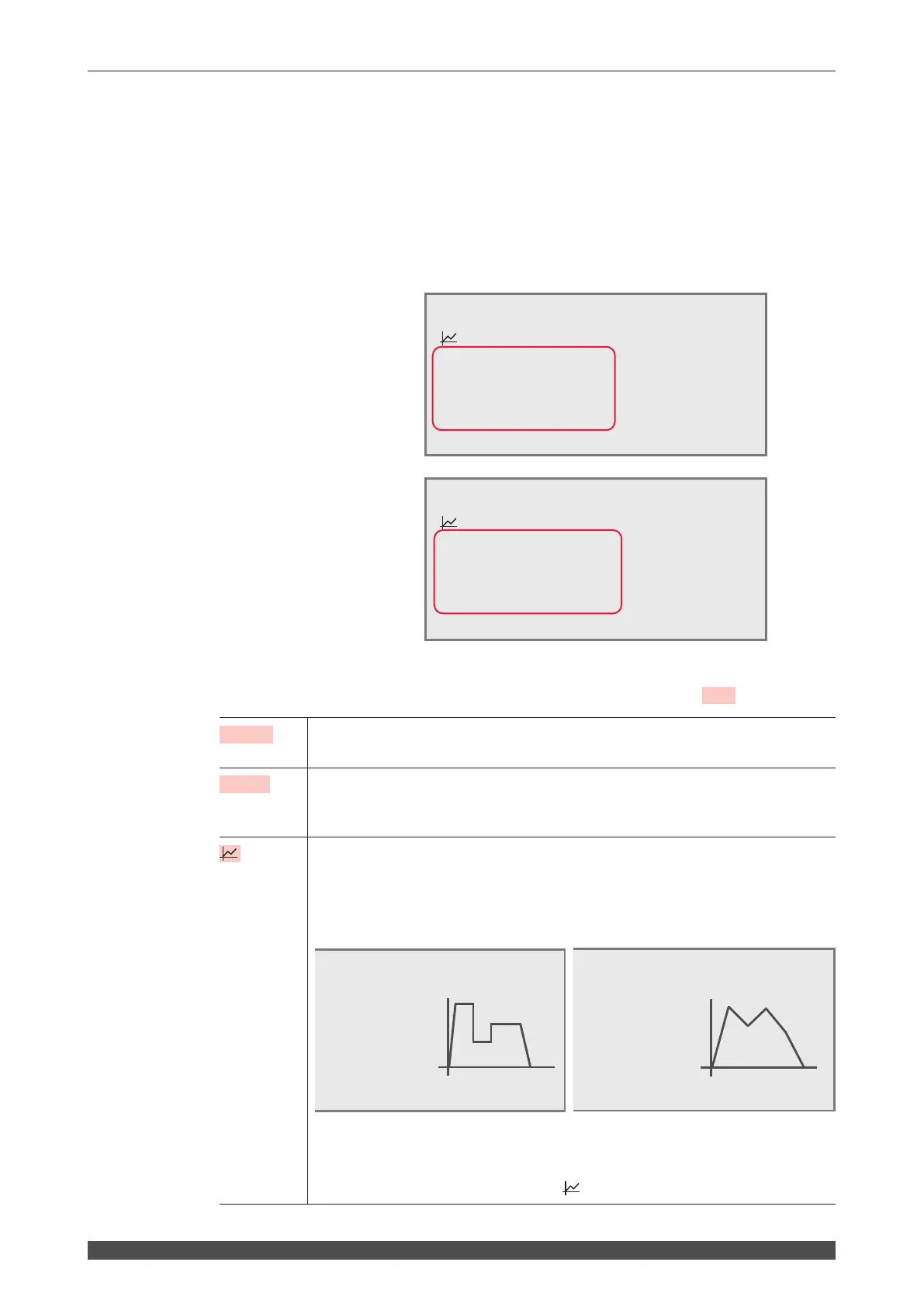
On the SCHEDULE screen, the laser light output schedules and SCHEDULE
numbers are set.
If a registered SCHEDULE number is entered, the corresponding output schedules
can be called.
The setting items of laser output time and laser output value are dierent between
xed waveform (FIX) and exible waveform (FLEX).
Fixed waveform (FIX) screen
Flexible waveform (FLEX) screen
How to see the displayed items
: Settable item
-SCH.#
Sets the SCHEDULE number of laser light. The 32 numbers of #00 to #31 and
output schedules can be set.
FORM
Switches the waveform creating method over to "FIX" (xed waveform) or "FLEX"
(exible waveform). When the FORM setting is switched, the set value of waveform
is reset to 0.
Sets the graph display of laser output value to ON/OFF. When the graph display is
set to ON, the laser output value set on the right side of the screen is displayed as a
waveform.
Graph display of xed waveform (FIX) Graph display of exible waveform (FLEX)
The laser light of the same waveform as displayed on the graph is output.
Accordingly, it is possible to set the laser output value while checking the waveform.
When the graph display is set to ON, the lower items become invisible. When
setting "REPEAT" or "SHOT", turn OFF
beforehand.



 To Next Page