58
ML-2050A/2051A/2150A
1. Setting Welding Schedules
INITIALIZE:OFF WATER 28˚C
NETWORK #00
TEMP CONT 30˚C ALARM L20˚C H40˚C
POSITION AUTO OFF 60min
SW1-12345678 SW2-12345678 SW3-12345678
ON ON ON
OFF
OFF
OFF
GOOD COUNT
Displays the appropriate number of laser light outputs. The appropriate
number of outputs means the laser light output within the allowable energy
range set at "HIGH" and "LOW."
To reset the display to 0, perform a reset operation on the STATUS screen.
LAMP INPUT PWR
Displays the ashlamp power. The power input to the lamp is displayed by
the ratio (%) to the maximum input value native to the lamp.
<Note>
When the laser is used in the status where a value of 80% or more is
displayed, the replacement cycle of the ashlamp may be shortened.
REFERENCE SET
Sets the upper limit value of lamp input power in the range of 0 to 100%.
Usually, this value is set to 100%. The set value becomes the reference
value for ashlamp deterioration notice. When the set value is exceeded, a
screen to notify the approach of the ashlamp replacement time is displayed.
HV
Sets the high voltage (HIGH VOLTAGE) to ON or OFF.
When HV is set to ON, the HIGH VOLTAGE lamp comes on.
When it is set to OFF, no high voltage is supplied and no laser light is output.
POSI.BLINK
Sets the guide light blinking status (POSITION) or continuous lighting to ON
or OFF.
When POSI.BLINK is set to ON with the guide light ON, the guide light
blinks. If it is set to OFF, the guide light is put into a continuous ON status.
POSITION
Sets the guide light output to ON or OFF.
When the guide light output is set to ON, guide light is output. When the
guide light output is set to OFF, no guide light is output.
The time until the guide light goes out automatically can be set by
"POSITION AUTO OFF" on the INITIAL screen.
WATER
Displays the cooling water temperature. The temperature is measured after
SELF CHECK is completed.
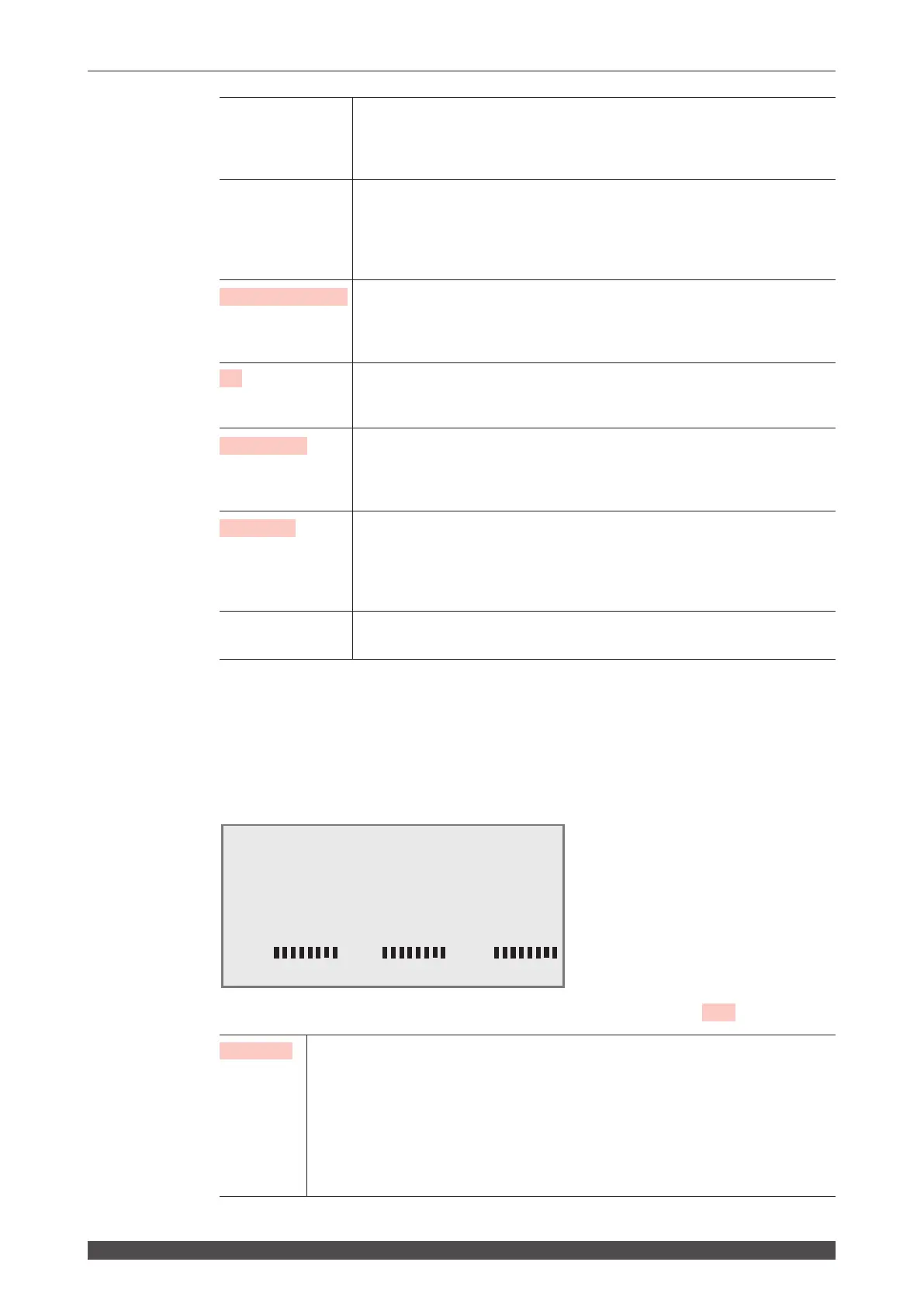
INITIAL Screen
On the INITIAL screen, the equipment No. and communication schedules are set to
use the external communication function. Specific functions are switched and the
alarm range of cooling water temperature is set on this screen.
How to see the displayed items
: Settable item
INITIALIZE When the initialization is set to ON, the set values are initialized. After replacing the
lithium battery, rewriting the program, or replacing the CPU board, the set values
may change or be lost. Accordingly, perform initialization and set the values again.
When it is set to ON and the ENTER key is pressed, it takes about 15 seconds
until initialization is completed. The POWER lamp blinks during that time. Turn o
the power supply after blinking stops. When the power supply is turned o during
initialization (lamp blinking), Error No.52 MEMORY TROUBLE occurs at the time of
the next power-on. At that time, set it to ON again.



 To Next Page