Section 7 Inspection Software
7-34
(6) Check of printer output selection
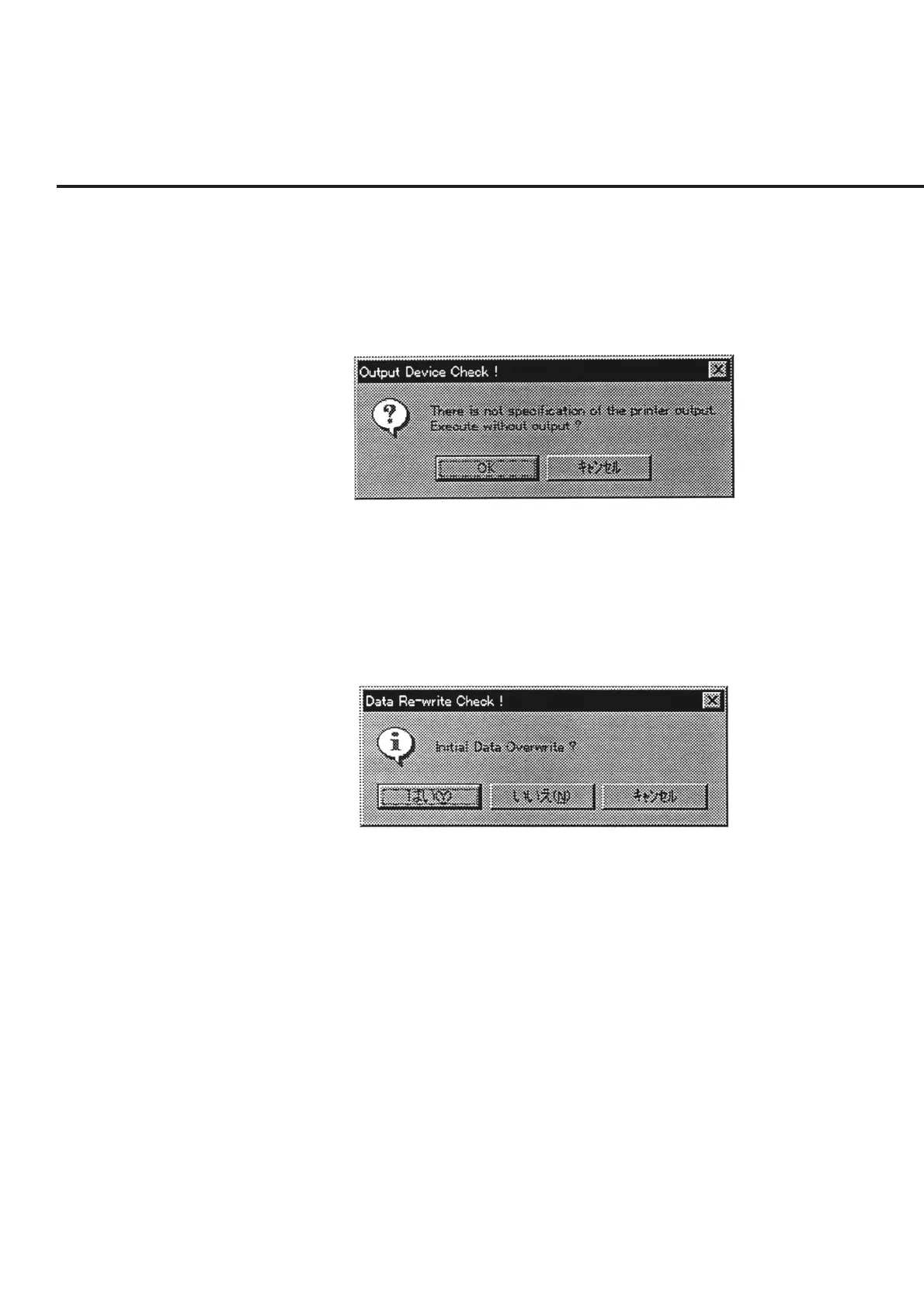
When a printer has not been selected from the list of measured result output des-
tinations in item [5], a message as shown in Fig. 7-26 is displayed.
Select the “OK” button to start a measurement with no output to a printer.
Selection of the “Cancel” button restores the screen back to the “Initial Menu
Screen” shown in Fig. 7-1.
Fig. 7-26 Confirmation of Printer Output Selection
(7) Check of Updating of initial setting file
When the items (such as the address number) contained in the initial setting file
of this program are found to have been changed, the message shown in Fig. 7-27
is displayed.
The buttons in this message box perform the following processing.
Fig. 7-27 Confirmation of Updating of Initial Setting File
“Yes (Y)” ............ Updates the initial file, and sets these as the initial values to be
used when this program is started.
“No (N)” ............. Although the initial file is not updated, the changes to the in-
formation are applied until this program comes to the end.
“Cancel” .............. Restores the screen back to the “Initial Menu Screen” shown
in Fig. 7-1.



 To Next Page