6-43
6.7 Program Operations
(6) Confirmation of the data file output selection
When the data file is not selected as the output destination of the measured re-
sults, the message shown in Fig. 6-42 appears. Click the “OK” button to start
measurement without outputting the measured results to the data file. Note that
in the absence of selection of output to the data file, the correction values mea-
sured will not be stored.
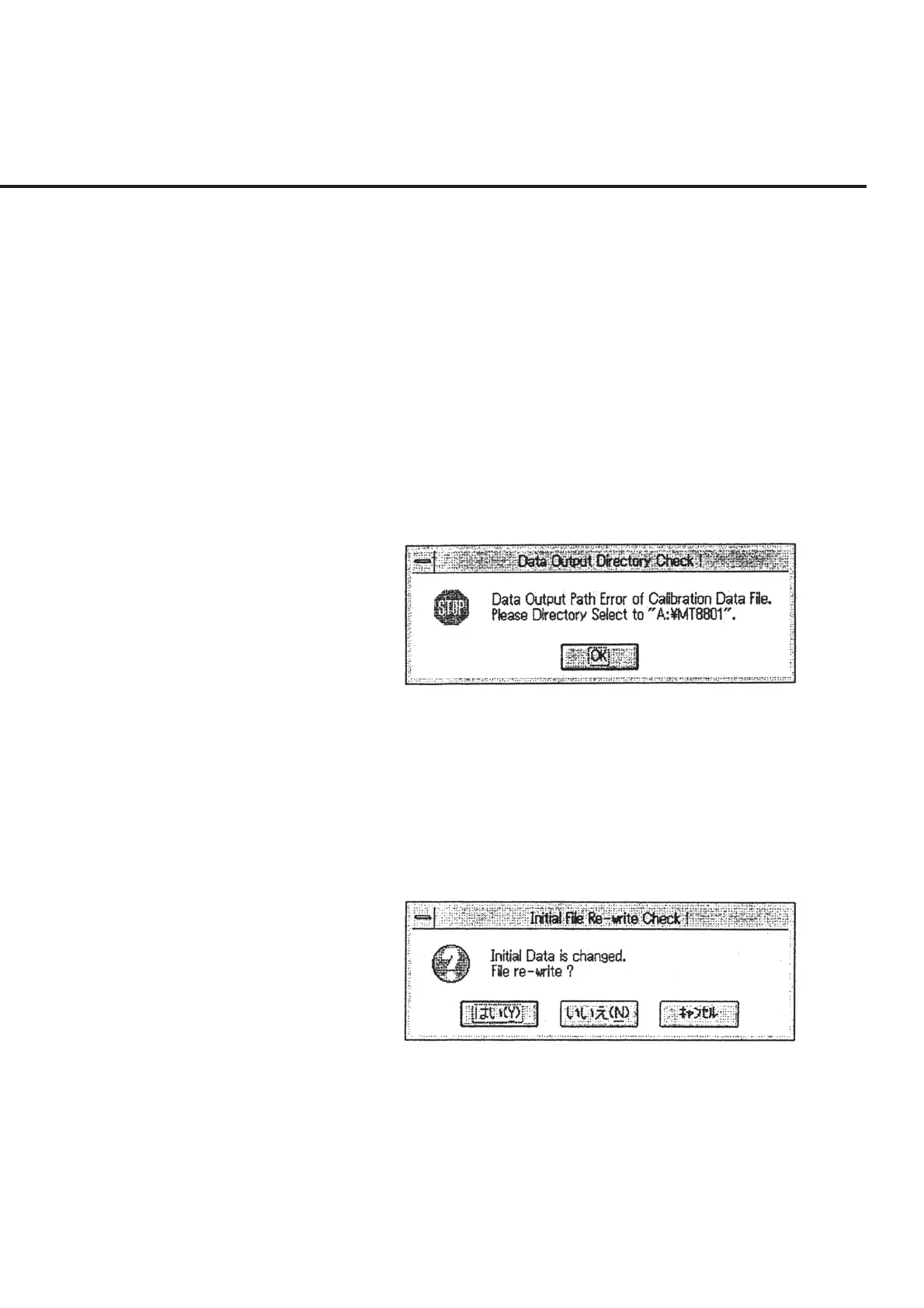
(7) Confirmation of the correction value storage directory selection
When “Calibration” is selected in section [14], the number of units to be mea-
sured is set at one unit, and the directory specified to store the measured results is
other than “A\MT8801,” an error message as shown in Fig. 6-43 appears.
Modify the output destination of the measured results in the manner described in
6.6.4 “Setting Output Destination of Measured results” and 6.6.5 “Selecting Data
File Storage Directory.”
Fig. 6-43 Message to Warn Error in Selection of Correction Value
Storage Directory
(8) Confirmation of the initial data updating
A message requesting confirmation of the file update as shown in Fig. 6-44 ap-
pears when the data in the initial file to be used in this program is modified. The
section below shows the procedures to follow when each button in this message
box is selected.
Fig. 6-44 Initial Data Update Confirmation Message
“Yes” When this button is selected, the modified information will be stored
and used as the default value when this program is activated.
“No” When this button is selected, modified information will not be stored.
However, the modified information will be applied until this pro-
gram ends.
“Cancel” When this button is selected, the screen returns to the “Initial Menu
Screen” shown in Fig. 6-4.



 To Next Page