Chapter 4 INTERFACE SETTINGS
103
Test result display
Port : HDMI 1 (VM-1823)
Devices :
Physical Address Logical Address
1
(TV)0000 0
(Recording Device1)
Test Items :
1 CDC <CDC_HEC_InquireState>
0000 1000to
2 CDC <CDC_HEC_SetState>
0000 1000to... ...
......
...
3 Network <Ping>
255 0 0 0
Active
VM-1823 :
255 0 0 0Target :
(TV)
IP Address
4 CDC <CDC_HEC_SetState>
0000 1000to... ...
Inactive
FAIL
Target device didn’t respond <CDC_HEC_ReportState>
/
/
1000... /
4 (Playback Device1)2100... /
5(Recording Device 1)2000... /
1
CDC <CDC_HEC_InquireState>/
Sample 1
1
2
3
4
6
5
*
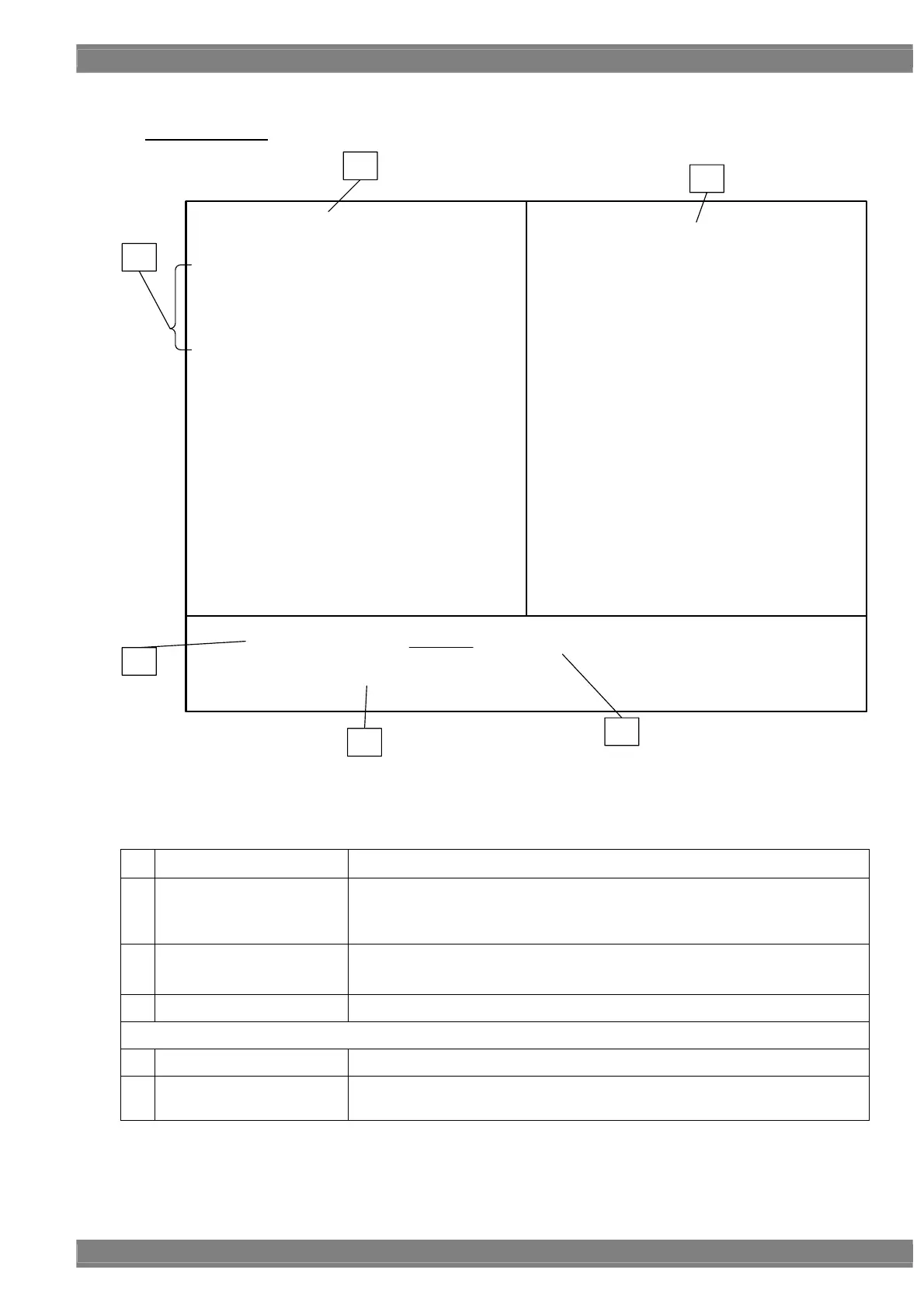
The test result is displayed as pattern as above picture.
《HEC test result items list》
1 Execution port Display the port to execute the test.
2 HDMI device information
Display the information (CEC Logical Address, Physical Address) of HDMI
connected devices.
“ * “ indicates VM-1823.
3 Test contents
Display the test contents.
If the Mode is Auto, information of each step of test sequence is displayed.
4 Test result “PASS” or “FAIL”
Below information is displayed only when the result is FAIL.
5 FAIL detail status Details status of error.
6 FAIL appeared step
When Mode is Auto, it displays in which step of sequence the “FAIL” status
appears.



 To Next Page