Chapter 10 OTHER FUNCTIONS
451
10.5 Formatting
10.5.1 Formatting the CF card
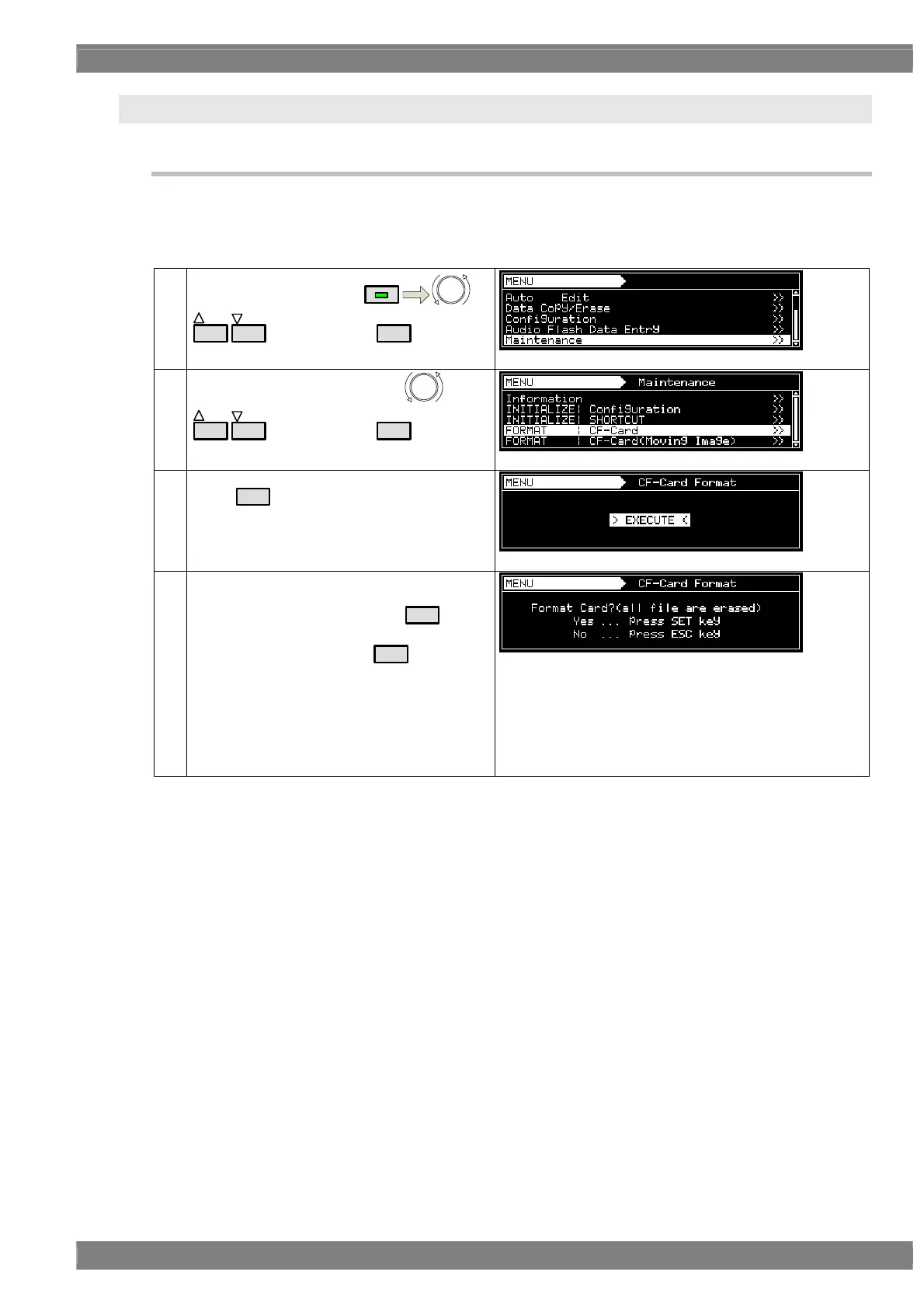
Described below is the procedure used to format the CF card.
* For further details on the CF card used for the moving image module, refer to “10.5.2 Formatting CF cards for
exclusive use of moving images.”
(1)
Select Maintenance using
MENU
or
INC
DEC
, and then press
SET
.
(2)
Select FORMAT : CF-Card using
or
INC
DEC
, and then press
SET
.
(3)
Press
SET
to perform formatting.
(4) A confirmation message is displayed.
To continue the formatting, select
SET
; to
cancel the formatting, select
ESC
.
:
:
:
Formatting is completed.
↓
Now Formatting ...
↓
Card Format Completed
↓
Display in step (3)



 To Next Page