424
9.1.13 Cursor coordinate setting
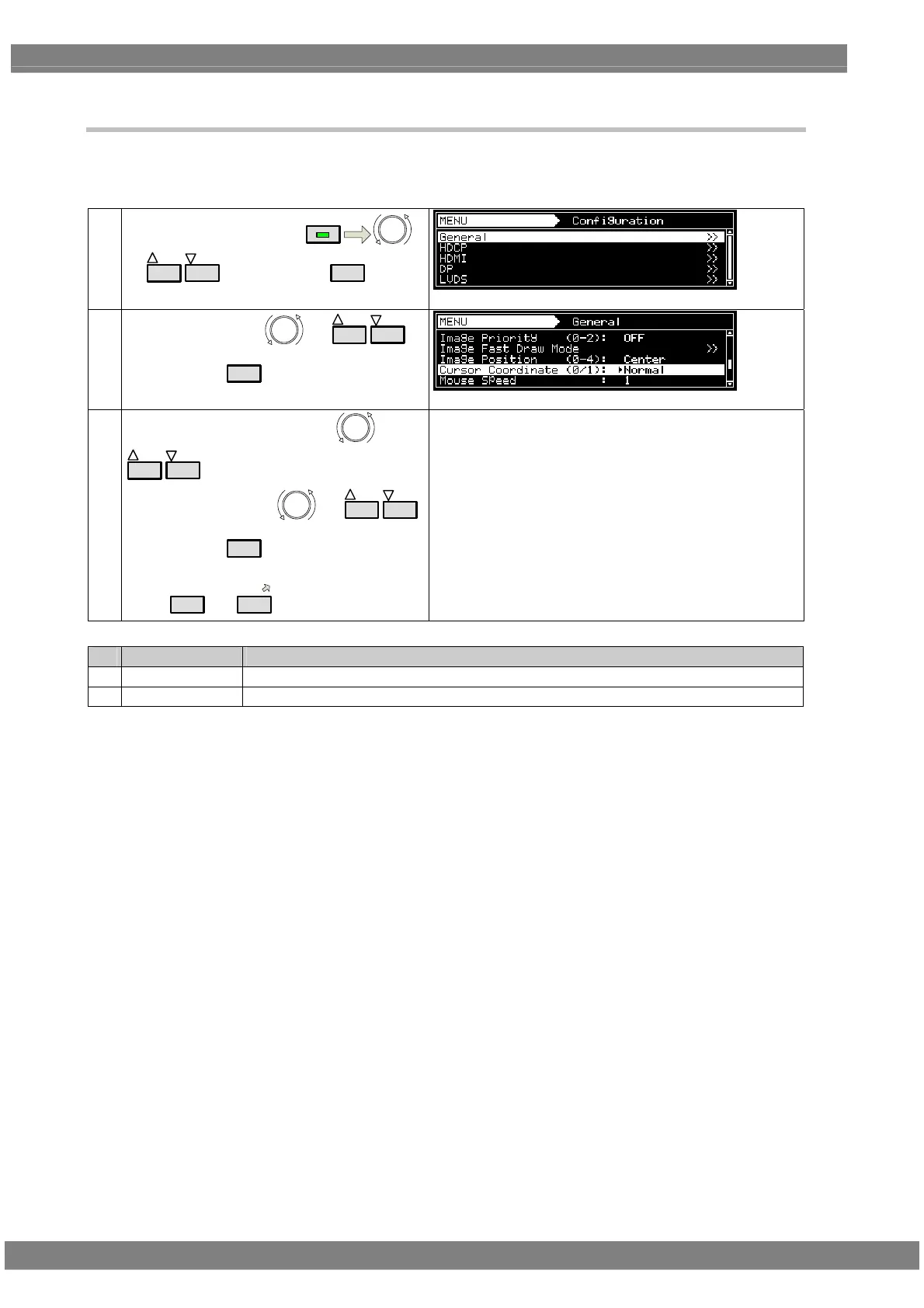
The position for displaying the cursor coordinates can be set.
For details on the On or Off setting procedure for the coordinate display, refer to “6.12.1 Cursor settings.”
(1)
Select Configuration using
MENU
or
INC
DEC
, and then press
SET
.
(2)
Select General using
or
INC
DEC
,
and then press
SET
.
(3)
Select Cursor Coordinate using
or
INC
DEC
.
Select the setting using or
INC
DEC
,
and then press
SET
.
Alternatively, select the setting using the number
keys (
0/STATUS
to
9/F
).
For details on the settings, refer to the table below.
Key LCD display Description
0 Normal The coordinates are displayed at the top left or top right of the display.
1 Move with Curs The display appears near the actual cursor coordinates and moves as the cursor moves.



 To Next Page