428
9.1.17 CUSTOM Key1, 2, RB-1871 CUSTOM Key 1, 2
Custom Key2/RB-1871CustomKey2
Either MUTE or HDMI AV-MUTE can be selected.
(1)
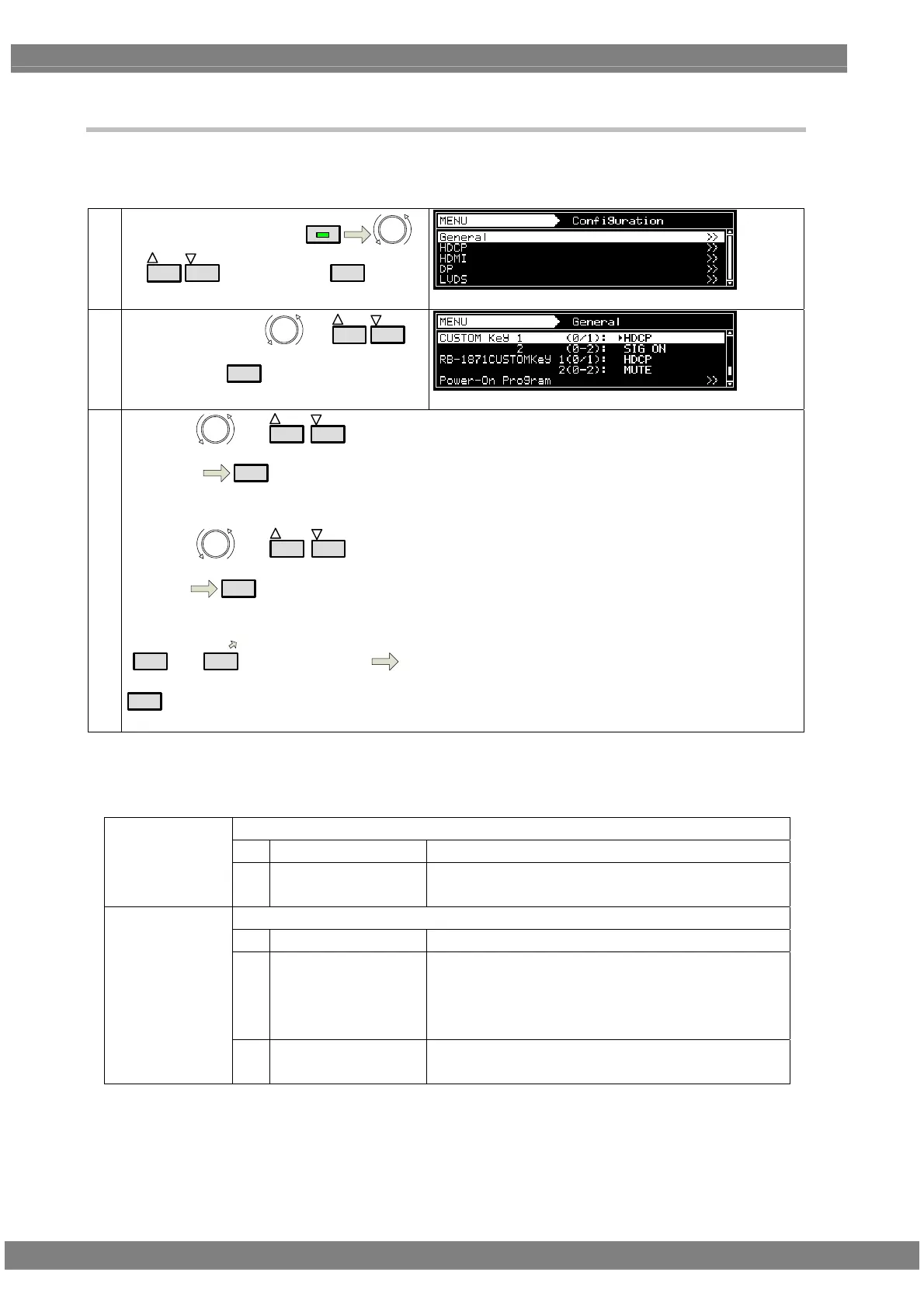
Select Configuration using
MENU
or
INC
DEC
, and then press
SET
.
(2)
Select General using
or
INC
DEC
,
and then press
SET
.
By using or
INC
DEC
, select
Parameter.
SET
Refer to <<Custom key setting item list>> for details.
MUTE:
This operates as the audio mute.
(3)
《Parameter setting》
By using or
INC
DEC
, select
parameter
SET
Or, by using number keys
0/STATUS
to
9/F
, select parameters
SET
HDMI AV-MUTE:
This operates as the HDMI Av-Mute.
It is set to Off when the program is switched.
* When the setting is changed, MUTE or HDMI AV-MUTE
is set to Off.
《 Custom key setting item list 》
Set Custom Key1
0 HDCP Operates HDCP Enable/Disable.
Custom Key1
(0/1)
1 SIG ON SIG ON Key
Note) this is valid only VM-1826 is installed.
Set Custom Key2
0 MUTE Audio Mute
1 HDMI AV-MUTE HDMI AV-Mute
If you change program, it becomes OFF.
Note) if you change setting value, MUTE/HDMI
AV-MUTE becomes OFF.
Custom Key2
(0-2)
2 SIG ON SIG ON key
Note) this is valid only VM-1826 is installed.



 To Next Page