386
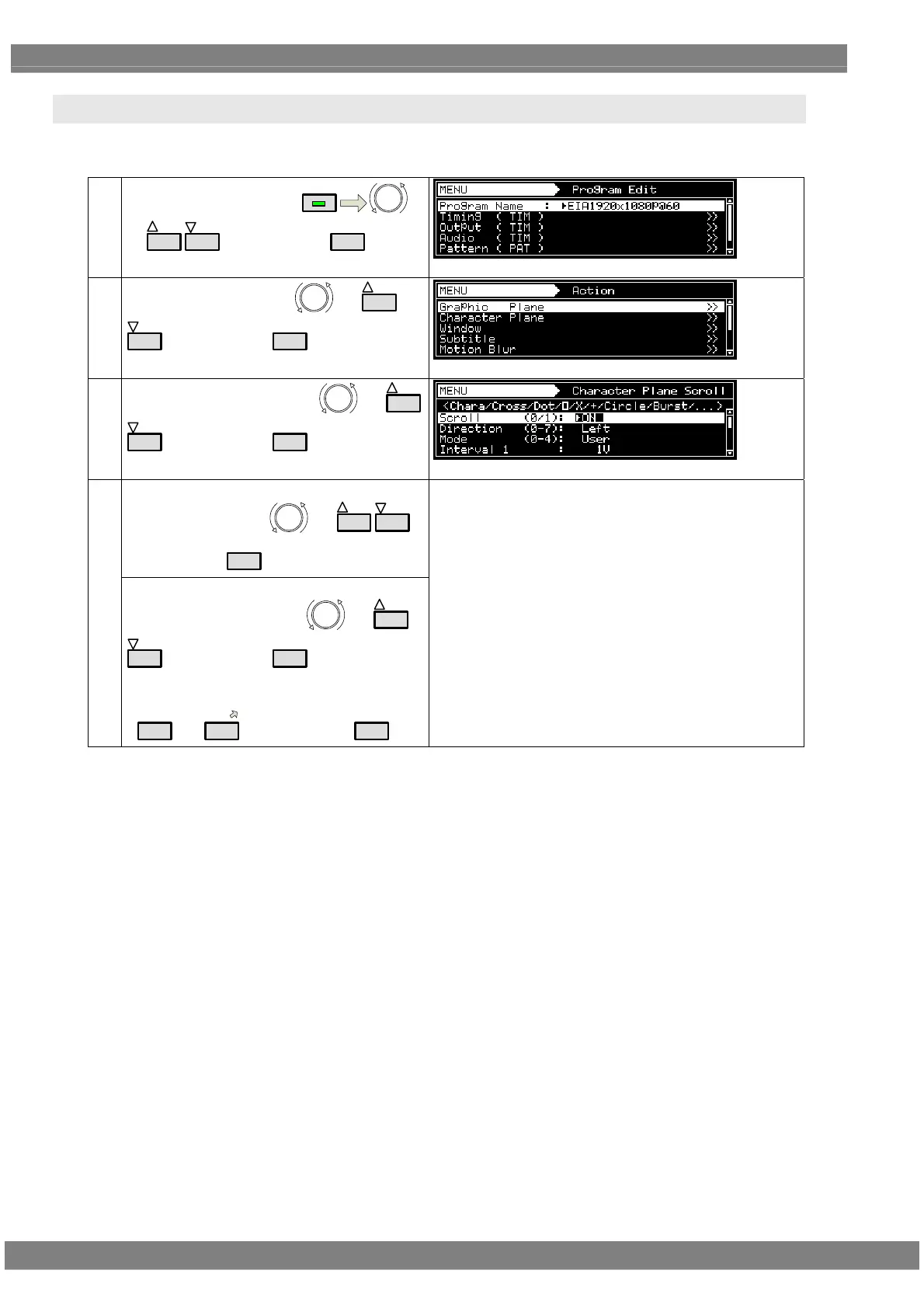
7.4 Character plane scrolling actions
For details on the action selection procedure, refer to “2.1.4 Selecting the actions.”
(1)
Select Program Edit using
MENU
or
INC
DEC
, and then press
SET
.
(2)
Select Action (PAT) using
or
INC
DEC
, and then press
SET
.
(3)
Select Character Plane using
or
INC
DEC
, and then press
SET
.
<Selecting the items>
Select the items using
or
INC
DEC
,
and then press
SET
.
(4)
<Setting the parameters>
Select the parameters using
or
INC
DEC
, and then press
SET
.
Alternatively:
Select the parameters using the number keys
(
0/STATUS
to
9/F
), and then press
SET
.
For further details, refer to <Table of character plane
setting items>.



 To Next Page