174
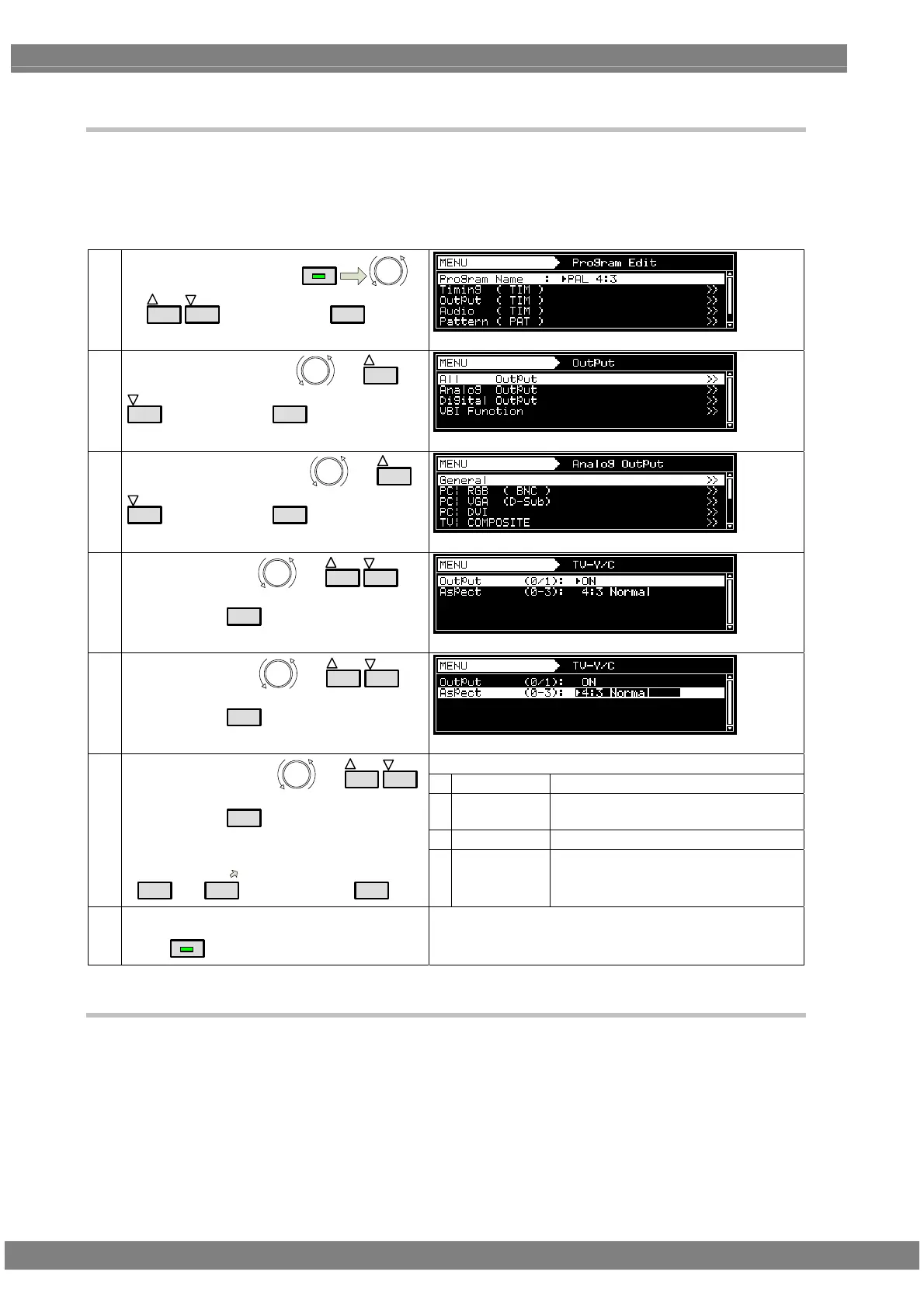
4.8.3 Setting the ID signals (Y/C)
With the Y/C signals, identification of the aspect ratio is enabled by superimposing the ID DC signal onto
the C signal.
Setting procedure
(1)
Select Program Edit using
MENU
or
INC
DEC
, and then press
SET
.
(2)
Select Output (TIM) using
or
INC
DEC
, and then press
SET
.
(3)
Select Analog Output using
or
INC
DEC
, and then press
SET
.
(4)
Select TV|Y/C using
or
INC
DEC
,
and then press
SET
.
(5)
Select Aspect using
or
INC
DEC
,
and then press
SET
.
Set the DC voltage of the C signal.
0
4:3 Normal
4.3 (0 V)
1 4:3 Letter
Box
4:3 letter box (2.2 V)
2
16:9 Squeeze
16:9 squeeze (5.0 V)
(6)
Select the setting using
or
INC
DEC
,
and then press
SET
.
Alternatively:
Select the setting using the number keys
(
0/STATUS
to
9/F
), and then press
SET
.
3
Auto
The setting accords with the aspect
ratio setting in the program.
Upon completion of the settings:
Press
MENU
.
Display returns to the initial screen.
4.8.4 Functions available with TV standard signals
Macrovision, closed caption, V-Chip, Teletext, WSS and CGMS-A/ID-1 can be multiplexed with the
composite signals and Y signal.
For details on the setting procedure, refer to “5. FUNCTIONS AVAILABLE WITH TV STANDARD
SIGNALS.”



 To Next Page