326
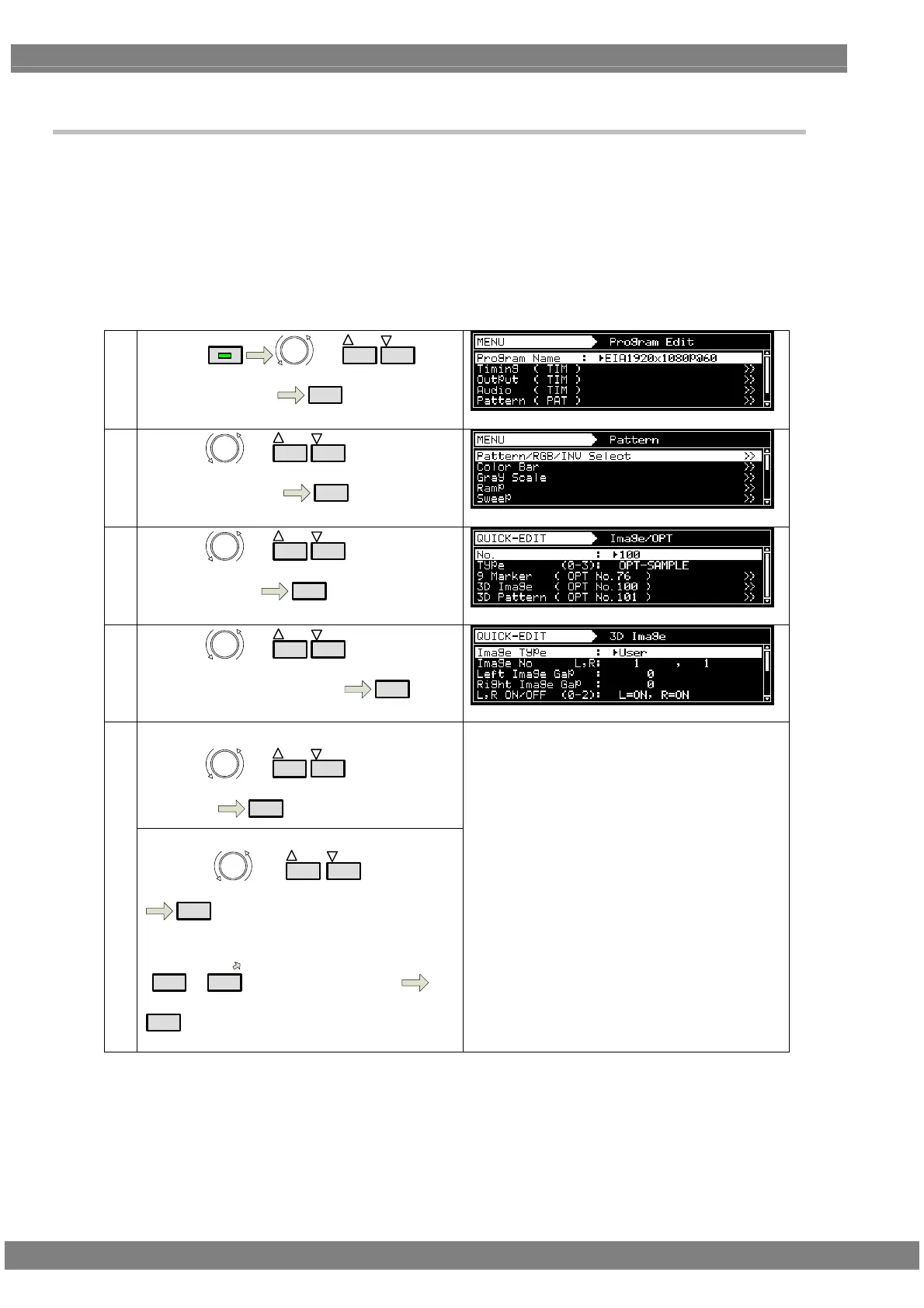
6.9.5 3D Image Pattern (OPT No.100)setting
Sample Option Pattern No.100 is 3D Image pattern.
This function is available only for VM-1823.
Besides below setting, the setting in “HDMI Vendor Specific InfoFrame” is referred.
Refer to “6.9.2 Image / OPT setting” about pattern display.
(designate Type=OPT-SAMPLE,No.100)
①
By using
MENU
or
INC
DEC
,
select ProgramEdit
SET
②
By using or
INC
DEC
,
select Pattern ( PAT )
SET
③
By using or
INC
DEC
,
select Image/OPT
SET
④
By using or
INC
DEC
,
select 3D Image( OPT No.100 )
SET
《Item selection》
By using or
INC
DEC
,
select item
SET
⑤
《
Parameter setting》
By using
or
INC
DEC
, select it
SET
Or,
0/STATUS
~
9/F
select by number keys
SET
Refer to 《 3D Image Pattern setting item list 》
about parameter setting.



 To Next Page