Chapter 4 INTERFACE SETTINGS
45
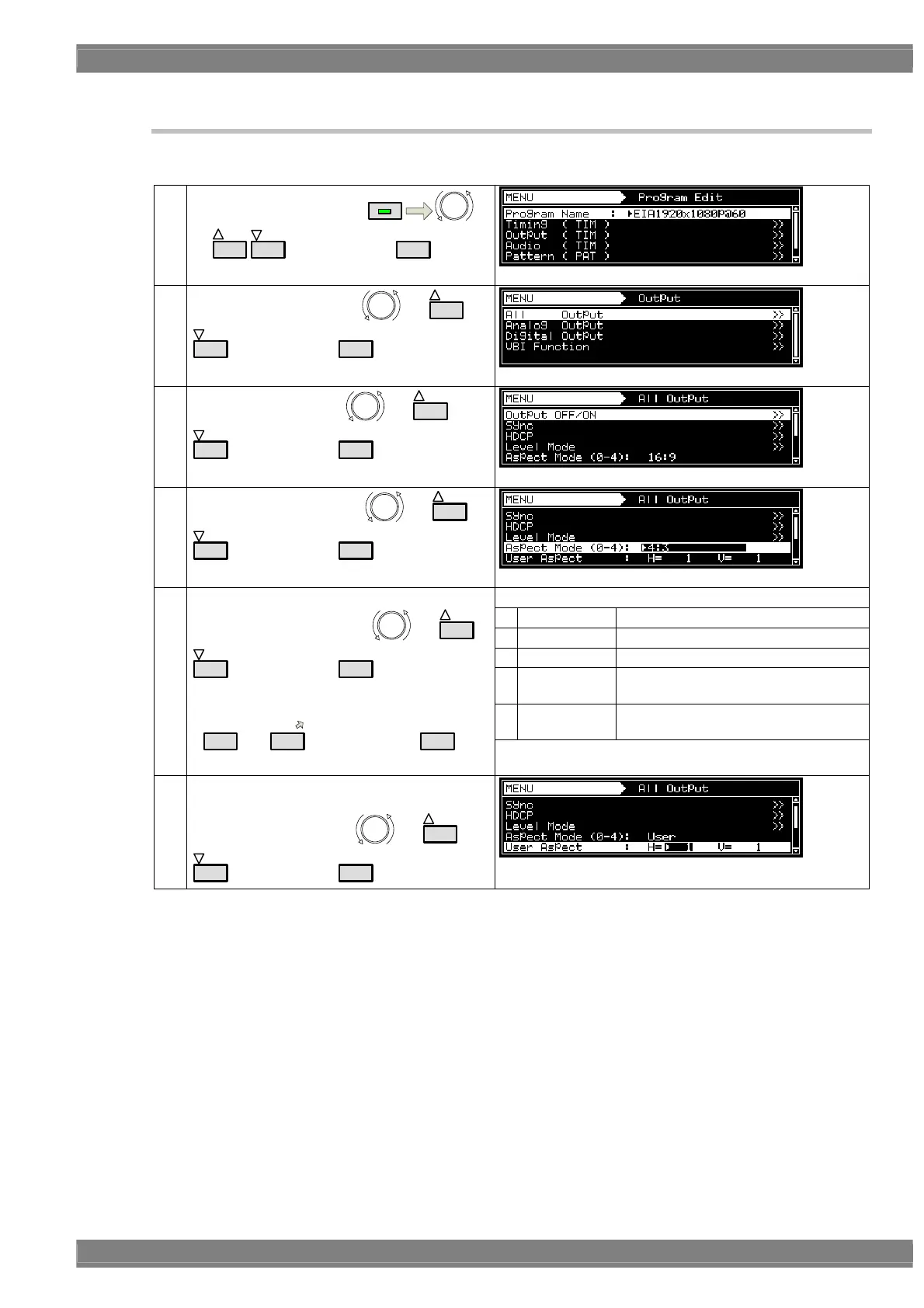
4.1.4 Setting the aspect ratio
In this section, the aspect ratio of the video signals is set.
(1)
Select Program Edit using
MENU
or
INC
DEC
, and then press
SET
.
(2)
Select Output (TIM) using
or
INC
DEC
, and then press
SET
.
(3)
Select All Output using
or
INC
DEC
, and then press
SET
.
(4)
Select Aspect Mode using
or
INC
DEC
, and then press
SET
.
Set the aspect ratio.
0 4:3 The aspect ratio is set to 4:3.
1 4:3 Letter Box The aspect ratio is set to 4:3 letter box.
2 16:9 The aspect ratio is set to 16:9.
3 Resolution
The aspect ratio is set to the same ratio
as the screen resolution.
4User
The aspect ratio of the user’s choice is
set.
(5)
<Inputting the parameters>
Select the parameters using
or
INC
DEC
, and then press
SET
.
Alternatively:
Select the parameters using the number keys
(
0/STATUS
to
9/F
), and then press
SET
.
* The 4:3 letter box setting takes effect only with SDTV
timing signals.
(6) If User was set in step (5), users can set the
aspect ratio of their choice.
Select UserAspect using
or
INC
DEC
, and then press
SET
.



 To Next Page